


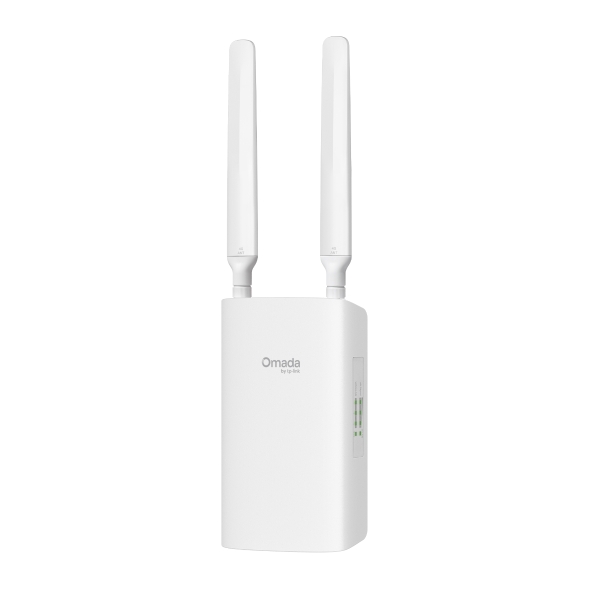
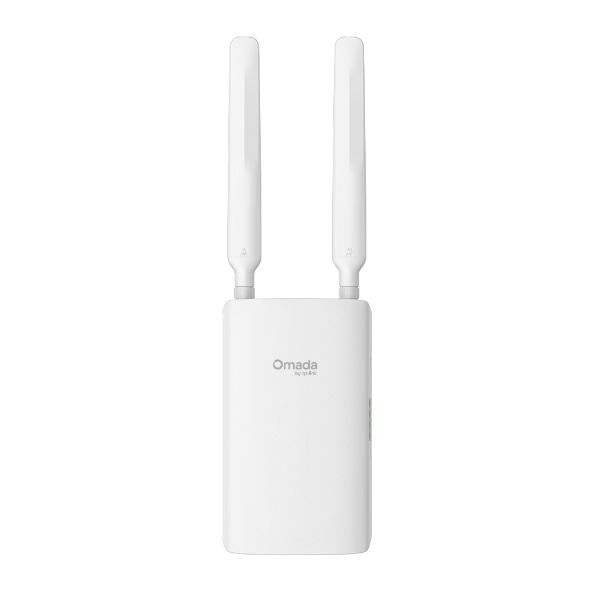
ER603WP-4G-Outdoor
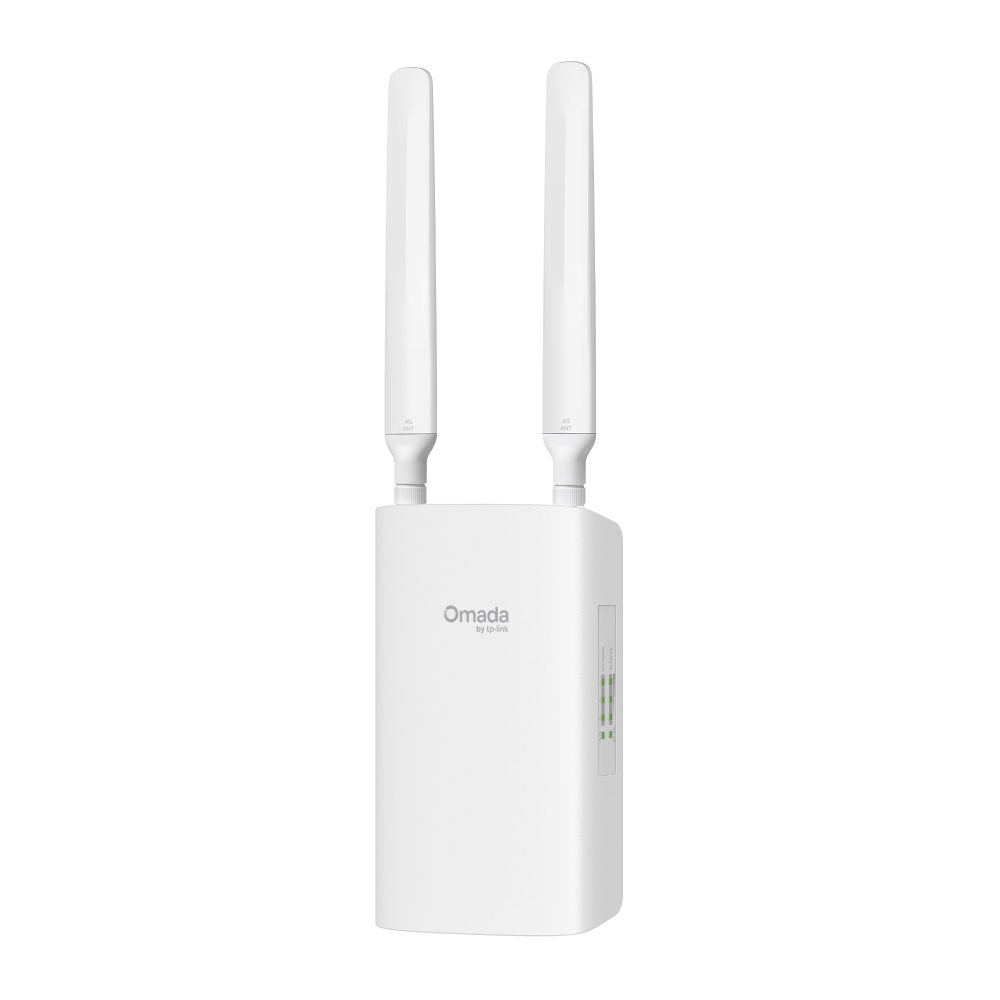
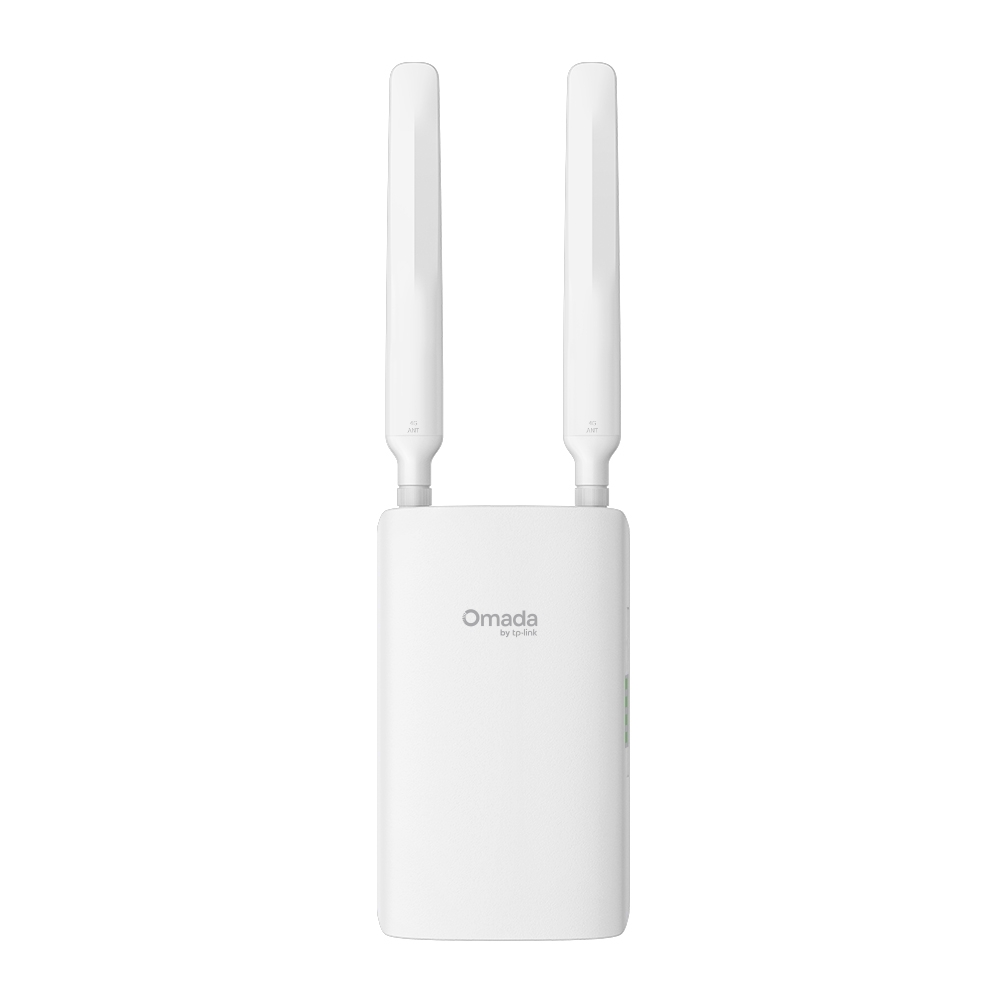
NewOmada 4G Cat4 N300 Outdoor PoE Gateway
- 4G Cat4 up to 150 Mbps*
- Wi-Fi 4, Support 300 Mbps on 2.4 GHz†
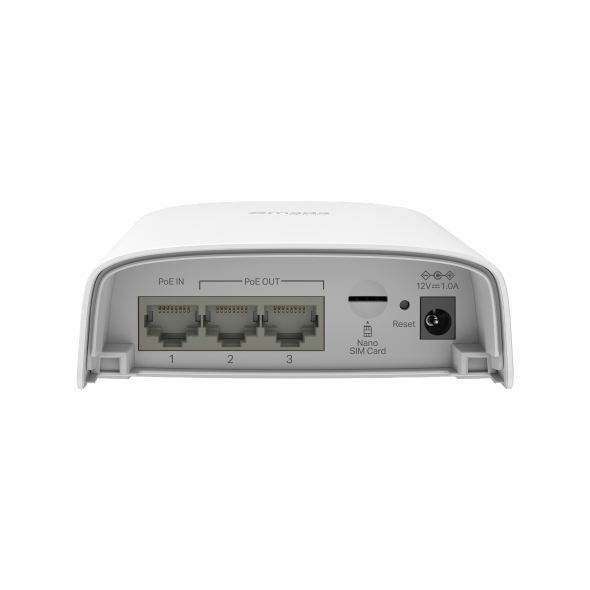
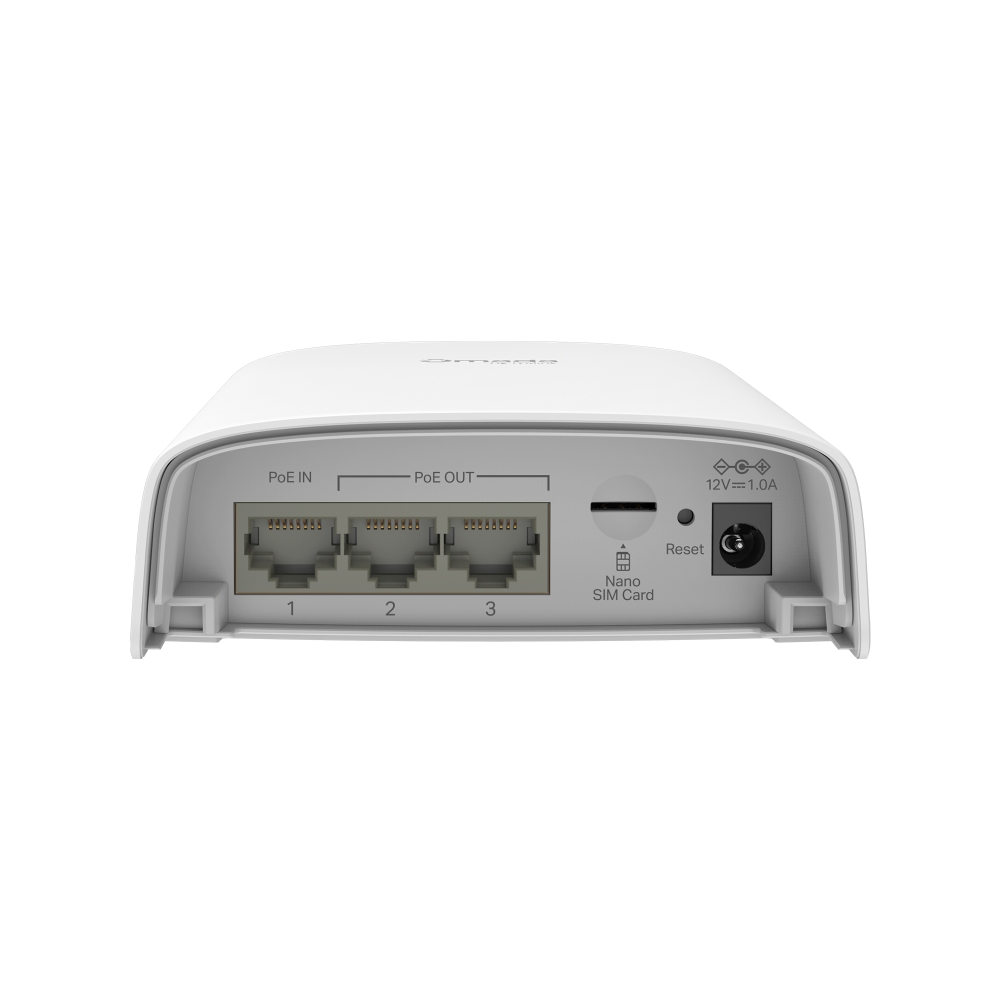
- 3× Gigabit WAN/LAN Ports (2× PoE Out, 1× PoE In)
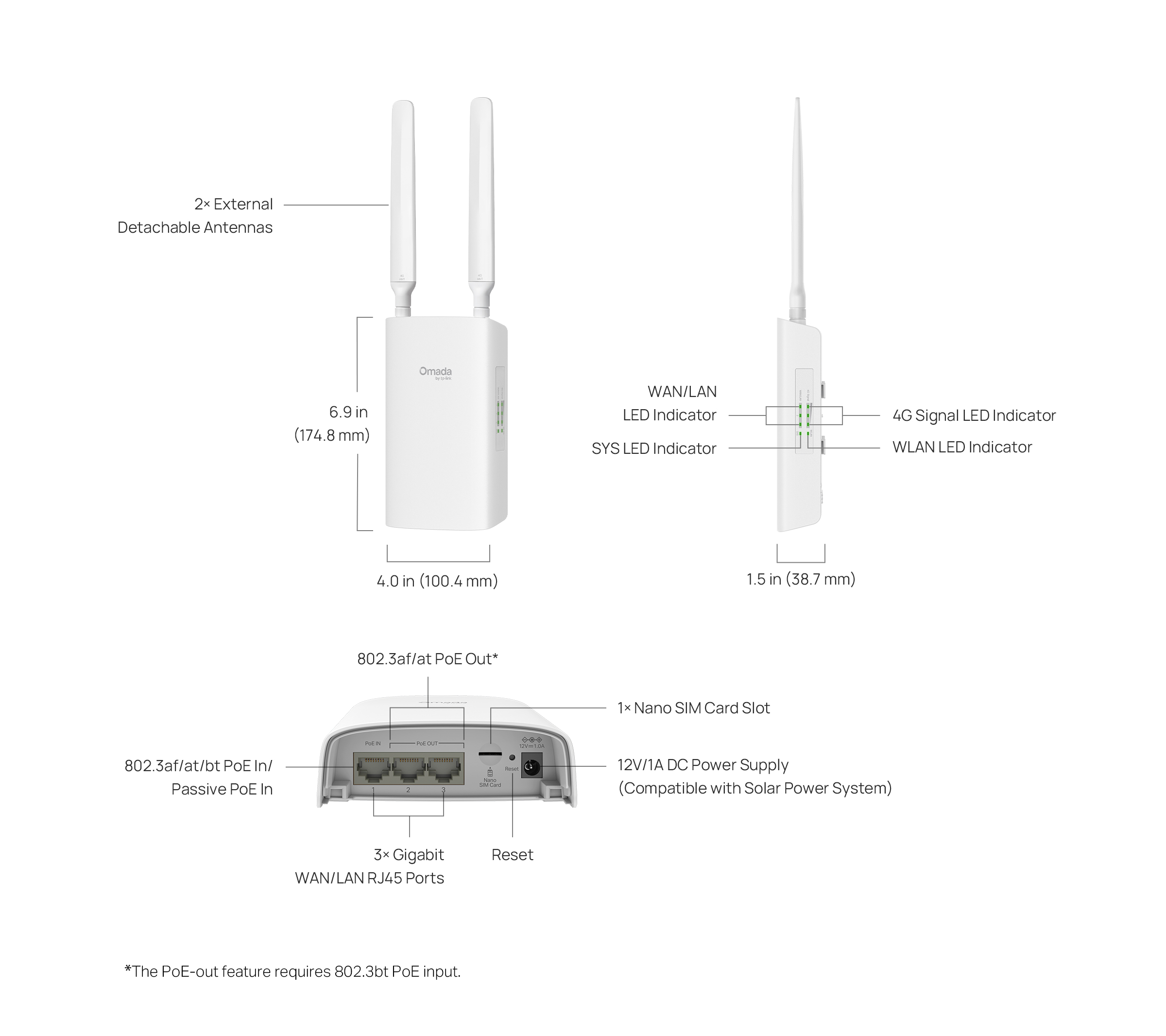
- 1× Nano SIM Card Slot
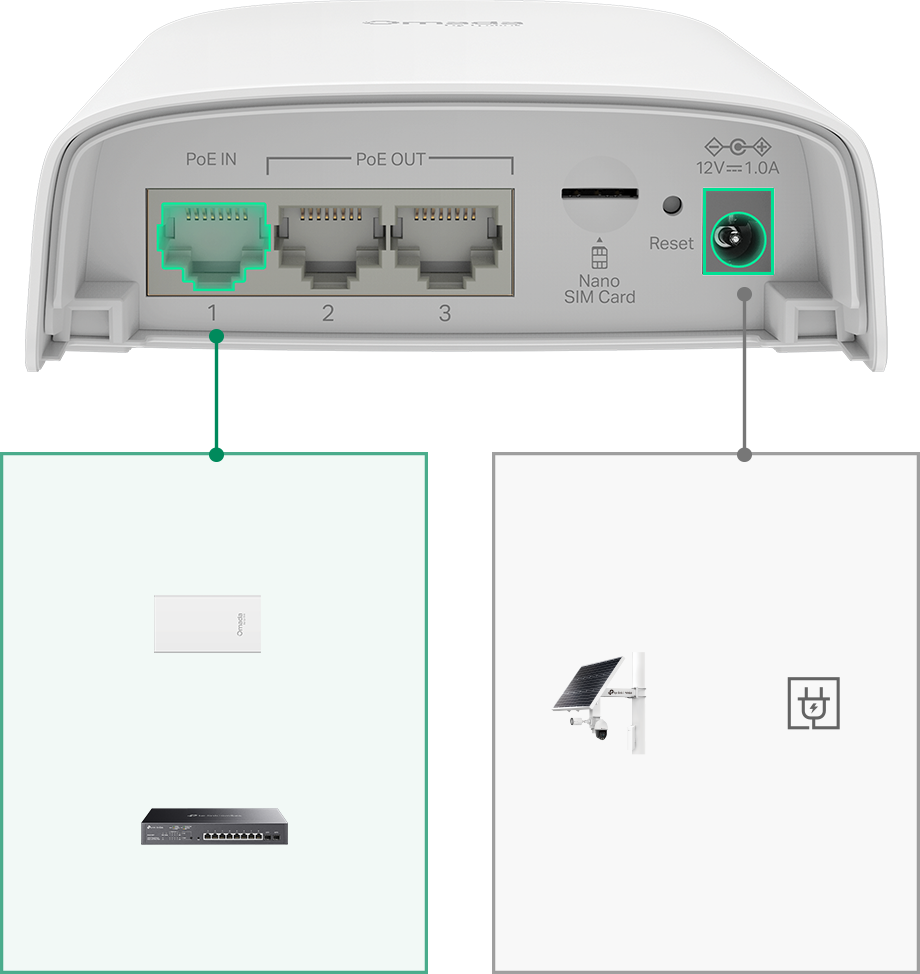
- 802.3at/bt PoE/Passive PoE/DC Power Supply
- IP55 Weatherproof & 4 kV Lightning Protection
- Load Balancing between 4G and Ethernet WAN
- IPSec/PPTP/L2TP/OpenVPN/WireGuard/GRE§ VPN
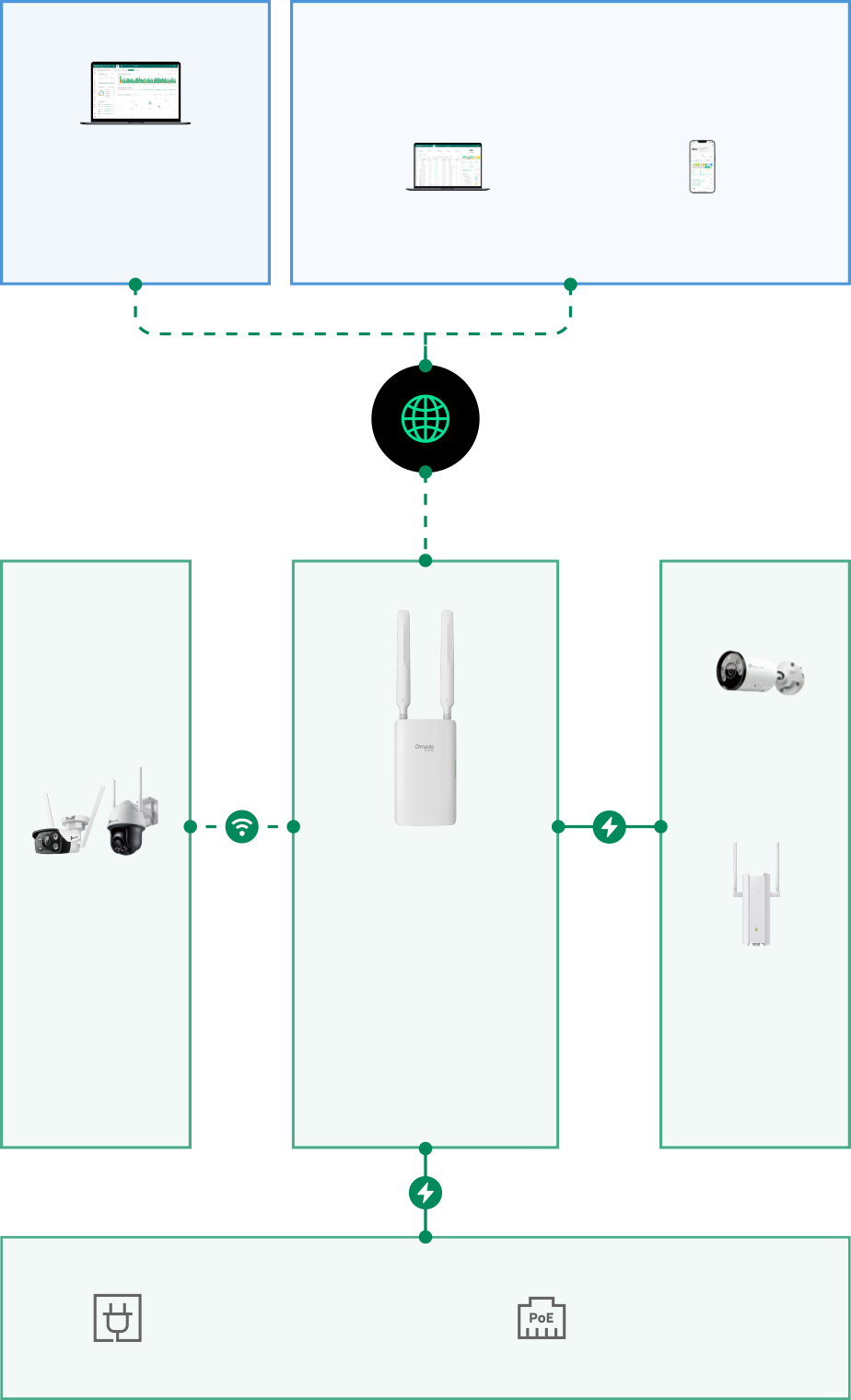
- Centralized Cloud Management△

4G Cat4
up to 150 Mbps*
Stable Connectivity up to 300 Mbps on 2.4 GHz†
802.3af/at/bt PoE/12V DC (Compatible with Solar Power System)
3× Gigabit Ports (2× PoE Out, 1× PoE In) & 1× Nano SIM Card Slot
Centralized Cloud Management
IPSec/GRE§/ WireGuard/PPTP/ L2TP VPN & OpenVPN
4G and Ethernet WAN for Auto-Backup with Load Balancing
IP55 Weatherproof

Wi-Fi Gateway ER603WP-4G-Outdoor






of Dust



| 4G | |
|---|---|
| Network Type | LTE Band of EU: 4G LTE-FDD: B1/B3/B5/B7/B8/B20/B28 (2100/1800/850/2600/900/800/700) 4G LTE-TDD: B38/B40/B41 (2600/2300/2500 MHz) 3G HSPA+/HSDPA/HSUPA/WCDMA: B1/B5/B8 (2100/850/900 MHz) |
| SIM Type | 1 Nano SIM slot (CAT4 4G) |
| Frequency | • Downlink: 150 Mbps• Uplink: 50 Mbps |
| SECURITY | |
|---|---|
| Access Control | • Source/Destination IP Based ACL • Stateful ACL • IPv4/IPv6 ACL • National Based ACL |
| DNS Proxy | DNSSEC, DoH, DoT, DNS Override |
| Filtering | • Web Group Filtering§• URL Filtering• Web Security§ |
| Attack Defense | • TCP/UDP/ICMP Flood Defense• Block TCP Scan (Stealth FIN/Xmas/Null)• Block Ping from WAN |
| ARP Inspection | • Sending GARP Packets• ARP Scanning§• IP-MAC Binding• ARP Detection |
| VPN | |
|---|---|
| GRE | √ (Only in Standalone Mode) |
| IPsec VPN | • 6 IPSec VPN Tunnels • LAN-to-LAN, Client-to-LAN • Main, Aggressive Negotiation Mode • DES, 3DES, AES128, AES192, AES256 Encryption Algorithm IPsec • Failover • IKE v1/v2 • MD5, SHA1, SHA-256, SHA2-384, SHA2-256 and SHA2-512 • Authentication Algorithm NAT Traversal (NAT-T) • Dead Peer Detection (DPD) • Perfect Forward Secrecy (PFS) |
| PPTP VPN | • PPTP VPN Server• PPTP VPN Client (6)• 6 Tunnels• PPTP with MPPE Encryption |
| L2TP VPN | • L2TP VPN Server• L2TP VPN Client (6)• 6 Tunnels• L2TP over IPSec |
| OpenVPN | • OpenVPN Server • OpenVPN Client (3) • 18 OpenVPN Tunnels • "Certificate + Account" Mode • Full Mode |
| WireGuard VPN | √ |
| SD-WAN | √ (Only in Controller Mode) |
| HARDWARE FEATURES | |
|---|---|
| Interface | 3 Gigabit WAN/LAN Ports |
| Network Media | • 10BASE-T: UTP category 3, 4, 5 cable (Max 100 m) EIA/TIA-568 100Ω STP (Max 100 m) • 100BASE-TX: UTP category 5, 5e cable (Max 100 m) EIA/TIA-568 100Ω STP (Max 100 m) • 1000BASE-T: UTP category 5, 5e, 6 cable (Max 100 m) |
| Button | Reset Button |
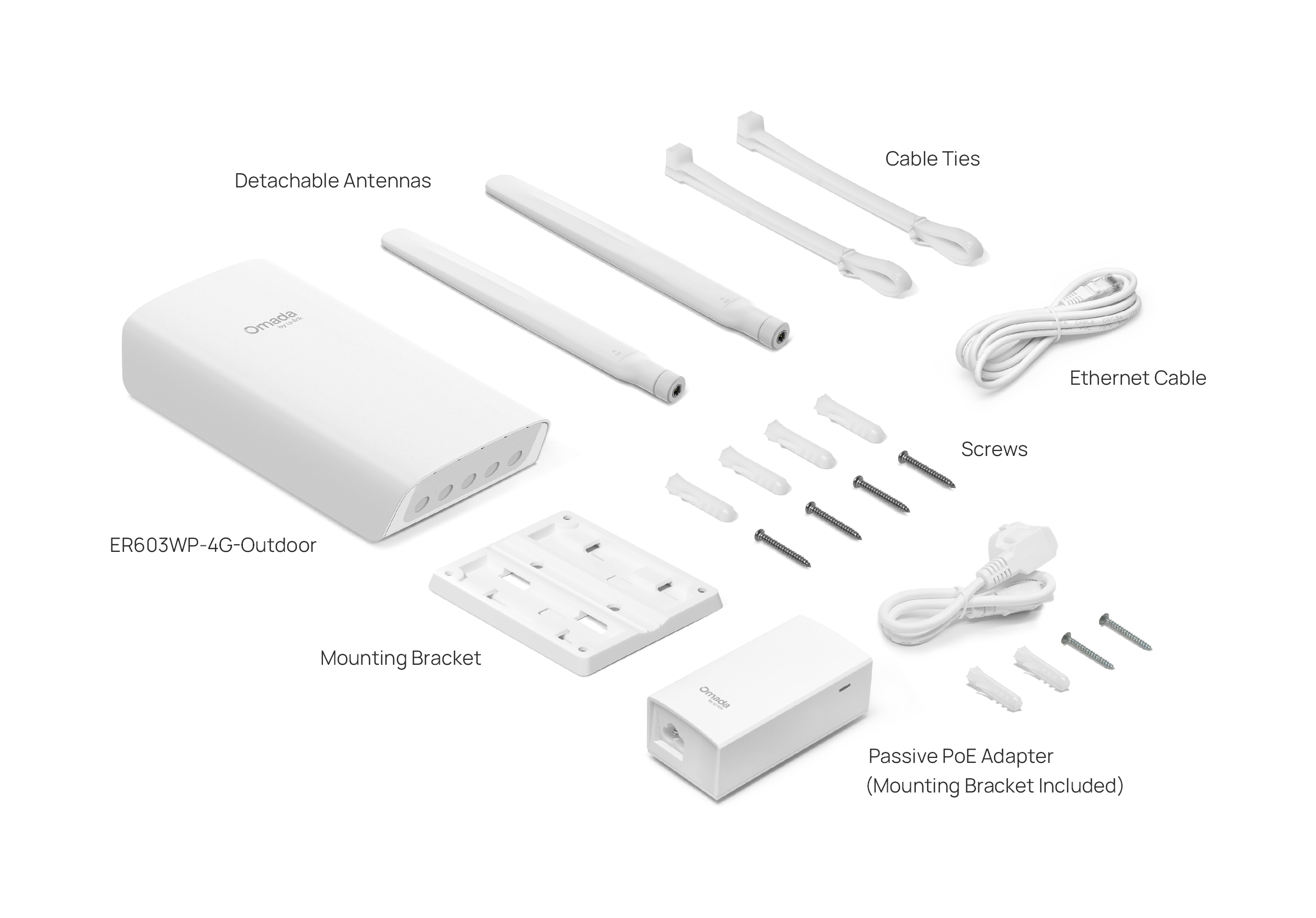
| Power Supply | Passive/802.3af/at/bt PoE; 12V/1A Adapter(A passive PoE adapter is provided) |
| PoE Standard | • Passive/802.3af/at/bt PoE in for port 1• Passive/802.3af/at PoE out for port 2-3※ |
| Wi-Fi Frequency & Signal Rate | 2.4 GHz: 300 Mbps |
| Flash | 128 MB NAND |
| DRAM | 256 MB DDR3 |
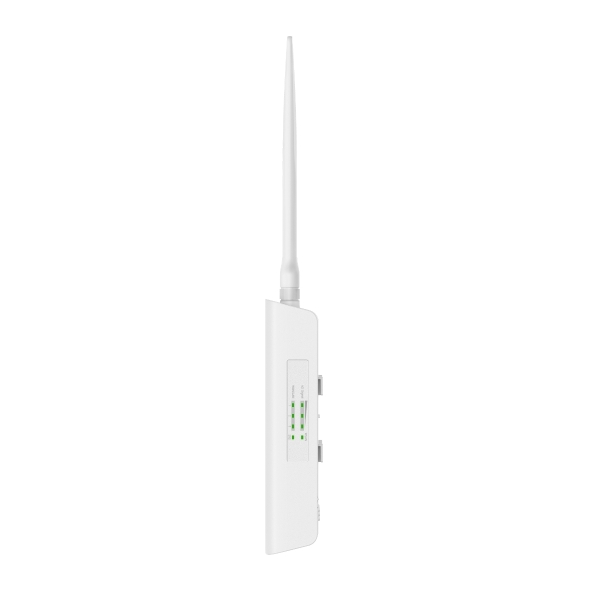
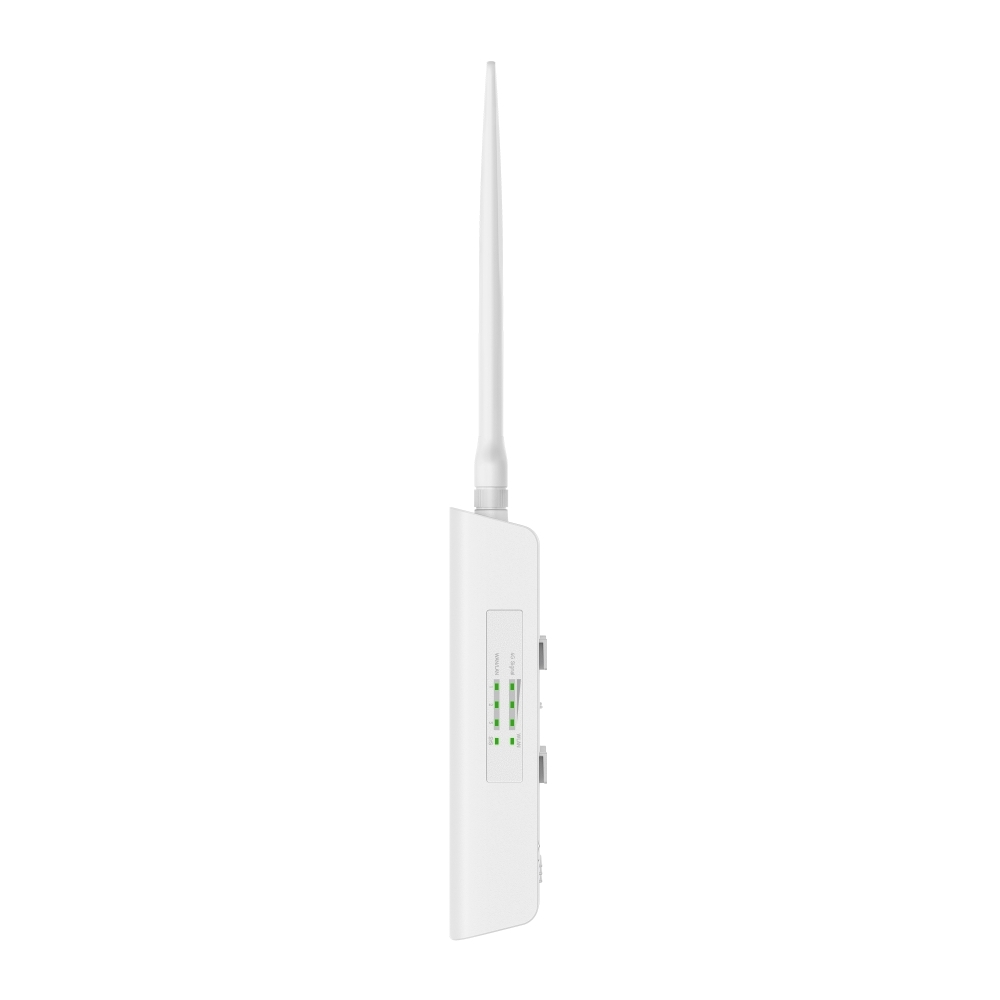
| LED | 4G Signal, WLAN. WAN/LAN, SYS |
| Dimensions ( W x D x H ) | 4.0 × 1.5 × 6.9 in (100.4 × 38.7 × 174.8mm)(excluding antennas) |
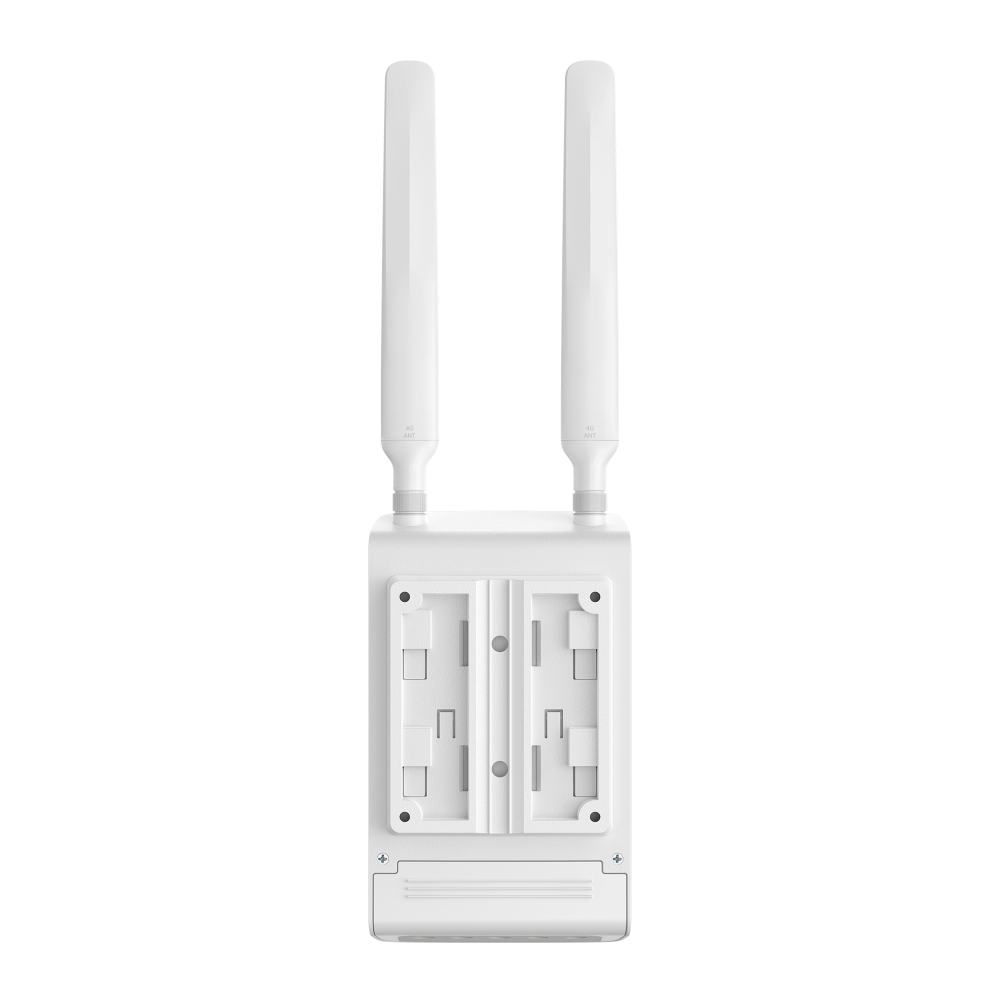
| Antenna | 2 internal Wi-Fi antennas2 external LTE antennas |
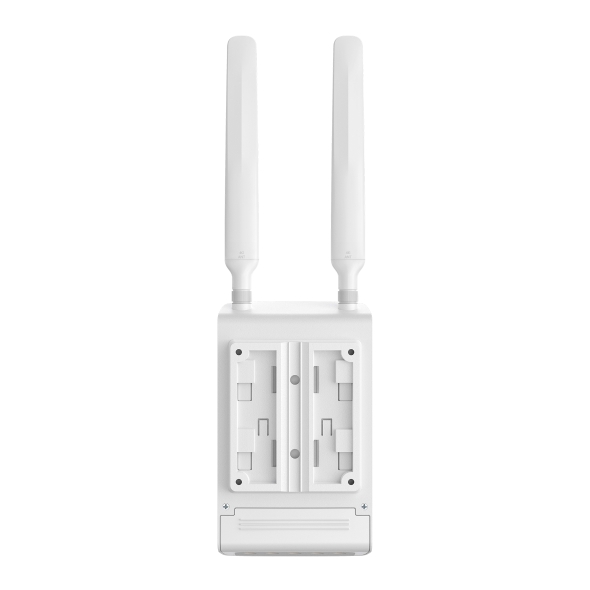
| Mounting | Wall/Pole Mounting (Kits included) |
| Max. Power Consumption | • 10 W without PoE• 62 W with PoE |
| PERFORMANCE | |
|---|---|
| Concurrent Session | 50,000 |
| New Sessions /Second | 2,028 |
| NAT (Static IP) | 944.785 Mbps / 939.201 Mbps |
| NAT(DHCP) | 944.545 Mbps / 927.491 Mbps |
| NAT(PPPoE) | 939.278 Mbps / 928.516 Mbps |
| NAT (L2TP) | 432.126 Mbps / 355.712 Mbps |
| NAT (PPTP) | 513.104 Mbps / 457.323 Mbps |
| 66 Byte Packet Forwarding Rate | 1,419,519 pps / 1,418,731 pps |
| 1,518 Byte Packet forwarding rate | 81,068 pps / 81,068 pps |
| IPsec VPN Throughput | • ESP-SHA1-AES256: 192.432 Mbps• ESP-SHA256-AES256: 195.445 Mbps• ESP-SHA384-AES256: 48.55 Mbps• ESP-SHA512-AES256: 48.363 Mbps |
| GRE | • Unencrypted: 425.292 Mbps• Encrypted: 164.058 Mbps |
| WireGuard VPN | 50.175 Mbps |
| OpenVPN | 11.369 Mbps |
| L2TP VPN Throughput | • Unencrypted: 370.822 Mbps• Encrypted: 144.05 Mbps |
| PPTP VPN Throughput | • Unencrypted: 408.038 Mbps• Encrypted: 35.912 Mbps |
| Management Features | |
|---|---|
| Omada App | Yes |
| Centralized Management | • Omada Cloud-Based Controller• Omada Hardware Controller• Omada Software Controller |
| Cloud Access | Yes |
| Service | Dynamic DNS (Dyndns, No-IP, Peanuthull, Comexe, DDNS Customization) |
| Maintenance | • Web Management Interface• Remote Management• Export & Import Configuration• SNMP v1/v2c/v3• Diagnostics (Ping & Traceroute)• NTP Synchronize§• Port Mirroring• CLI (only in Standalone Mode)• Syslog Support |
| Management Features | Automatic Device DiscoveryIntelligent Network MonitoringAbnormal Event WarningsUnified ConfigurationReboot ScheduleCaptive Portal ConfigurationZTP (Zero-Touch Provisioning) |
| WIRELESS FEATURES | |
|---|---|
| Advanced Features | • WPA/WPA2 Personal, WPA/WPA2 Enterprise• Multiple SSIDs: 8 in total (8 per radio)• Rate Limit: Based on SSID/Client |
| Guest Network | Support |
| BASIC FUNCTIONS | |
|---|---|
| LAN DNS | √ |
| WAN Connection Type | • Static IP • Dynamic IP • PPPoE (supports MRU Configuration) • PPTP • L2TP |
| MAC Clone | Modify WAN Address |
| DHCP | • DHCP Server • DHCPv6 PD Server§• DHCP Options Customization • DHCP Address Reservation • Multi-IP Interfaces • Multi-Net DHCP• WAN DHCP 60 |
| Stateful ACL | √ |
| Quality of Service | √ |
| Bridge VLAN | √ |
| SMS | Receive/Send SMS |
| mDNS Repeater | √ |
| IPv6 | StaticIP / SLAAC / DHCPv6 / PPPoE / 6to4Tunnel / PassThrough / Non-Address mode |
| VLAN | 802.1Q VLAN |
| IPTV | IGMP v2/v3 Proxy, Custom Mode, Bridge Mode |
| Advanced Features | |
|---|---|
| Bandwidth Control | IP-based Bandwidth Control |
| Load Balance | • Intelligent Load Balance• Application Optimized Routing• Link Backup (Timing, Failover)• Online Detection |
| NAT | • One-to-One NAT• Multi-Net NAT• Virtual Server• Port Triggering§• NAT-DMZ• FTP/H.323/SIP/IPSec/PPTP ALG• UPnP• Disable NAT |
| Routing | • Static Routing• Policy Routing• RIP§• OSPF§ |
| Session Limit | IP-based Session Limit |
| AUTHENTICATION | |
|---|---|
| Web Authentication | • No Authentication• Simple Password• Hotspot (Local User / Voucher# / SMS# / Radius#)• External Radius Server• External Portal Server#• LDAP |
| OTHERS | |
|---|---|
| Certification | CE, RoHS |
| Package Content | • ER603WP-4G-Outdoor• Mounting Kits• Passive PoE Adapter• Quick Installation Guide |
| Environment | • Operating Temperature: -30°C–60 °C (-22 °F–140 °F)• Storage Temperature: -40 °C–70 °C (-40 °F–158 °F)• Operating Humidity: 5%–95% non-condensing• Storage Humidity: 5%–90% non-condensing |
*Actual 4G downlink speeds vary between buildings. Factors affecting 4G speeds include the internet service plan, real-time network capacity, equipment and client limitations, and environmental factors.
**Protection against lightning may be achieved through proper product setup, grounding, and cable shielding. Refer to the instruction manual and consult an IT professional to assist with setting up this product.
†Maximum wireless signal rates are the physical rates derived from IEEE Standard 802.11 specifications. Actual wireless data throughput and wireless coverage are not guaranteed and will vary.
△The Omada cloud-based controller offers the Essentials version of cloud services for free, while the Standard version, which includes advanced features, requires a license.
§These features are supported only in Standalone Mode.
※The PoE-out feature requires 802.3bt PoE input.
#These features are supported only in Controller Mode.
ErP Information:
1) Power consumption in networked standby: 3.5 W
2) Power consumption in networked standby when all wired network ports are connected and all wireless network ports are activated: 4.1 W
3) The default period of time after which the power management function switches the equipment automatically into a condition providing networked standby: 20 minutes
4) How to activate and deactivate wireless network: Enter the webpage of product through wired connecting. The wireless function can be turn on/off via 'Wireless > Wireless Settings > Enable Checkbox'