


How to Connect Tapo and Kasa Devices to Amazon Alexa: Two Setup Methods
To connect Tapo to Alexa or add Kasa to Alexa, you can use either the Tapo or Kasa app, or go through the Amazon Alexa app directly. Once linked, you can use Alexa voice commands to control Tapo and Kasa smart plugs and bulbs, or stream Tapo camera feeds to an Amazon Echo Show or Fire TV. This guide covers both setup paths.
NOTE: Before getting started, make sure both your Tapo or Kasa app and your Tapo or Kasa devices are updated to the latest version. For help updating device firmware, see how to update the firmware of Tapo and Kasa devices in the Tapo app.
Key Takeaways
- Tapo and Kasa devices can be linked to Amazon Alexa using two methods: through the Tapo or Kasa app under Me > Third-Party Services > Amazon Alexa, or by searching for the Tapo or Kasa skill directly in the Amazon Alexa app.
- Once the Tapo or Kasa skill is enabled and your TP-Link ID is linked, Alexa will discover and connect to your devices automatically.
- After linking, you can control Tapo and Kasa smart plugs and bulbs with Alexa voice commands, and stream Tapo camera feeds to Amazon Echo Show or Fire TV devices.
- If you rename a Tapo or Kasa device after linking, you must rediscover the device in Alexa for the new name to take effect.
- Matter-enabled Tapo and Kasa devices connect to Alexa directly and do not require the Tapo or Kasa skill. Refer to the Matter setup FAQ for those devices.
Link Tapo and Kasa Devices with Alexa
Before starting, make sure your Tapo or Kasa device is set up and online. The steps below use a Tapo or Kasa plug as an example. There are two options for connecting your device to Amazon Alexa.
Option 1: Connect Device to Alexa through the Tapo or Kasa App
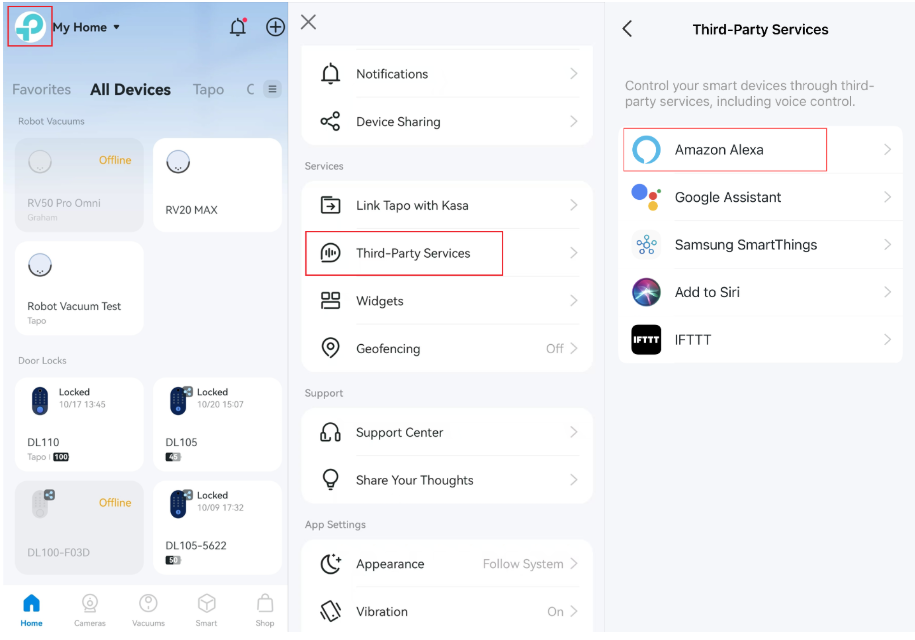
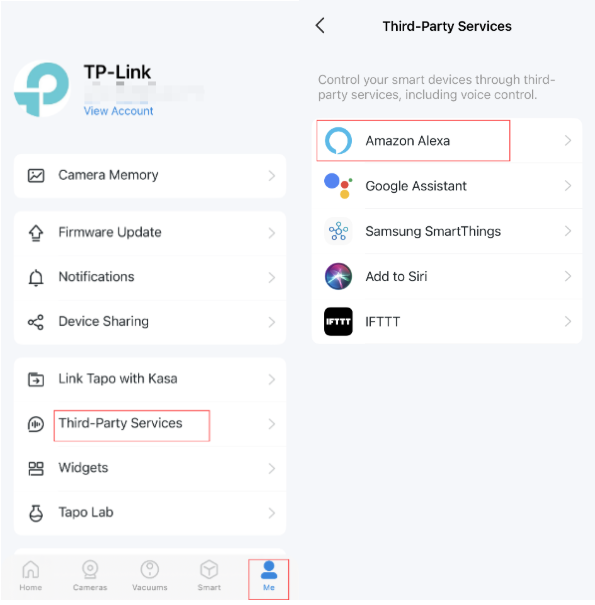
Step 1. Open the Tapo /Kasa app, go to Me > Third-Party Services, and select Amazon Alexa. The location of Me button may vary by app version. It is located either in the bottom right corner or top left corner of the app.
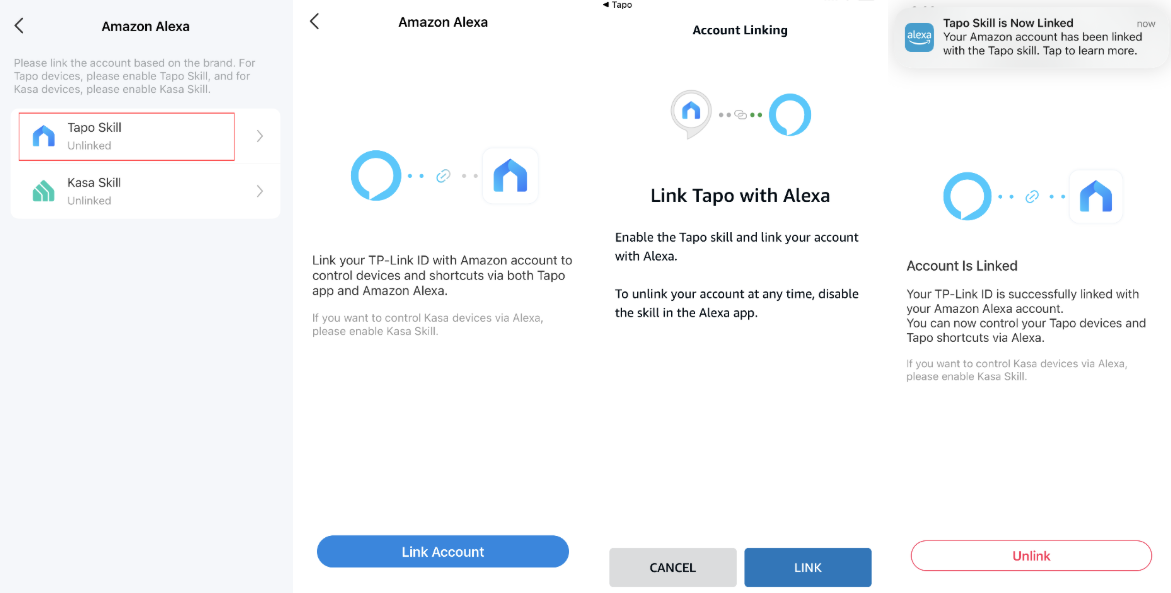
Step 2. Then tap Tapo Skill and follow the instructions to link your Tapo account with Alexa. Once linked successfully, the message Tapo Skill is Now Linked will come up.
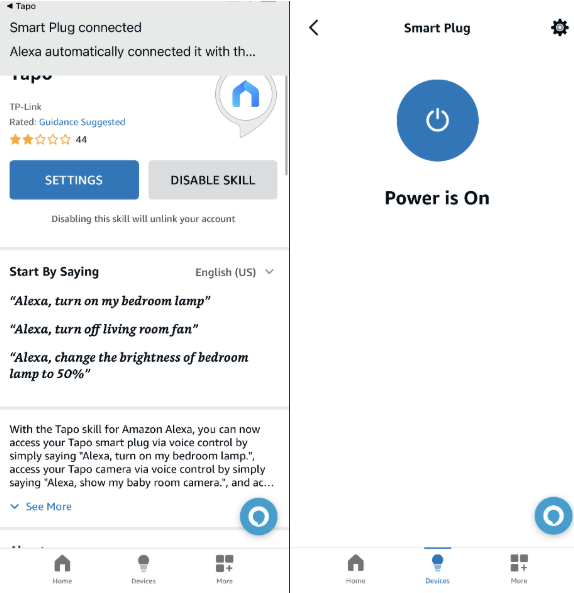
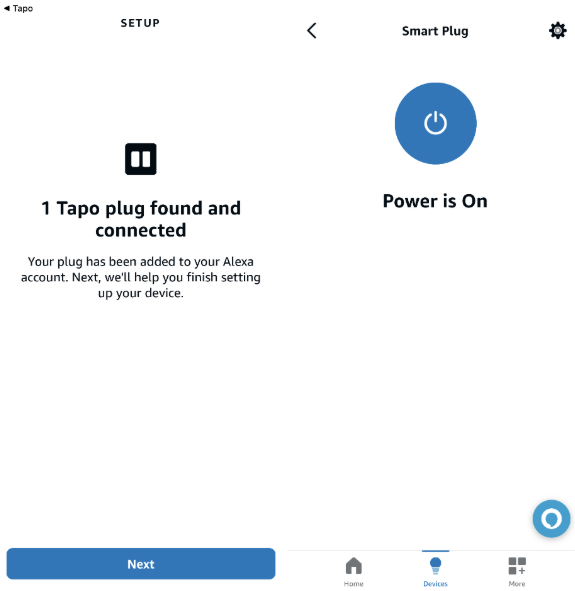
Step 3. Tap the message to go to the Amazon Alexa app. After enabling the Tapo/Kasa Skill, Alexa will connect to your device automatically and now you can control it via Alexa.
Option 2: Add Kasa or Tapo Skill through the Amazon Alexa App
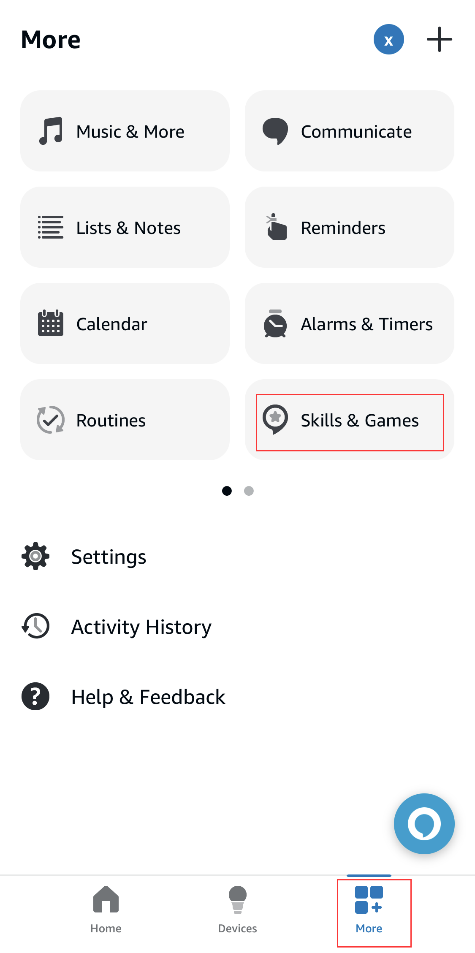
Step 1. Open the Amazon Alexa app. Then tap on More in the lower right corner and select Skills & Games.
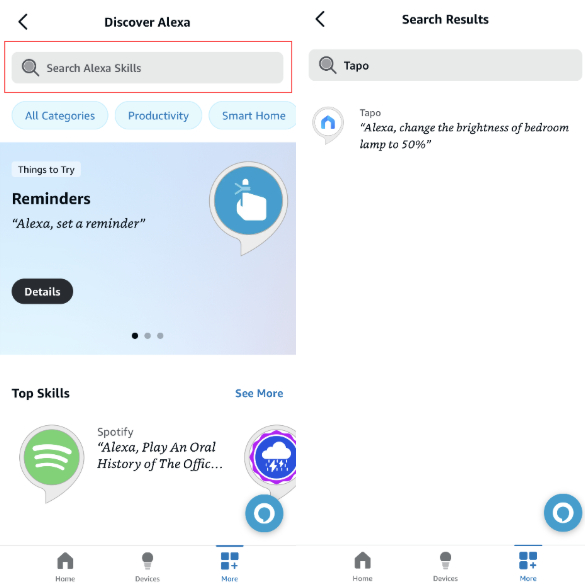
Step 2. Enter and search for Tapo/Kasa.
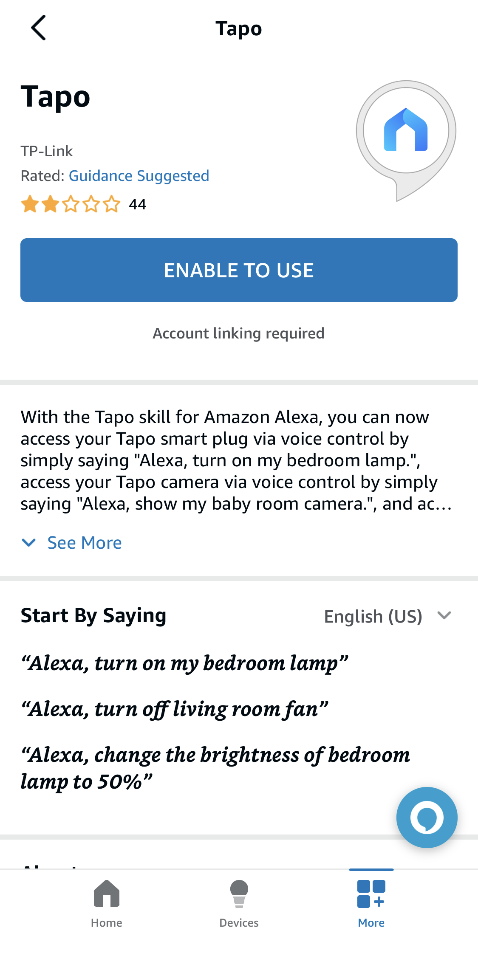
Step 3. Tap the ENABLE TO USE button.
Step 4. Follow the instructions to link your Tapo/Kasa account with Alexa.
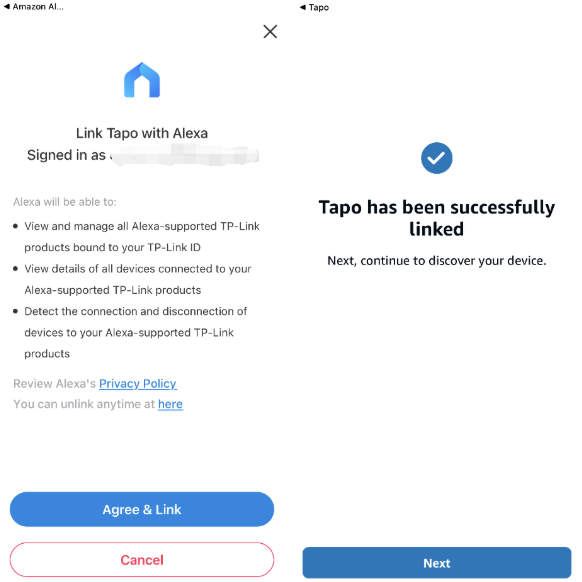
Step 5. Once linked, Alexa will discover and connect to your device automatically. Follow the app instructions to complete the setup and you can control your Tapo/Kasa device via Alexa.
Control Your Devices with Alexa Voice Commands
Your Tapo or Kasa device is now linked and ready to use with Alexa voice commands. You can try saying something like: "Alexa, turn on the 'Toaster' after two minutes."
If you have trouble with a device not responding, check whether your device is keeping its connection or going offline.
Note: Any time you rename a Tapo or Kasa device, you will need to rediscover it in Alexa for the updated name to take effect.
Matter devices connect to Alexa directly
Matter-enabled Tapo and Kasa devices connect to Alexa directly without requiring the Tapo or Kasa skill. For setup instructions, see how to set up a Matter device with Alexa, Google, Apple, or SmartThings.
QA
Q1: How to connect my Tapo smart door lock to Amazon Alexa?
A1: To keep the safety of your house, controlling a smart door lock needs advanced security code settings. Please refer to How to connect my Tapo smart door lock to Amazon Alexa for detailed instructions.
Q2: Why can't I watch the live streaming continuously on the Amazon Echo Show or Fire TV devices?
A2: Watching the live feed of Tapo cameras through Amazon Echo Show or Fire TV devices will use your internet traffic, as it's a Cloud-to-Cloud service. In consideration of your extranet traffic and performance, the live feed will stop automatically after 10 minutes. However, you can ask Alexa to show the camera again if you want to continue streaming.
Q3: Why does my Kasa device not appear in Amazon Alexa after linking Tapo to Amazon Alexa?
A3: If you added Kasa devices through the Tapo app, they will not show up in Amazon Alexa when you link only your Tapo account. To see those devices, you also need to link your Kasa account in Amazon Alexa. Your Kasa and Tapo accounts use the same email and password, so you can link both without creating a separate login.
¿Es útil esta pregunta frecuente?
Sus comentarios nos ayudan a mejorar este sitio.