


AP Group: A Simpler Way to Manage WLANs Across Multiple Areas
As business networks expand across hotels, campuses, and MDUs, IT administrators face a growing challenge: managing more APs across more areas while keeping WLAN configuration clear and consistent.
Picture this: you’re deploying Wi-Fi across a 10-story hotel. In the past, this could mean creating similar SSID configurations across multiple WLAN Groups. Whenever you needed to update a password or adjust a wireless policy, you might have to repeat the same change again and again. This can take extra time, add operational effort, and increase the risk of inconsistent settings across areas.
To reduce this complexity, Omada is introducing AP Group-based WLAN management in Omada Network 6.3 — an efficient, more scalable way to create SSIDs once and apply them where they are needed.
Let's take a closer look at what’s changing and how it can simplify daily WLAN operations.
How AP Groups Change WLAN Management
In the previous WLAN Group-based model, WLAN configuration was centered around groups. Administrators had to create WLAN Group, add SSIDs inside it, and then assign APs or devices to that group before those SSIDs would go live.
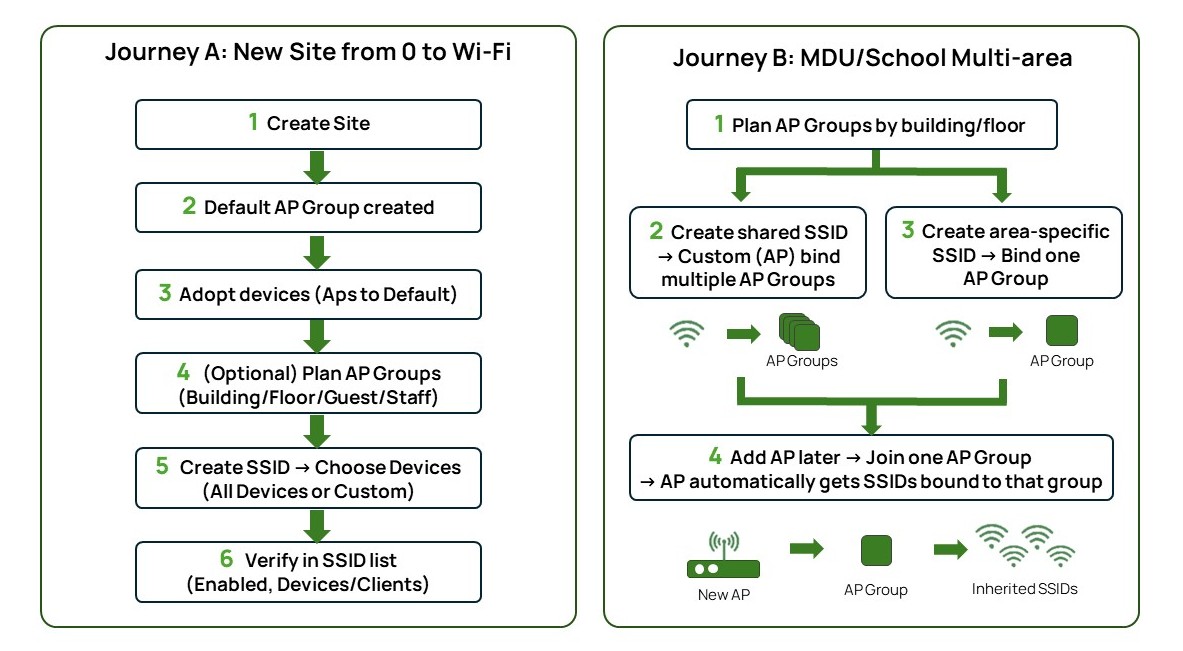
With AP Group-based WLAN management, the logic becomes more straightforward: SSIDs are managed at the Site level and applied to the AP Groups where they should be available.
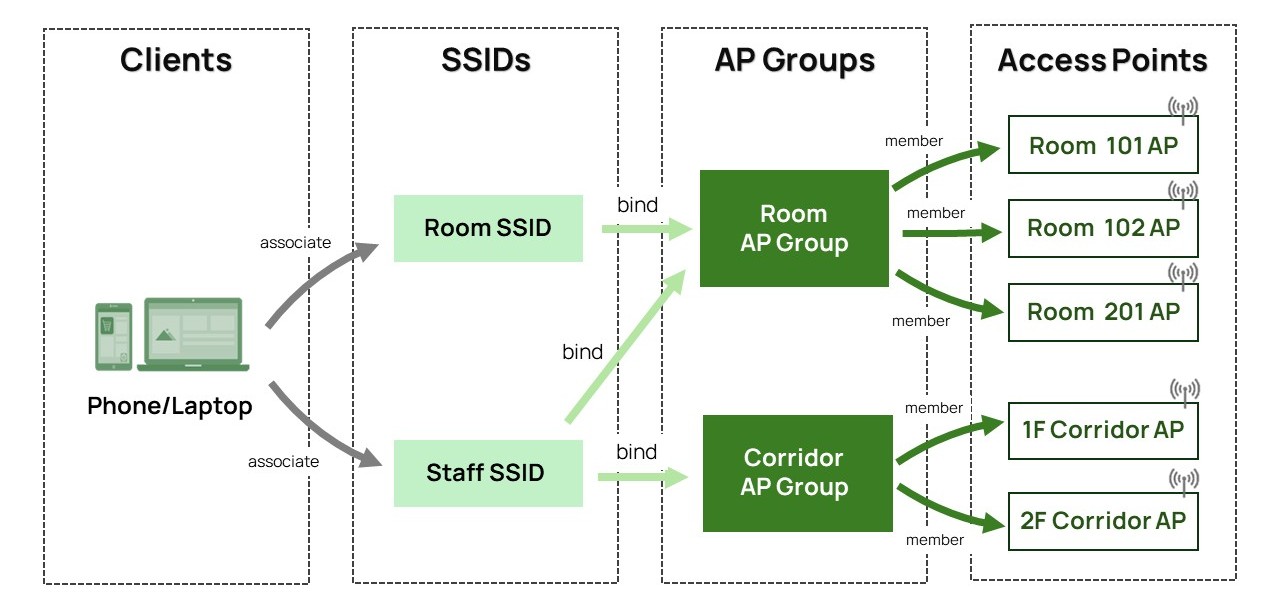
An AP Group organizes access points by deployment area or WLAN usage, such as guest rooms, corridors, lobbies, classrooms, or staff-only spaces. This lets administrators group APs based on how wireless services should be delivered across the network.
Remember the 10-story hotel we mentioned earlier. Room APs across different floors can be grouped together, and corridor APs can be grouped separately. Then, each SSID can be applied to the AP Groups that match its intended coverage.
Why It Matters
AP Group-based WLAN management is designed to make WLAN management simpler, clearer, and easier to scale. It helps administrators reduce repeated work, keep SSID settings consistent, and manage where each wireless service is available with greater confidence in multi-area deployments.
Less Repetition, More Consistency
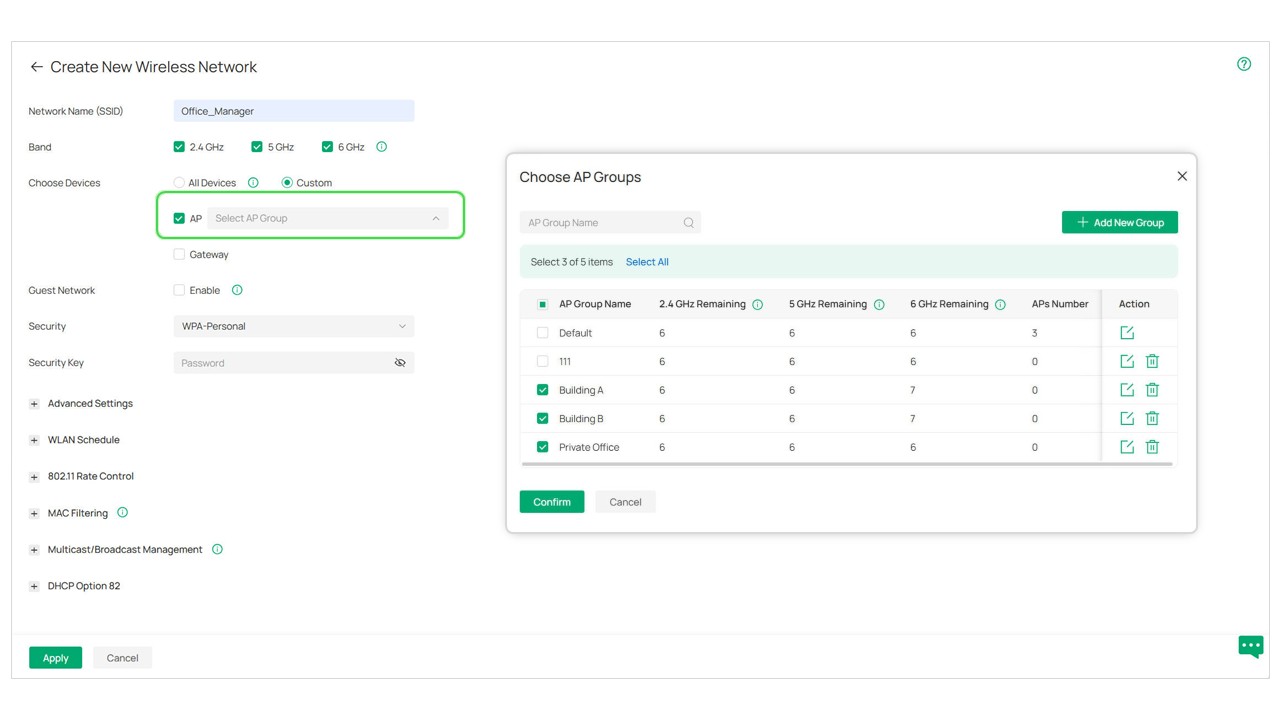
In multi-area networks, the same wireless service often needs to be available across several areas. AP Group-based WLAN management lets administrators create one SSID and apply it to the multiple AP Groups across areas.
This reduces repetitive configuration work and keeps SSID settings consistent. When a password, VLAN, or wireless setting needs to change, administrators can update the SSID once instead of manually repeating the same change across multiple groups.
For example, a hotel can apply its “Staff_Use” Wi-Fi to the AP Groups covering staff areas, corridors, or offices. Future updates can then be managed from one SSID, making daily maintenance easier and reducing avoidable configuration gaps.
See the Big Picture and the AP-Level Details
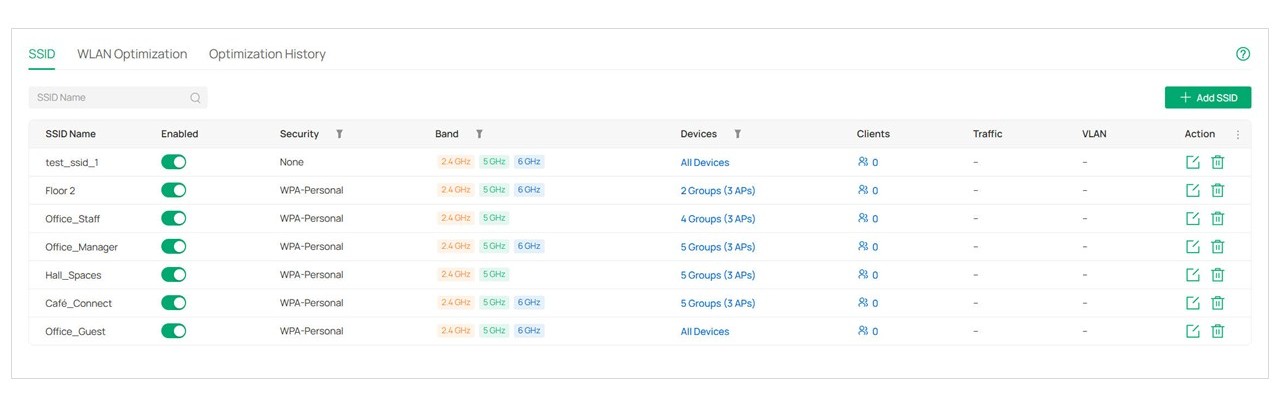
As WLAN deployments grow across more areas and APs, administrators need a faster way to answer a simple question: where is each SSID actually available?
With SSID overview, Omada brings key WLAN information together in one place. Administrators can quickly check each SSID’s coverage and usage without jumping between multiple groups or pages, making it easier to verify whether a wireless service is available in the right areas.
AP detail pages add another layer of clarity. They show each AP’s current AP Group, associated SSIDs, and local override settings, helping administrators understand what is happening on a specific AP when they need to check or troubleshoot.
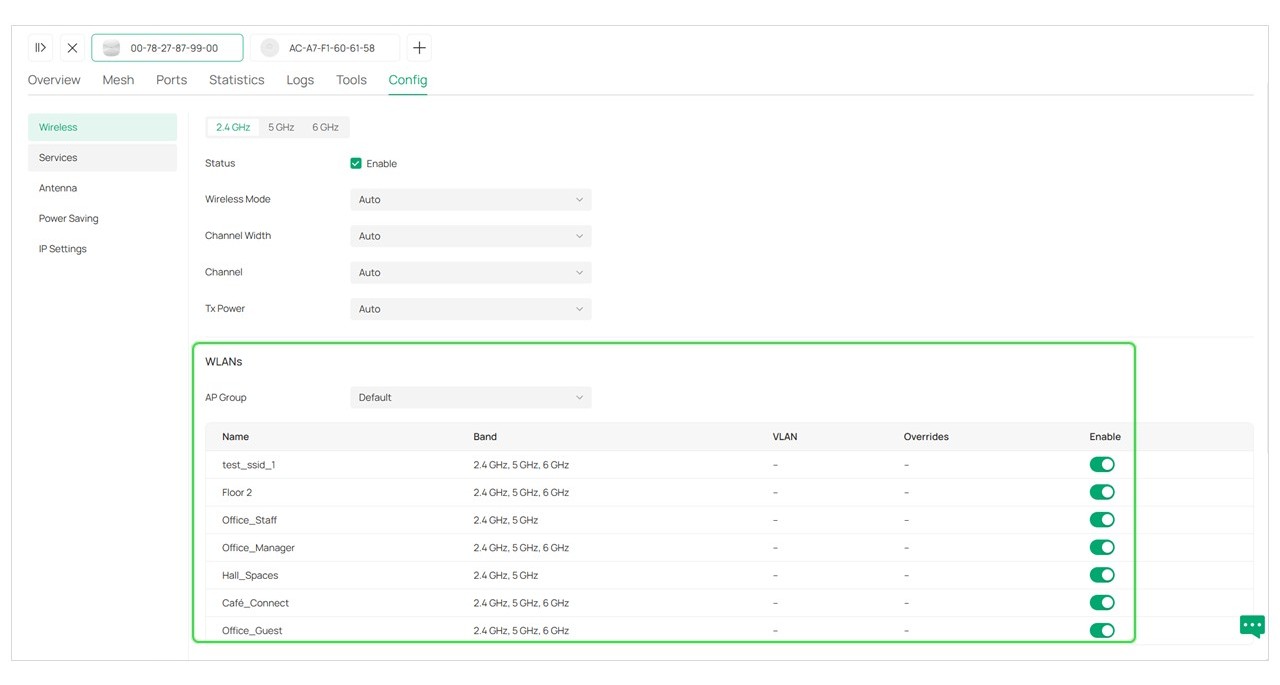
Together, these improvements give administrators a clearer picture from both SSID-level and AP-level views, making WLAN management easier across large, multi-area networks.
A Smooth Transition for Existing WLAN Configurations
For existing deployments, Omada is designed to transition WLAN Groups and SSIDs into the AP Group-based model with compatibility in mind. This helps keep the original WLAN structure intact and wireless services running normally.
Administrators do not need to rebuild their WLAN configuration from scratch. For more details, please refer to the FAQ: How to Configure WLAN Using AP Groups in Omada Controller v6.3 | Omada Network Support.
AP Group-based WLAN management is an important step toward more scalable WLAN operations with Omada. It brings SSID configuration closer to how networks are actually deployed and managed: by area, by usage, and by real business needs. For administrators, that means less repetitive work, clearer visibility, and greater confidence when managing wireless services across growing networks.
Recommended Articles
[Blog] Elevate Your Network with Omada Network 6.3: One Unified Platform for Intelligent O&M
[FAQ] How to Configure WLAN Using AP Groups in Omada Controller v6.3 | Omada Network Support
[FAQ] How to Upgrade from Omada Pro Controller to Omada Controller v6.3 | Omada Network Support