


A Business WiFi Solution Built for How Philippine Businesses Actually Operate
Published: July 13, 2026 | Last Updated: July 13, 2026
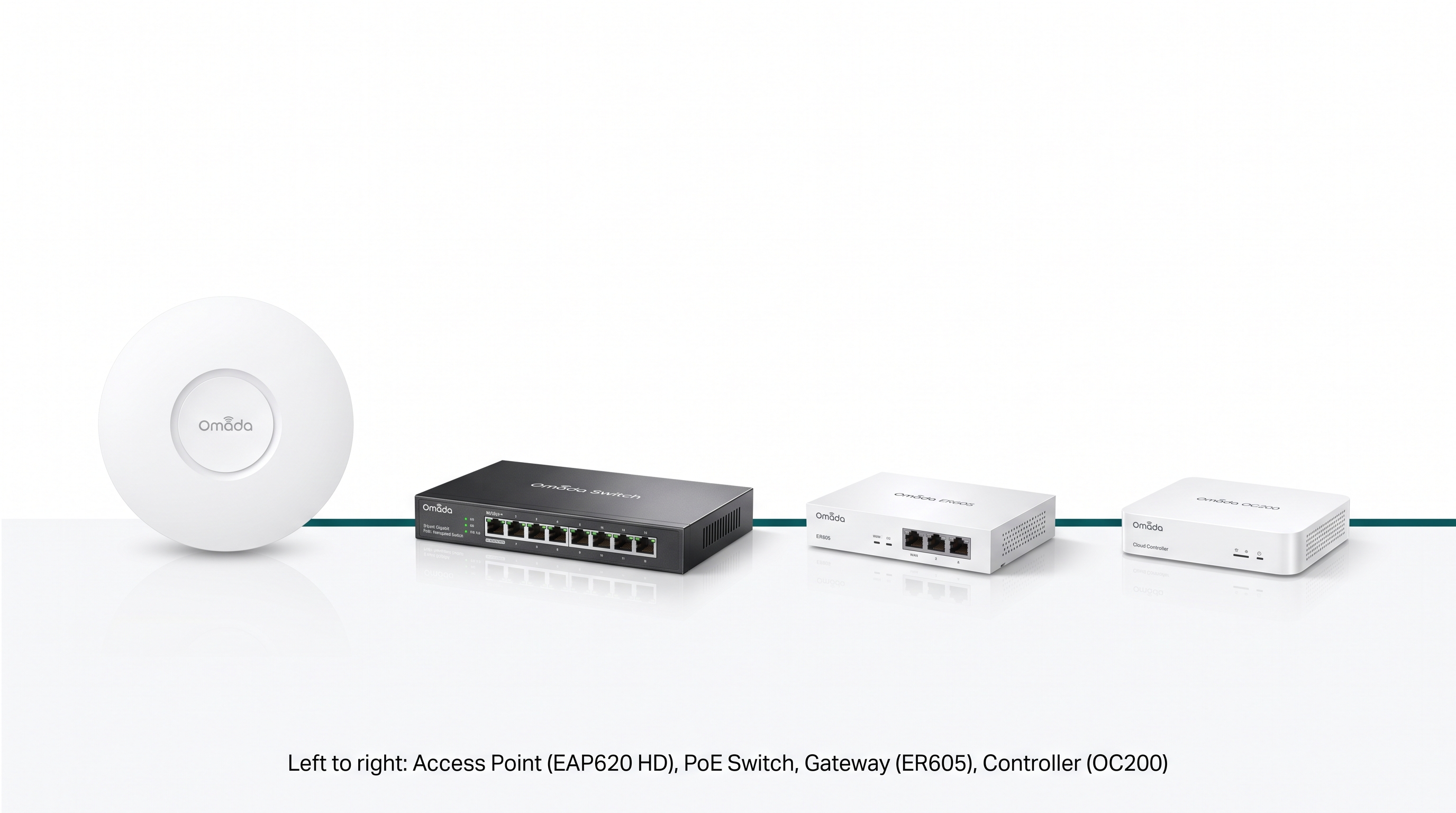
Business WiFi in the Philippines works best as four purpose-built hardware pieces: access points, a switch, a gateway, and a controller, sized for a small- or mid-sized business budget rather than a home router stretched too far or an enterprise system priced for a much bigger company.
Quick Answer
-
A real business WiFi solution consists of four connected hardware components (access points, a PoE switch, a gateway, and a controller) managed from a single dashboard, not a single router.
-
It matters more in the Philippines because 99.63% of registered businesses are MSMEs, most buildings use signal-attenuating reinforced concrete, and the power grid runs periodic rotating brownouts.
-
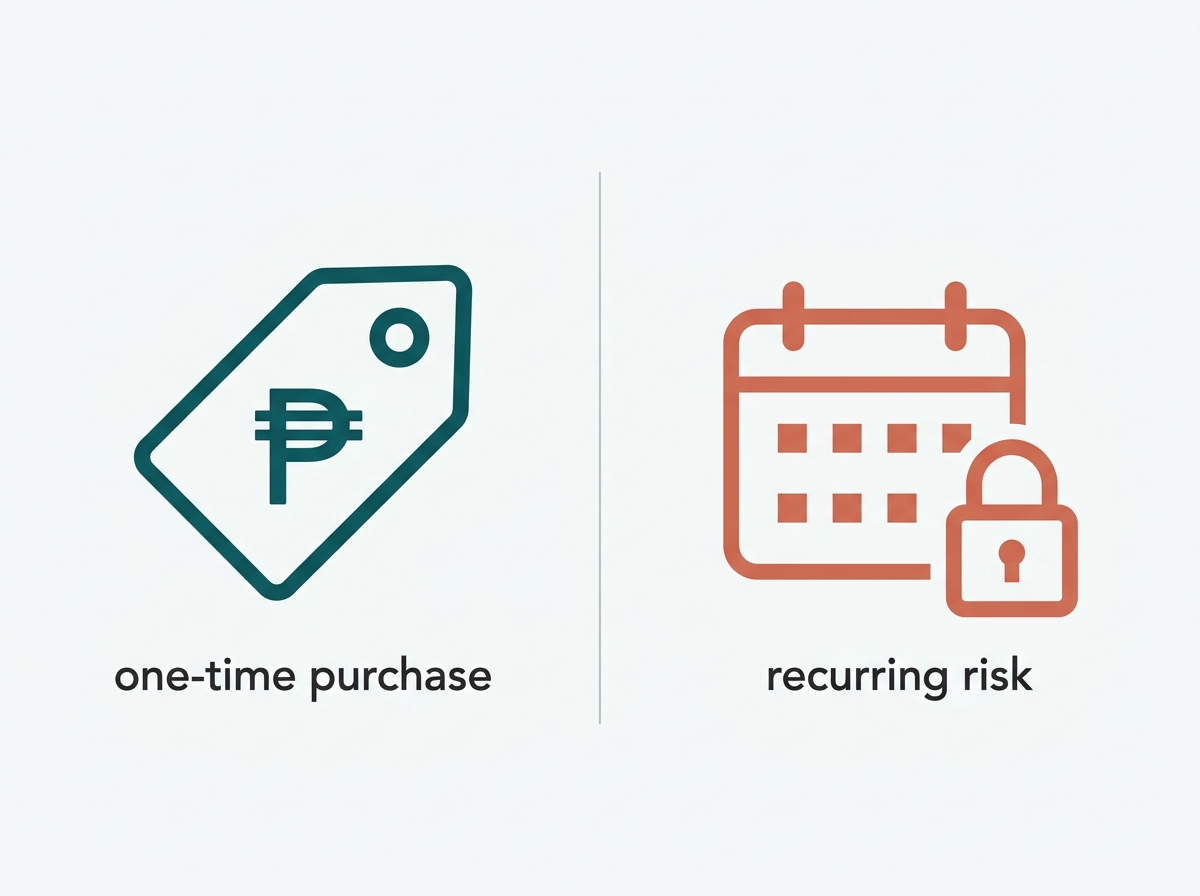
Omada, Ubiquiti UniFi, and Cisco Meraki differ mainly in licensing: Omada and UniFi are one-time hardware purchases, while Meraki requires a recurring per-device license to keep hardware passing traffic.
Table of Contents
A Business WiFi Solution Is Four Pieces of Hardware Working as One System
How Is a Real Business WiFi Solution Different From a Home Router Marketed to Businesses?
Why the Philippine Market Needs Purpose-Built Business WiFi More Than Most
Which Types of Philippine Businesses Use This Kind of WiFi System?
How Does Omada's Pricing Model Compare to Other Business WiFi Ecosystems?
Explore the Rest of This Guide
A Business WiFi Solution Is Four Pieces of Hardware Working as One System: Access Points, a Switch, a Gateway, and a Controller
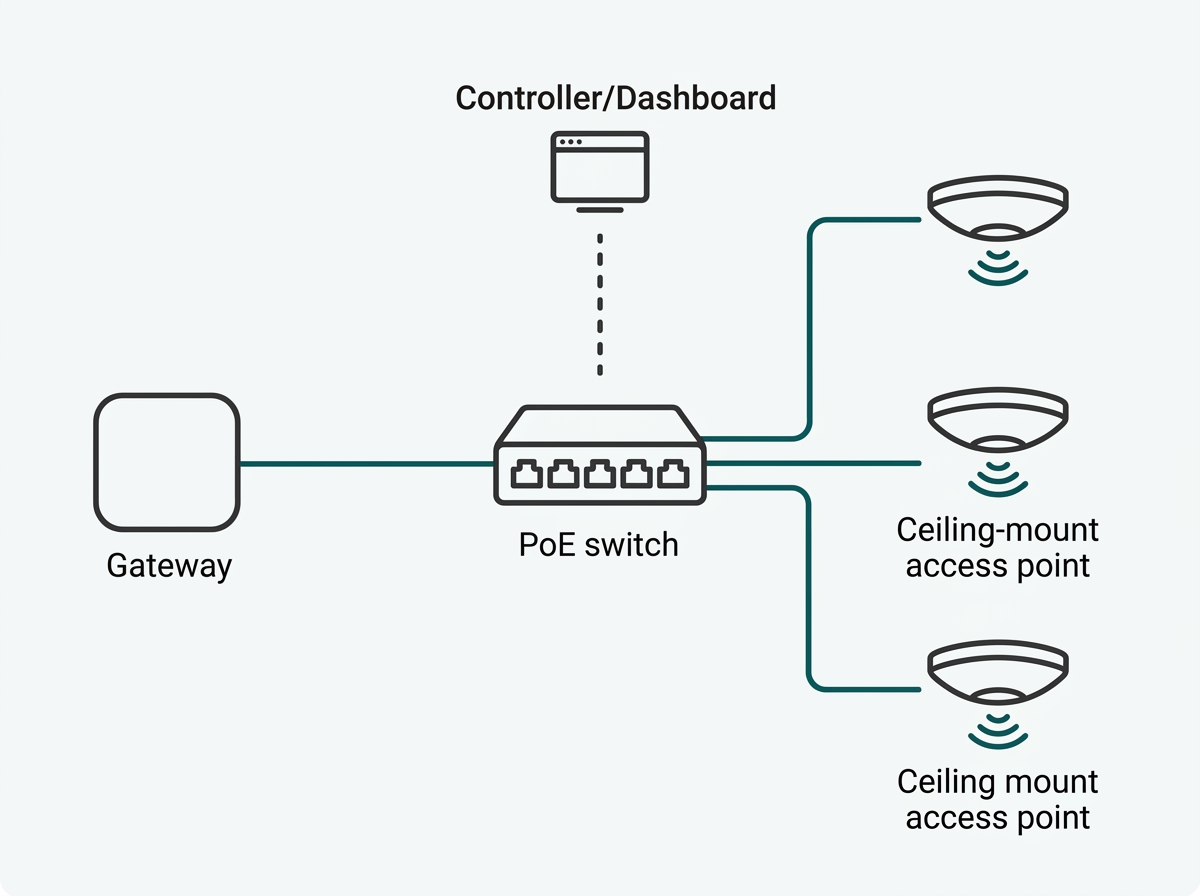
Access points broadcast the signal, a PoE switch powers and connects them over Ethernet instead of relying on a wireless mesh, a gateway manages the internet connection and firewall, and a controller ties all three together under one dashboard. The detailed breakdown of how these pieces fit together, including how many access points a specific floor plan needs, lives in our full business WiFi setup guide. This page is the entry point to that guide and the rest of what a complete business WiFi solution covers.
What It Means for You: If a BPO office manager in Ortigas is currently running three consumer routers because "the signal doesn't reach the back row of desks," the fix usually isn't a fourth router. It's replacing that patchwork with wired access points on a switch, managed by a single controller, so every desk gets the same signal strength regardless of distance from the nearest unit.
How Is a Real Business WiFi Solution Different From a Home Router Marketed to Businesses?
The differences show up in five areas: coverage, management, guest access, multi-site support, and power delivery.
|
Feature |
Home / Consumer Router |
Business WiFi Solution (SDN) |
What It Means for You |
|---|---|---|---|
|
Coverage model |
Single unit, wireless mesh extends range |
Multiple wired access points, no signal degradation per hop |
A 20-desk office stops losing signal strength in the conference room farthest from the router |
|
Management |
One device, one login |
Single controller managing every AP, switch, and gateway at once |
An office manager pushes one firmware update instead of logging into five separate devices |
|
Guest network |
Basic on/off toggle |
VLAN-isolated guest SSID with captive portal and consent handling |
A visiting client's laptop can browse the internet without ever touching the payroll server |
|
Multi-site support |
None; each site is separate |
One dashboard across all branches or locations |
A franchise owner checks WiFi health at all 12 branches from one phone, without visiting each store |
|
Power delivery |
Wall adapter per device |
PoE switch powers every access point over one cable |
Fewer wall outlets and adapters to trip over during a retrofit, and one less thing that fails during a brownout recovery |
What It Means for You: A home router "for business" still behaves like a home router once headcount, guest traffic, or a second location gets added. The five gaps above are exactly where that shows up first, usually as a dead zone in a back office or a guest device that can somehow see the shared printer.
Why the Philippine Market Needs Purpose-Built Business WiFi More Than Most
Budget matters more in many markets because most of the businesses buying this equipment are small. According to the Department of Trade and Industry's 2024 Philippine MSME Statistics, 99.63% of the country's 1,241,476 registered business establishments are micro, small, or medium enterprises. A networking ecosystem priced and licensed for large enterprise budgets doesn't fit the businesses that make up almost the entire market.
For example, a 15-person accounting firm and a 500-seat BPO are not the same buyer, but most "enterprise WiFi" marketing treats them as one audience.
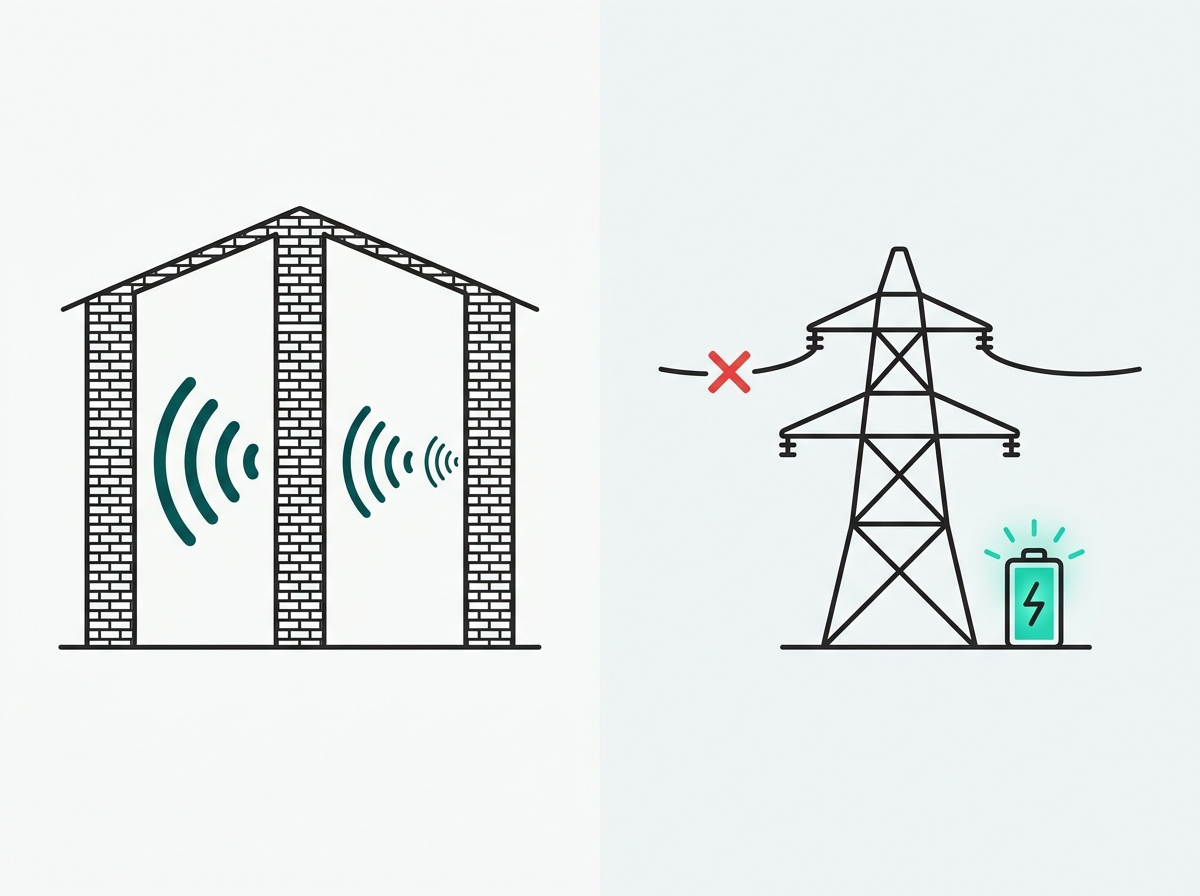
Building construction matters too. Commercial buildings in the Philippines commonly use reinforced concrete framing, a standard reflected in PEZA's own building performance specifications, which attenuates WiFi signal far more than the drywall partitions many international networking guides assume. Wired access points sized to that reality are the baseline.
Power reliability is a third factor. Manila's grid operator has issued repeated red alerts in 2026, and Meralco has implemented rotating brownouts affecting hundreds of thousands of customers during periods of thin power reserves. A centrally managed system that reconnects cleanly and lets an office manager check network health remotely after an outage is worth more in this environment than in a market with a steadier grid.
Regulation has also caught up with newer WiFi standards. The National Telecommunications Commission opened the 6GHz band for indoor WiFi use in 2024, clearing the regulatory path for WiFi 6E and WiFi 7 hardware in the Philippines. The trade-offs between those standards for a given business are covered in our WiFi 6 vs WiFi 7 comparison.
Which Types of Philippine Businesses Use This Kind of WiFi System?
The pattern repeats across a handful of business types, each with a slightly different reason for needing more than a single router.
Offices and BPO Operations
Offices, including PEZA-registered BPO and outsourcing operations, need guest network separation for visitors and vendors, VLAN segmentation between departments, and centralized management once headcount grows past what one access point can cover. Multi-floor or multi-tenant office buildings add the concrete-construction coverage problem on top of that.
Schools, Hotels, and Retail
Schools need to manage large numbers of student and staff devices with content controls and predictable capacity per classroom. Hotels and hospitality venues need guest-facing captive portals, often with marketing capture built in, alongside a completely separate network for property management and payment systems. Retail chains and franchises need one dashboard to manage WiFi consistently across many branches rather than configuring each location.
What It Means for You: A hotel GM juggling guest complaints about slow room WiFi and a franchise owner standardizing WiFi across 12 branches are solving the same underlying problem, inconsistent, unmanaged hardware, even though their day-to-day symptoms look completely different.

How Does Omada's Pricing Model Compare to Other Business WiFi Ecosystems?
Licensing structure is one of the biggest practical differences between business WiFi ecosystems, and it compounds significantly over a multi-year deployment.
|
Ecosystem |
Licensing Model |
What It Means for You |
|---|---|---|
|
Omada |
One-time hardware purchase; free software controller or free Cloud Essentials; optional paid Cloud Standard tier for MSP/advanced features |
A five-branch retail chain can run centralized management indefinitely without a recurring bill, and only pays extra if it wants MSP-grade features later |
|
Ubiquiti UniFi |
One-time hardware purchase; free UniFi Network Application; optional paid add-ons |
Similar upfront economics to Omada, the practical choice between the two usually comes down to specific feature sets and support preferences rather than licensing cost |
|
Cisco Meraki |
Mandatory recurring per-device license; hardware stops passing traffic if the license lapses |
A business that misses a renewal, say during a cash-flow-tight month, risks its access points going dark until the license is renewed |
A cost analysis of Philippine office deployments by Technica Solutions Inc. found the five-year total cost of ownership gap between a subscription-based ecosystem and a one-time-purchase ecosystem widens substantially as user count grows, a pattern that applies to any vendor following the same licensing structure as the two it compared.
Omada follows the one-time-purchase side of that divide for its core functionality. For example, Meraki's recurring license does bundle in Cisco TAC support and advanced RF/security tooling that some larger, IT-staffed organizations may value enough to justify the ongoing cost, so the right choice still depends on what a specific business needs beyond core connectivity.
Explore the Rest of This Guide
This page is the starting point. For the details behind each piece of a business WiFi solution:
Best Business WiFi Setup for Small Offices - the full hardware setup guide: access points, switches, gateways, and controllers explained.
How Many Access Points Does Your Office Need? - a step-by-step calculation for Philippine floor plans and construction types.
WiFi 6 vs. WiFi 7 for Business Networks - which standard actually makes sense for a given office and internet plan?
Guest WiFi Best Practices - network segmentation and Data Privacy Act-compliant captive portal design.
Hotel WiFi Design Guide - segmenting guest, staff/PMS, and IoT networks; DOT accreditation expectations; and guest data compliance for Philippine hotels.
Restaurant WiFi Setup Guide - isolating POS systems, BIR e-invoicing uptime requirements, and multi-branch network consistency for restaurants and food chains.
Frequently Asked Questions
How many access points does my business need?
It depends on floor area, wall construction, and device count more than headcount alone. The full calculation, including adjustments for concrete construction common in Philippine buildings, is covered in the How Many Access Points Does Your Office Need guide. Getting this number wrong in either direction means either dead zones or wasted hardware budget.
Should I upgrade to WiFi 7 for my business?
For most Philippine offices, WiFi 6 remains the practical default; WiFi 7 earns its premium in denser or more latency-sensitive setups. See WiFi 6 vs. WiFi 7 for Business Networks for the full breakdown before committing budget to the newer standard.
Is guest WiFi included, and is it compliant with Philippine privacy law?
Guest network isolation and captive portal tools are standard across the Omada lineup. Getting the consent and data-handling side compliant with the Data Privacy Act takes a bit more care, as covered in Guest WiFi Best Practices. A non-compliant captive portal can turn a free amenity into a privacy complaint.
Do I need an ongoing subscription to run Omada long-term?
No, not for core functionality. A hardware controller, software controller, or Omada Cloud Essentials all provide centralized management without a recurring fee. An optional paid Cloud Standard tier adds advanced features aimed at managed service providers and larger multi-site operations, but it isn't required to keep a standard business network running.
What's the difference between a hardware, software, and cloud-based controller?
A hardware controller is a dedicated physical appliance on the network. A software controller is an application installed on an existing always-on PC or server. A cloud-based controller runs entirely off-site, with no local hardware or software required. All three manage the same Omada devices; the choice mostly comes down to whether the business already has a machine that can stay powered on and whether management needs to reach beyond one physical site.
Can a business start small and add access points later without replacing the system?
Yes. Because a controller manages devices rather than being tied to a fixed number of units, an office can start with two or three access points and add more as headcount grows, without swapping out the gateway, switch, or controller already in place.
Does this kind of system work if a business only has one location right now but plans to expand?
Yes, and it's worth planning for from the start. A cloud-based controller manages unlimited sites from one dashboard, so a business that expands from one office to several branches later doesn't need to redesign its network management approach; it only needs to add new sites to the same controller.
Final Thoughts
A good wireless networking solution for a Philippines-based company is designed with the needs of such companies in mind, which means that the hardware and licensing should be sized according to the needs of budget-sensitive companies operating in concrete-built areas in an unreliable power environment. A wireless access point, PoE switch, gateway, and controller will fulfill this requirement.
The full Omada product lineup covers access points, switches, gateways, and controllers for offices, schools, hotels, and retail businesses of any size.
By Laviet Joaquin, Head of Marketing, TP-Link Philippines