


Calculating the Right Number of Access Points for a Philippine Office
Published: July 13, 2026 | Last Updated: July 13, 2026
Most Philippine offices need one access point for every 200 to 300 square meters, a number set by real floor area and concrete construction rather than the wider open-air coverage figure most manufacturer spec sheets quote.
Quick Answer
-
Plan on one access point per 200 to 300 square meters for a typical Philippine office, well below the manufacturer's open-air coverage radius, because concrete walls and columns cut real-world range.
-
The coverage area is only half of the calculation. A single-band access point supports about 30 devices and a dual-band unit about 70, so a 50-employee floor with two devices per person can fill one or two dual-band units on capacity alone.
-
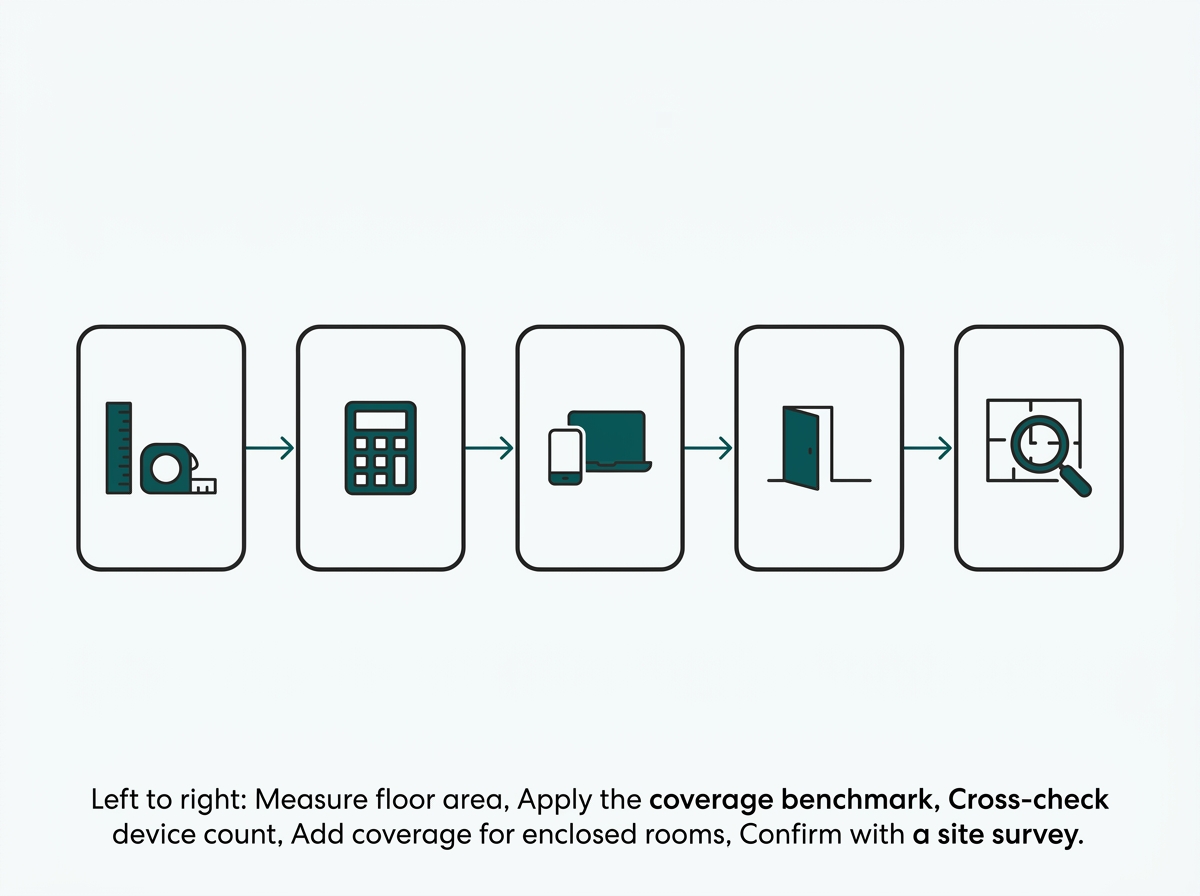
Calculate the count in five steps: measure floor area, apply the coverage benchmark, cross-check against device count, add units for enclosed rooms, and then confirm with a site survey before ordering hardware.
Table of Contents
Most Philippine Offices Need One Access Point for Every 200 to 300 Square Meters
How Many Employees Can One Office Access Point Support?
Why Concrete Construction Changes the Math for Philippine Offices
How Do You Calculate the Number of Access Points Your Office Needs?
Does WiFi 6E Change How Many Access Points a Philippine Office Needs?
This guide covers access point count specifically. For the switch, gateway, and controller that go around those access points, see our full business WiFi setup guide.
Most Philippine Offices Need One Access Point for Every 200 to 300 Square Meters
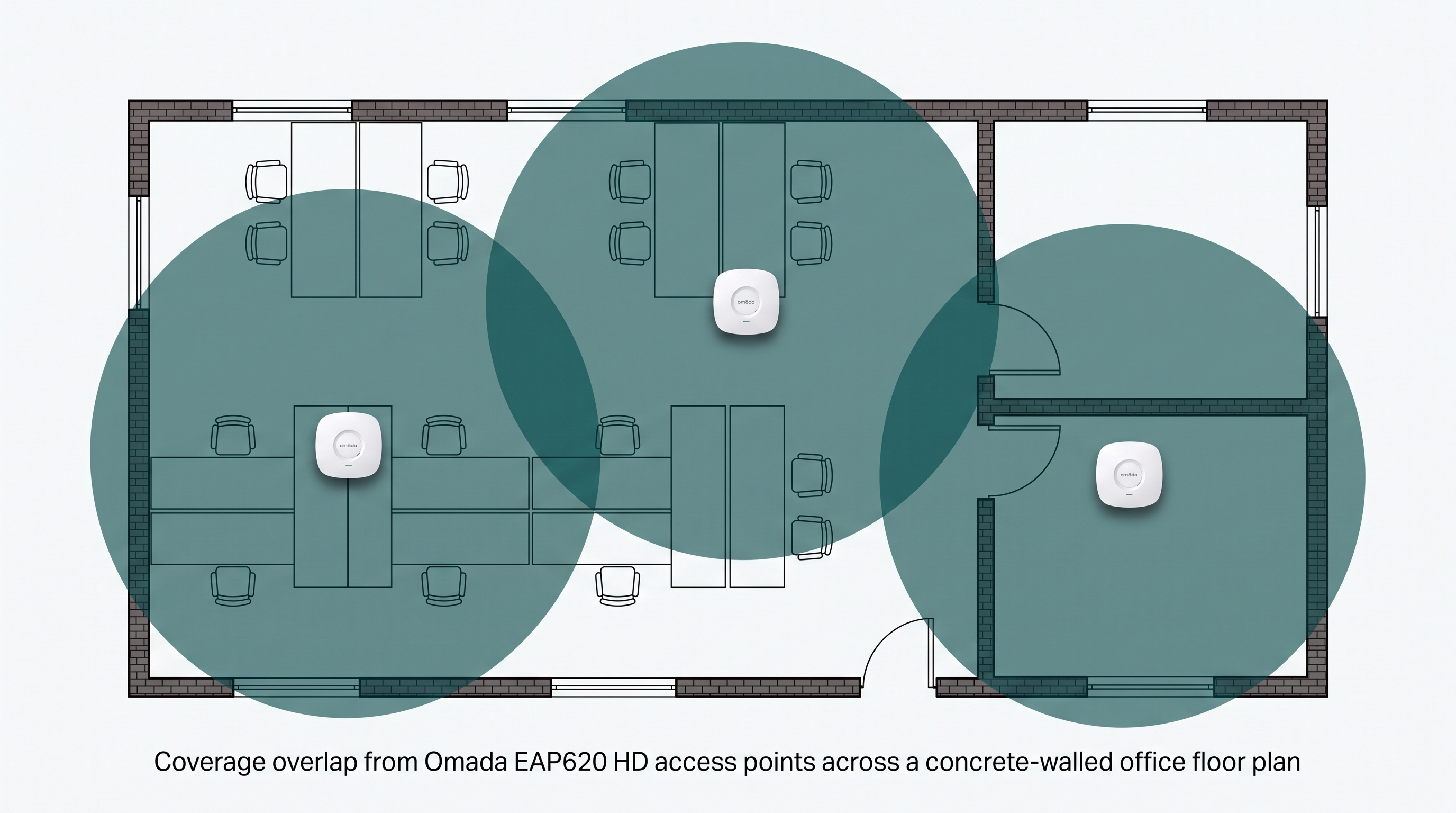
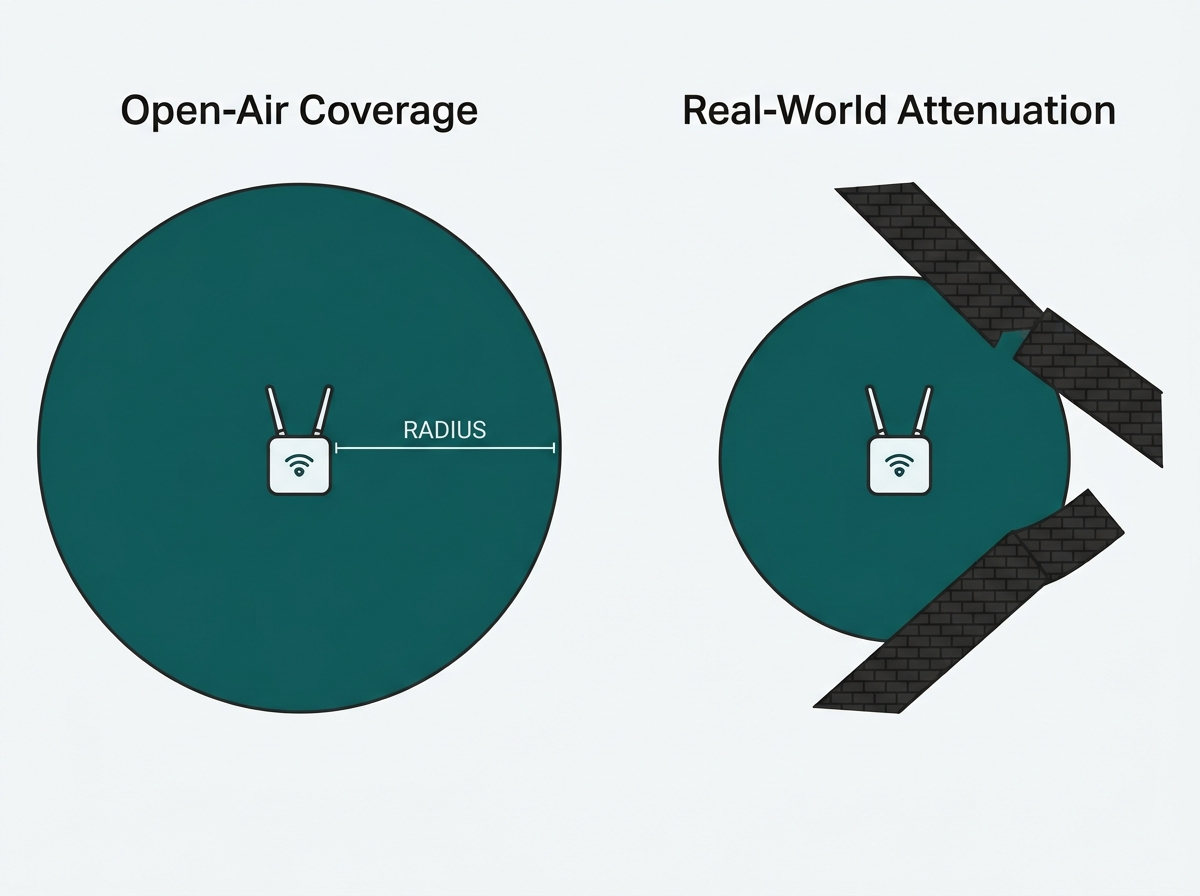
Omada's own product guidance puts the recommended coverage radius of a single indoor access point at about 15 meters (50 feet), which works out to roughly 700 square meters in open, obstruction-free space, according to Omada's official EAP selection FAQ. That figure describes an ideal open radius, not a real office.
Walls, columns, furniture, and fire-rated doors cut that radius down substantially, which is why 200 to 300 square meters per access point is a more realistic planning number for a built-out Philippine office floor than the manufacturer's open-air figure alone.
|
Coverage Figure |
Square Meters |
What It Means for You |
|---|---|---|
|
Manufacturer's open-air spec (15m radius) |
Roughly 700 sqm |
Useful as a theoretical ceiling, but planning hardware count around this figure alone will leave real dead zones once walls are added |
|
Realistic Philippine office benchmark |
200 to 300 sqm |
The number to actually budget and order hardware against for a concrete-walled floor plan |
What It Means for You: An office manager who takes the manufacturer's 700 square meter figure at face value and orders access points based on it will likely end up two or three units short once the space is actually built out with private offices and concrete partitions.
How Many Employees Can One Office Access Point Support?
The coverage area is only half of the calculation. The other half is how many devices connect at once. Omada's own EAP FAQ lists recommended client loads by access point type.
|
AP Type |
2.4GHz Clients |
5GHz Clients |
Total Recommended |
What It Means for You |
|---|---|---|---|---|
|
Single-band AP |
30 |
N/A |
30 |
Fits a small meeting room or a light-use corner, not a full open floor |
|
Dual-band AP |
30 |
40 |
70 |
The standard choice for most office floors, since it splits the load across two bands |
Most staff connect at least two devices (a laptop and a phone), so a floor of 50 employees can realistically put 80 to 100 devices on the network at once, which is enough to fill one or two dual-band access points on capacity grounds alone, independent of the square meterage.
What It Means for You: A compact 40-person legal office in a 250 square meter suite might look like a one-access-point job by floor area alone, but 80 devices at two per person already exceed a single dual-band unit's recommended load. Capacity is often the number that actually decides the count.
Why Concrete Construction Changes the Math for Philippine Offices
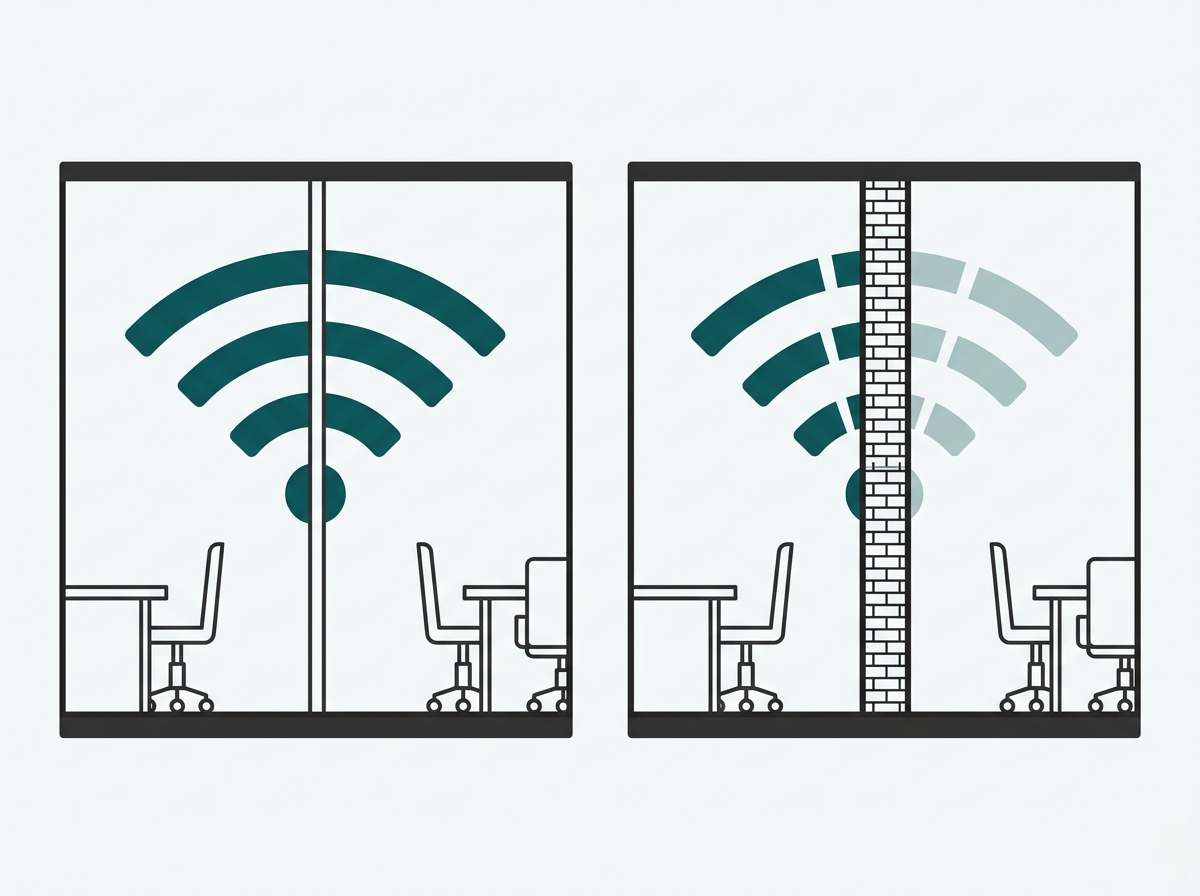
Most international access point guides assume light interior partitions like drywall, but commercial buildings in the Philippines commonly use reinforced concrete framing, a standard reflected in PEZA's own building performance specifications for registered office developments.
While concrete blocks have more effect on weakening the signal compared to drywall, that is why the coverage radius that might seem reasonable from a drawing is actually reduced once actual walls and columns are placed within the floor plan.
What It Means for You: A floor plan copied from a US or European planning guide, where drywall partitions are the norm, will systematically undercount access points for a Philippine office. The 200 to 300 square meter benchmark already accounts for this; a generic international guide's wider figure doesn't.
How Do You Calculate the Number of Access Points Your Office Needs?
Calculating the access point count for a Philippine office comes down to five steps:
-
Measure the total usable floor area in square meters, excluding stairwells, restrooms, and storage that don't need WiFi coverage.
-
Divide that area by 200 to 300 square meters per access point, using the lower end of that range for floors with more concrete partitions or private offices.
-
Cross-check the result against device count: count employees, multiply by the average number of devices each one connects (typically two), and compare against the client-capacity table above.
-
Add one access point for any enclosed meeting room, executive office, or server room that a hallway-facing unit won't reach well through a concrete wall or fire door.
-
Confirm the final count with a site survey before ordering hardware, since furniture layout and building materials affect real-world coverage more than floor area alone.
What It Means for You: Steps 2 and 3 will sometimes disagree; a floor plan's square footage might suggest two access points while its device count suggests three. When they disagree, plan around whichever number is higher; under-provisioning on either dimension is what produces the dead zones and dropped calls that prompt a second hardware order later.
Does WiFi 6E Change How Many Access Points a Philippine Office Needs?
Not for coverage, but it does help with interference in dense deployments. The National Telecommunications Commission opened the 5,925-6,425 MHz band for indoor WiFi use in 2024, which gives WiFi 6E and WiFi 7 access points more non-overlapping channels to work with in the Philippines than older WiFi 5 or WiFi 6 hardware operating only on the more congested 2.4 GHz and 5 GHz bands.
That means an office packing several access points close together (a dense open floor, for example) can space out channels more cleanly on newer hardware, but it doesn't change the underlying square-meter or client-count math above. Coverage and capacity still set the baseline count; the extra spectrum just makes that count perform better once it's deployed. The tradeoffs between WiFi 6 and WiFi 7 hardware for a given office are covered in more depth in our WiFi 6 vs. WiFi 7 for Business Networks comparison.
What It Means for You: An office upgrading to WiFi 6E or WiFi 7 shouldn't expect to need fewer access points as a result. The upgrade buys smoother performance at a given count, not a smaller hardware order.
Once the count is set, the Omada WiFi access point range covers ceiling-mount, wall-plate, and outdoor units to match the floor plan, all wired back through a PoE switch and managed from a single Omada controller.
Frequently Asked Questions
Is one access point enough for a small Philippine office?
It depends on the floor area and wall construction, not just headcount. A single open room under roughly 200 square meters with light concrete partitioning can often run on one access point, but anything larger, or split across enclosed rooms, usually needs at least two for consistent coverage.
Do concrete walls really change how many access points I need?
Yes. Reinforced concrete, standard in most Philippine commercial buildings, attenuates WiFi signal far more than drywall partitions common in other markets' planning guides. A coverage radius that looks generous on a spec sheet shrinks once it has to pass through concrete columns or fire-rated doors.
Should I count access points by square meters or by number of employees?
Both are cross-checked against each other. Square meters set the coverage baseline; employee and device count set the capacity floor. Whichever number is higher for a given floor is the one to plan around.
Can having too many access points cause problems?
Yes. Access points placed too close together on overlapping channels can interfere with each other and actually degrade performance rather than improve it. This is one of the reasons a proper channel plan, not just raw AP count, matters once a floor has more than two or three units.
Does WiFi 6E reduce the number of access points a Philippine office needs?
Not directly. It adds more non-overlapping channels for dense deployments to use, which helps performance and interference management once access points are in place, but the underlying coverage and capacity calculation for how many units to buy stays the same.
Does furniture layout actually matter, or is it mostly walls and floor area?
Furniture matters more than most first-time buyers expect. Filing cabinets, server racks, and even densely packed cubicle partitions can absorb or reflect a signal enough to create a dead zone that a floor-area calculation alone wouldn't predict, which is exactly what a pre-installation site survey is meant to catch.
What happens if I install fewer access points than the calculation suggests?
The most common symptom is a coverage gap in whichever room or corner sits farthest from the nearest unit, along with slower performance during high-demand periods like an all-hands video call, since the fewer units in place are each carrying more concurrent devices than recommended.
Final Thoughts
For most Philippine offices, start with one access point per 200 to 300 square meters, cross-check that against the employee and device counts, and add coverage for any enclosed room that a hallway unit won't reach via concrete. A short site survey before ordering hardware catches the difference between a manufacturer's open-air coverage spec and how a real, concrete-walled floor plan actually behaves.
The Omada WiFi access point lineup covers ceiling-mount, wall-plate, and outdoor models to match whatever count that math produces.