


Network Infrastructure & Design: Why WiFi Is the Last Decision You Make, Not the First
Published: July 14, 2026 | Last Updated: July 14, 2026
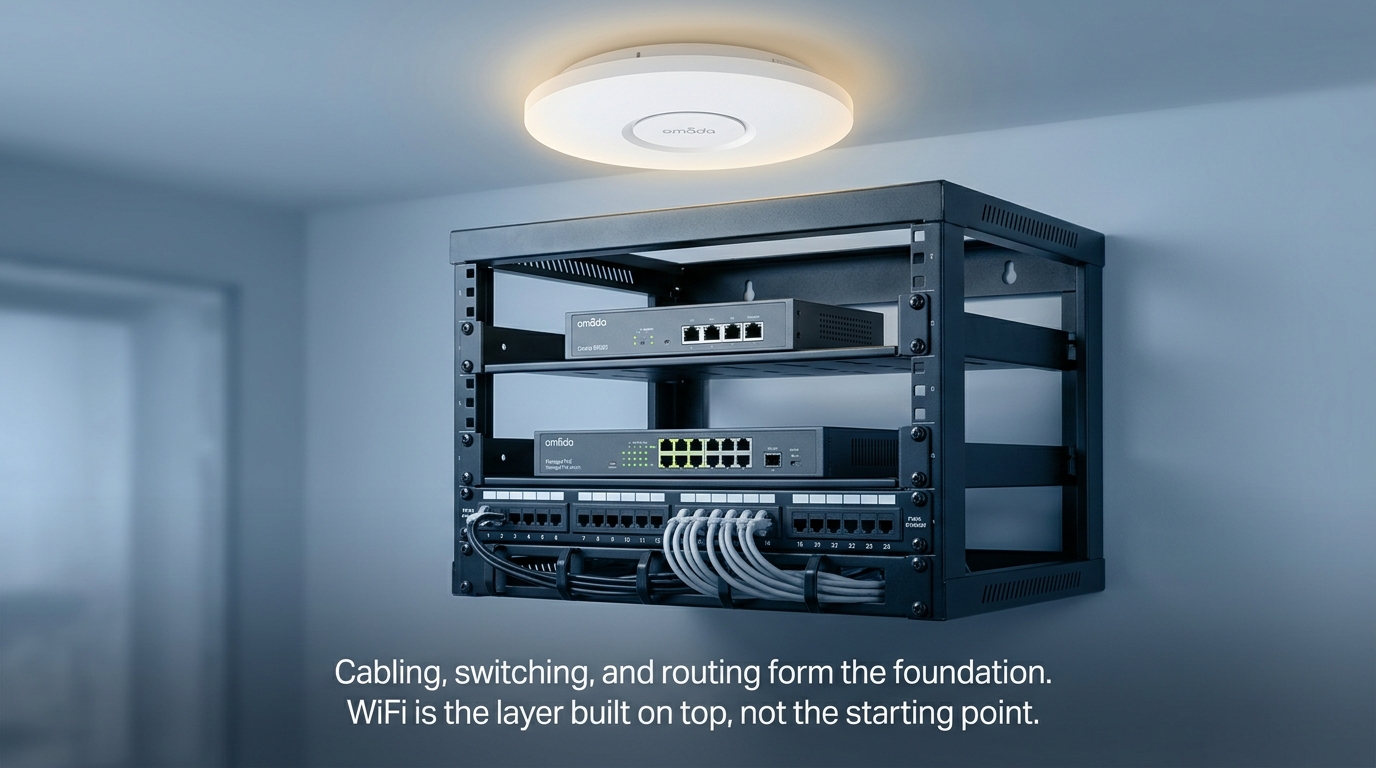
Buying access points is the last decision in building a business network, not the first. Before any hardware gets ordered, a network needs a plan for how cabling runs through the building, how traffic gets segmented by department or function, how much redundancy the design can tolerate losing, and who manages all of it once it's running.
Quick Answer
-
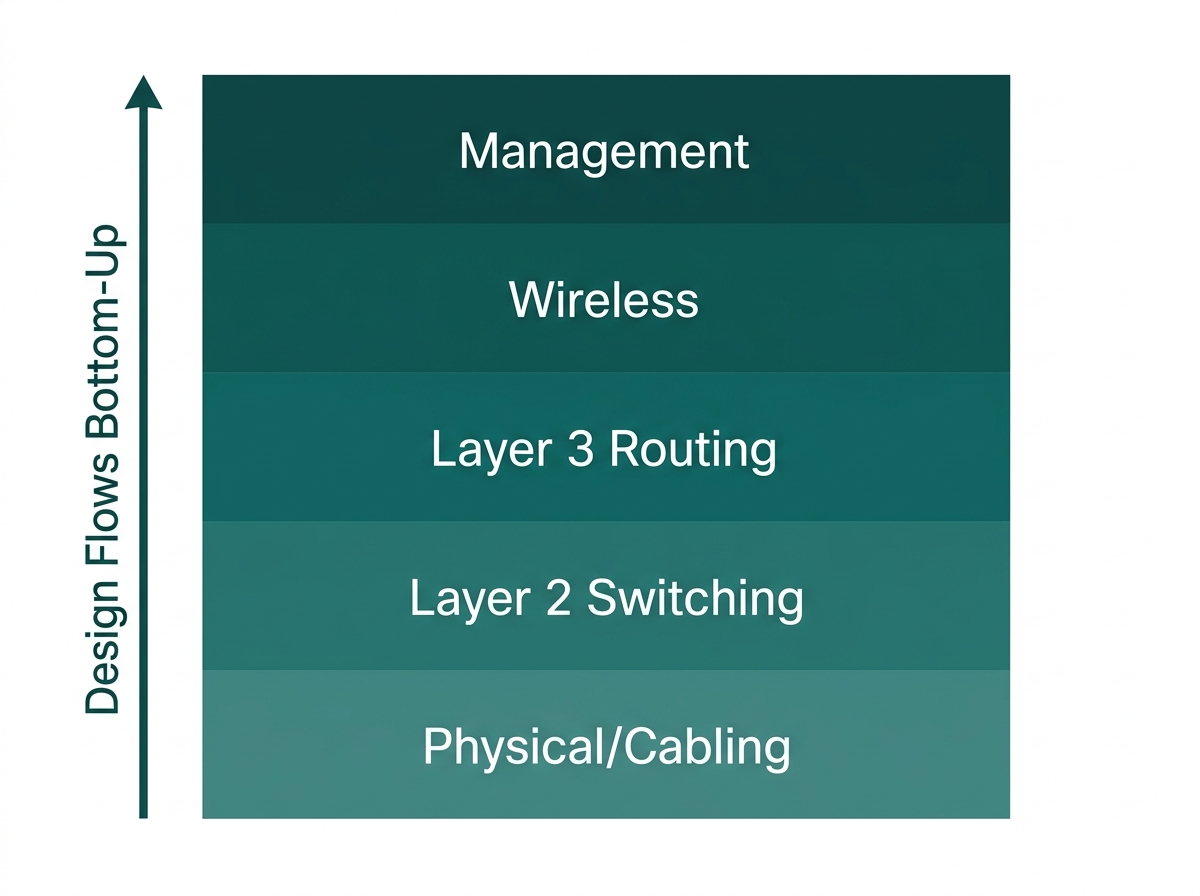
Business network infrastructure is built in five layers, each depending on the one below it: physical cabling, Layer 2 switching, Layer 3 routing, wireless, and centralized management.
-
In the Philippines, structured cabling design tied to a building permit or occupancy certificate typically requires sign-off from a Professional Electronics Engineer (PECE) under RA 9292 and the Philippine Electronics Code.
-
Network segmentation by traffic type and redundancy sizing for the Philippine grid's rotating brownouts are infrastructure-stage decisions, not afterthoughts added once hardware is already installed.
Table of Contents
Network Infrastructure Design Means Planning Before Buying Hardware
What Are the Layers of a Business Network, From Cabling to WiFi
Who Is Legally Allowed to Design a Structured Cabling Network in the Philippines
How Should a Network Be Segmented, and How Much Redundancy Does It Need
What Are the Steps to Design Network Infrastructure for a New Business Location
Network Infrastructure Design Means Planning Before Buying Hardware
Cabling, segmentation, redundancy, and management are all decisions that shape which hardware makes sense, not decisions the hardware makes for you. Getting them settled first is what separates a network that scales cleanly from one that gets patched together as problems appear.
This guide explores the infrastructure layer that lies below every WiFi installation, including cabling standards, segmentation, redundancy, and an interesting twist unique to the Philippines that most infrastructure tutorials ignore completely, which is where a licensed engineer should be involved. For the WiFi-specific side of this same planning, see our Business WiFi Solutions Philippines pillar and its related guides.
What Are the Layers of a Business Network, From Cabling to WiFi
A business network is built in five layers, each depending on the one below it.
Feature-to-Benefit: The Five Network Layers
|
Layer |
What It Covers |
Typical Hardware |
Practical Benefit |
|---|---|---|---|
|
Physical / cabling |
Structured cabling connects every switch, AP, and outlet. |
Cat6/Cat6A copper, fiber backbone between floors or buildings |
Get this right once during the fit-out instead of paying to re-cable after the fact. |
|
Layer 2 (switching) |
VLANs, port security, PoE power delivery |
Managed L2/L3 switches |
Lets one physical switch carry isolated staff, guest, and POS traffic without separate hardware for each. |
|
Layer 3 (routing) |
Traffic between VLANs, the internet gateway, and firewall rules |
GGateway/router, L3 switch if inter-VLAN routing is needed. |
Keeps segmented networks actually isolated from each other at the routing level, not just on paper. |
|
Wireless |
WiFi coverage and client capacity |
Ceiling/wall-plate/outdoor access points |
Sits on a foundation that's already sized correctly, instead of being asked to compensate for cabling or switching decided too late. |
|
Management |
Configuration, monitoring, and policy across every device above |
Hardware, software, or cloud-based controller |
Lets one admin manage every layer above from a single dashboard once the network is deployed. |
What it means for you: wireless coverage sits on top of this stack, which is why access point count and placement, covered in our How Many Access Points Does Your Office Need guide, are really the last step of infrastructure design, not the first.
Who Is Legally Allowed to Design a Structured Cabling Network in the Philippines
This is the piece most infrastructure guides skip, and it matters more in the Philippines than in many markets. Under the Electronics Engineering Law of 2004 (RA 9292), the scope of electronics engineering practice explicitly covers the planning, design, specification, construction, and installation of electronic components, devices, products, apparatus, instruments, equipment, systems, networks, operations, and processes, including communications, ICT, and computer networking.
Only a Professional Electronics Engineer (PECE) is authorized to sign and seal technical plans, specifications, and permit applications for this kind of work.
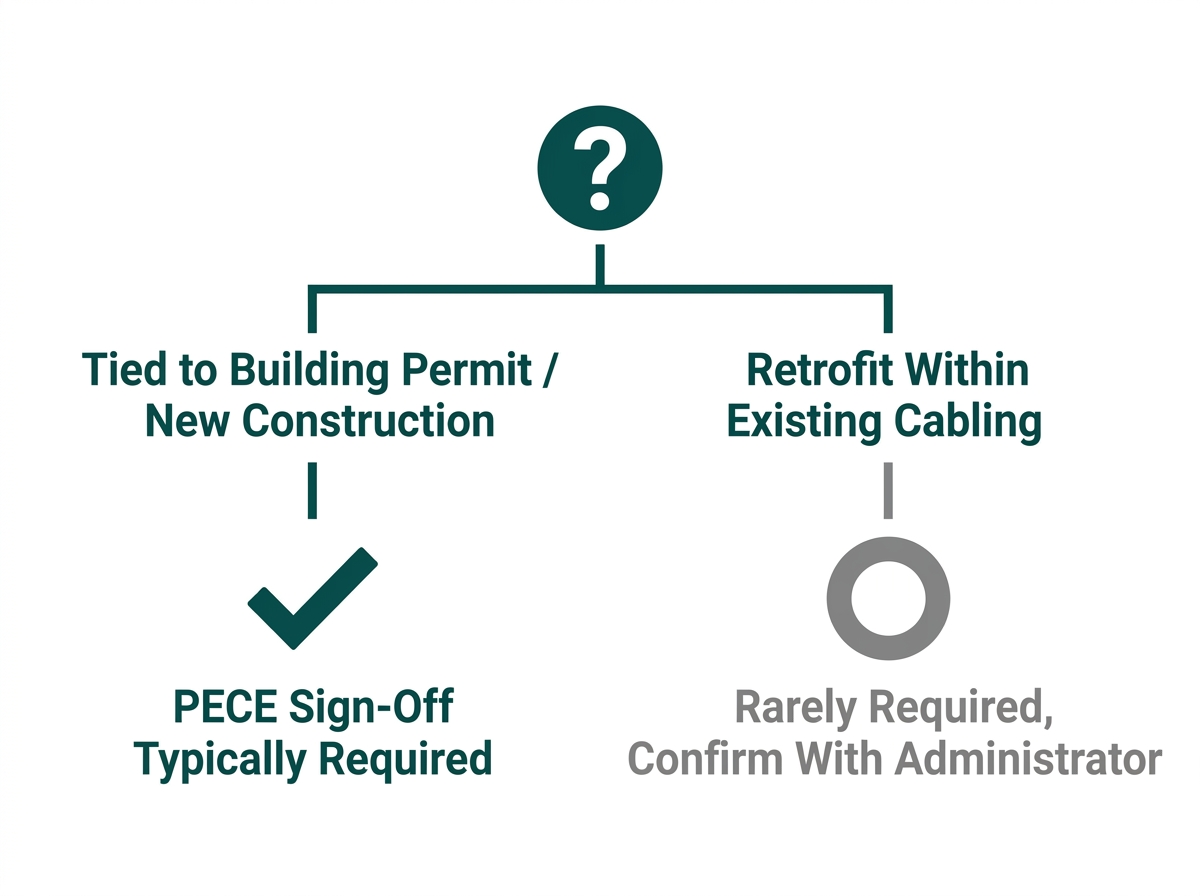
This becomes a legal requirement whenever structured cabling work is tied to a building permit or occupancy certificate. The Philippine Electronics Code, Book 1 of which covers Telecommunications Facilities Distribution Systems, is adopted by the Professional Regulation Commission's Board of Electronics Engineering as a reference code under the National Building Code of the Philippines, meaning permit-linked cabling design for new construction or major renovation typically needs to be signed and sealed by a PECE.
This lines up with what PEZA's own performance specifications for registered office buildings require, referencing ANSI/TIA/EIA-568, 569-B, and 606-A structured cabling standards alongside the Philippine Electronics Code directly. This is not usually an issue for the retrofitting of a small office within existing cable infrastructure. However, in cases where the job is for new construction or a large-scale fit-out, or anything that would need a building permit, it is best to verify beforehand whether PECE approval is needed.
This article touches on a licensed professional legal requirement (RA 9292/PECE). It is not legal or engineering advice, and any business planning permit-linked construction work should confirm requirements with a licensed PECE or the relevant building authority directly.
How Should a Network Be Segmented, and How Much Redundancy Does It Need
Segmentation by traffic type, not just by department: VLANs should separate traffic by function and risk level: staff devices, guest WiFi, point-of-sale or payment systems, and IoT devices like cameras or door locks each belong on their own segment with no unnecessary paths between them. This is the same principle covered in more detail, including a compliance-specific breakdown for guest networks, in our Guest WiFi Best Practices guide.
Redundancy sized for the Philippine grid, not a best-case assumption: Manila's grid operator has issued repeated red alerts during 2026, with Meralco implementing rotating brownouts affecting hundreds of thousands of customers during periods of thin power reserves. A network design that assumes stable, uninterrupted power is designed for a best-case scenario that doesn't reliably hold.
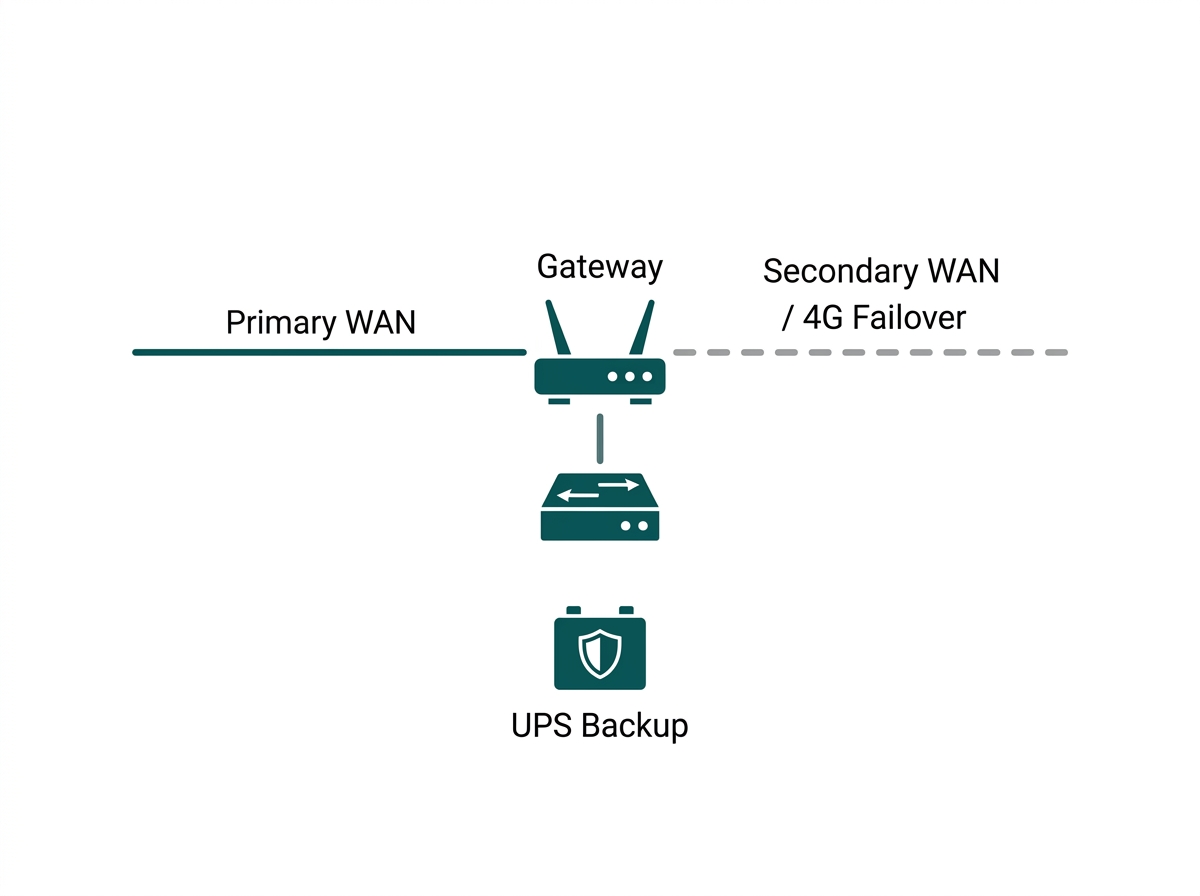
Multi-WAN gateways with automatic failover and UPS backup sized to cover switches and access points through a short outage are a design decision made at this infrastructure stage, not an afterthought added once the network is already built. A business that budgets for this during initial design avoids the more expensive scramble to retrofit failover after the first outage causes real downtime.
What Are the Steps to Design Network Infrastructure for a New Business Location
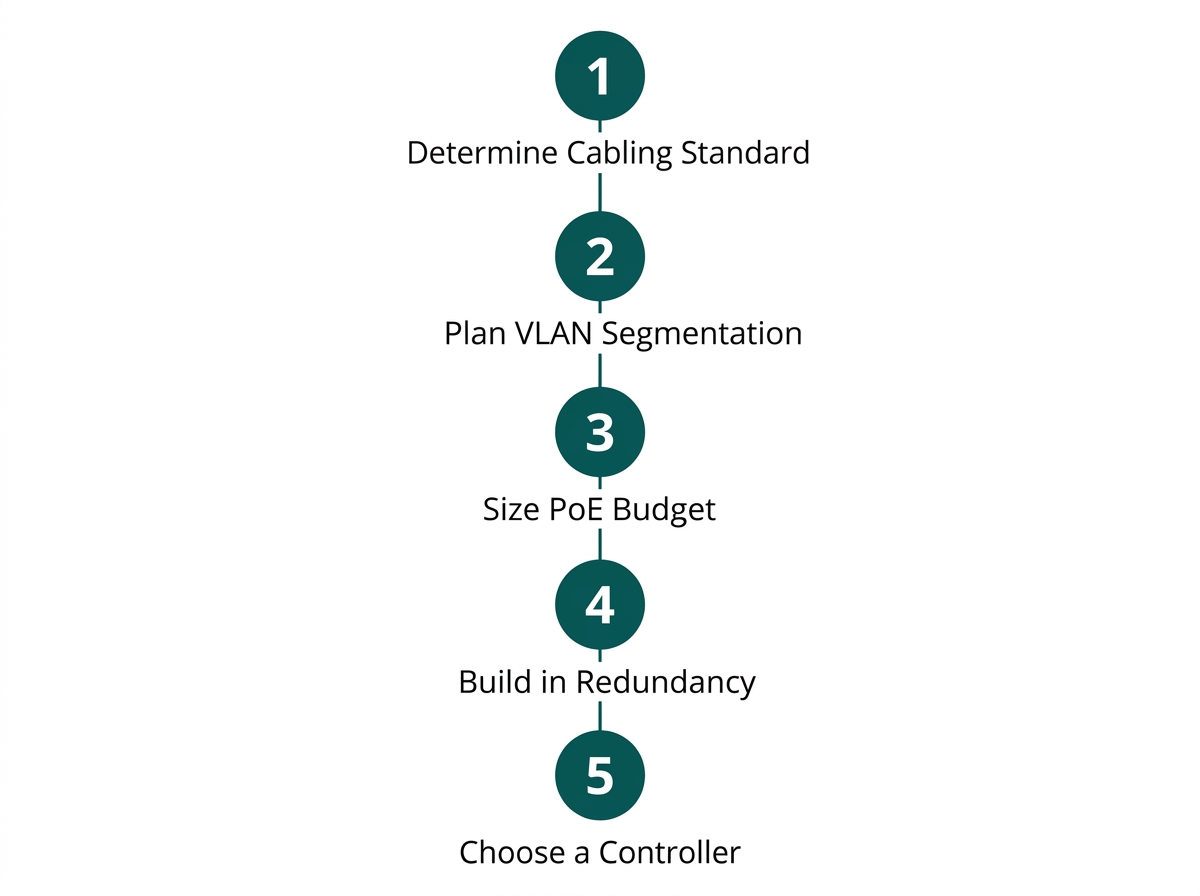
Designing network infrastructure from scratch follows five steps, each building on the last.
-
Determine the structured cabling standard for the site: Cat6 or Cat6A copper for horizontal runs, and fiber for backbone links between floors or buildings, confirming compliance with Philippine Electronics Code requirements if the work is tied to a building permit.
-
Plan VLAN segmentation by traffic type before choosing switches, so the switch's port count and PoE budget can be sized to the actual segments needed.
-
Size the PoE budget across all switches to cover every access point, camera, and PoE-powered device the design calls for, with headroom for future additions.
-
Built-in redundancy: a secondary WAN connection for internet failover and UPS coverage for the switch and gateway layer, sized around the Philippines' actual grid reliability rather than an assumption of constant power.
-
Choose a centralized controller, hardware, software, or cloud-based, so every switch, gateway, and access point in the design can be managed from one place once it's deployed.
Frequently Asked Questions
What cabling standard should a Philippine office use?
Cat6 is the practical baseline for new installations, supporting Gigabit Ethernet reliably over standard run lengths. Cat6A is worth the extra cost for offices planning multi-gigabit switch uplinks or longer cable runs, while fiber is typically reserved for backbone links between floors or separate buildings rather than horizontal runs to individual outlets.
Do I need a licensed engineer to design my office network?
It depends on whether the work is tied to a building permit or new construction. Structured cabling design submitted as part of a permit application typically needs to be signed and sealed by a professional electronics engineer under the Philippine Electronics Code, while a retrofit or upgrade within existing cabling in an already-permitted space generally doesn't trigger this requirement, though it's worth confirming with the building administrator for anything beyond a minor upgrade.
How does network infrastructure design differ from just buying WiFi access points?
WiFi access points sit on top of infrastructure that has to exist first: cabling, switch capacity, VLAN segmentation, and a gateway. Buying access points without that groundwork usually means retrofitting the underlying network later at higher cost, so the full picture of how the WiFi layer fits into a complete business network is worth reviewing before any purchase.
How much redundancy does a small business really need, given how often the power goes out?
At a minimum, UPS coverage for the switch and gateway ensures that a brief outage doesn't take the whole network down instantly. Businesses where any downtime has a direct cost, such as point-of-sale-dependent retail or food service, should also budget for a secondary WAN connection, a second ISP line, or 4G/LTE failover rather than relying on UPS alone.
What's the difference between Layer 2 and Layer 3 switching, and does my business need Layer 3?
A Layer 2 switch forwards traffic within a single network segment; a Layer 3 switch can also route traffic between different VLANs without needing a separate router for that function. Most small offices with a handful of VLANs can route everything through a gateway and don't strictly need Layer 3 switching, but larger or multi-VLAN-heavy deployments often benefit from the added routing capacity a Layer 3 switch provides.
Can existing office cabling be reused when upgrading to a new network design?
Often, yes, if the existing cabling meets Cat6 or better and is in good physical condition. A retrofit reusing existing structured cabling is both cheaper and less likely to trigger the PECE sign-off requirement that new construction typically faces, making it worth a cabling audit before assuming a full recabling is necessary.
Final Thoughts
Solid network infrastructure design settles cabling standards, segmentation, redundancy, and management before any WiFi hardware gets purchased, and in the Philippines, it also means knowing when that design needs a licensed engineer's signature. Getting this foundation right the first time is what lets a WiFi deployment, guest network, or new branch location scale onto it without a rebuild.
The full Omada product lineup covers the switches, gateways, and controllers that this infrastructure layer is built from, alongside the access points that sit on top of it.