
(EU)1.0-319x241x105mm-7022506585_normal_1562813069553q.jpg)

(EU)1.0-319x241x105mm-7022506585_large_1562813069553y.jpg)

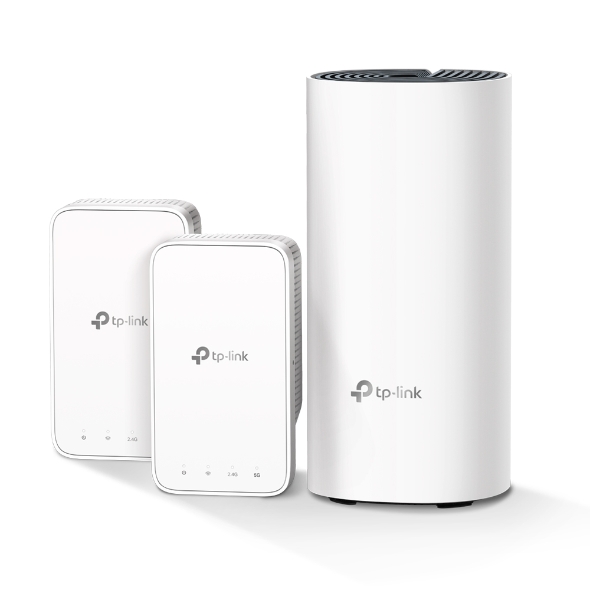
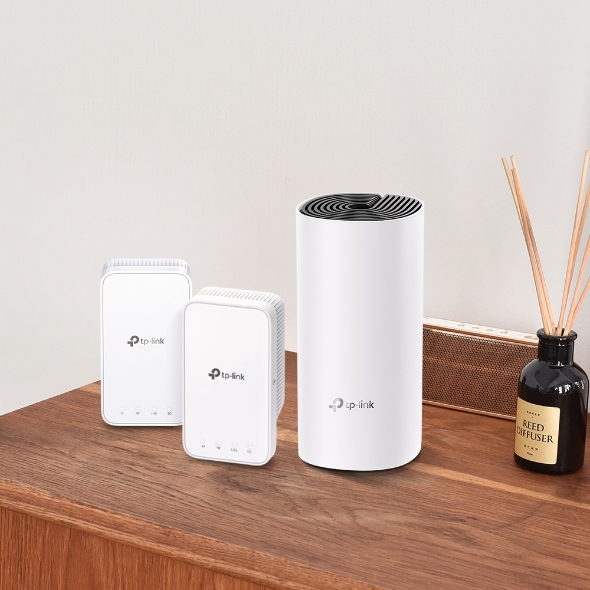
Deco M3
AC1200 Whole Home Mesh Wi-Fi System
- Deco uses a system of units to achieve seamless whole-home Wi-Fi coverage — eliminate weak signal areas once and for all!
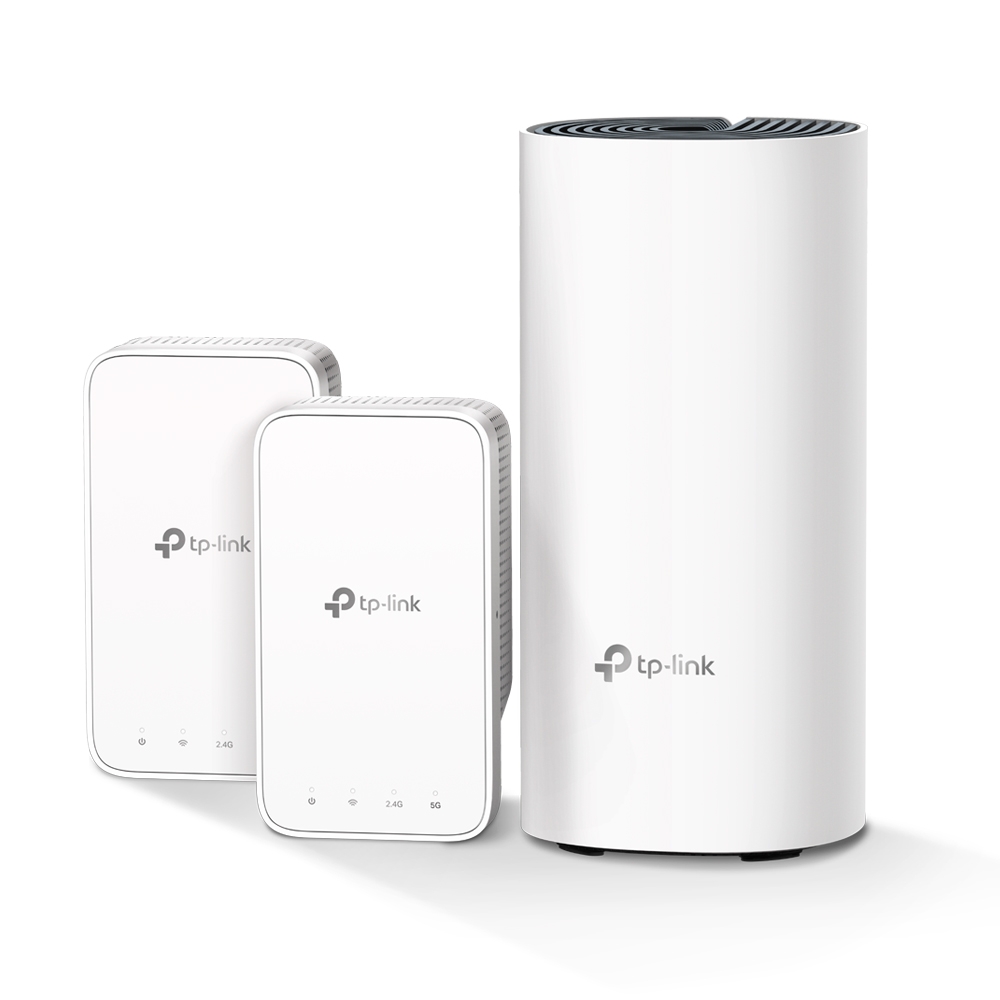
- A Deco M3 three-pack (1 router—Deco M4R and 2 extenders—Deco M3W) delivers Wi-Fi to an area of up to 3,500 square feet (EU version).
- Get further mesh Wi-Fi coverage by simply plugging in more Deco add-on extender Deco M3W into a wall outlet.
- With advanced Deco Mesh Technology, units work together to form a unified network with a single network name. Devices automatically switch between Decos as you move through your home for the fastest possible speeds.
- Deco M3 provides fast and stable connections with speeds of up to 1167 Mbps and works with a major internet service provider (ISP) and modem.
- Deco can handle traffic from even the busiest of networks, providing lag-free connections for up to 100 devices.
- Parental Controls limit online time and block inappropriate websites according to unique profiles created for each family member.
- Setup is easier than ever with the Deco app there to walk you through every step.

Fast. Stable. Everywhere.
Whole Home Mesh Wi-Fi System
AC1200 Dual-Band Wi-Fi
Deco M3
Why Do You Need Deco M3?

Can’t get Wi-Fi in your
bedroom?
Lose connection while walking
around the house?
Network buffering
all the time?
Worried about your children’s
network security?
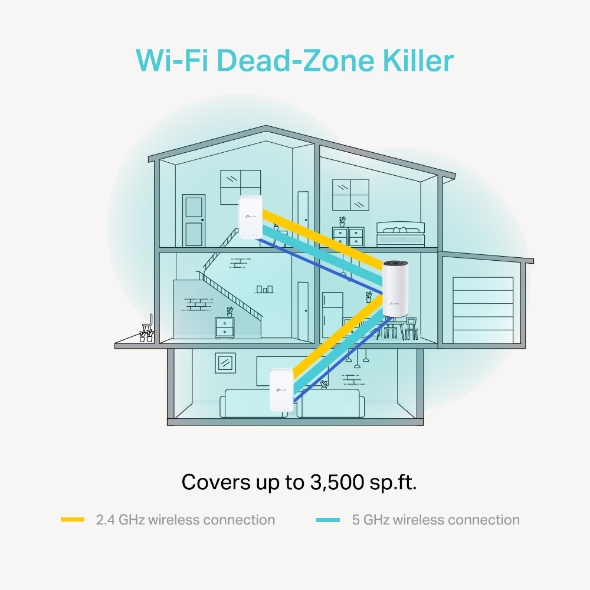
Wi-Fi Dead-Zone Killer
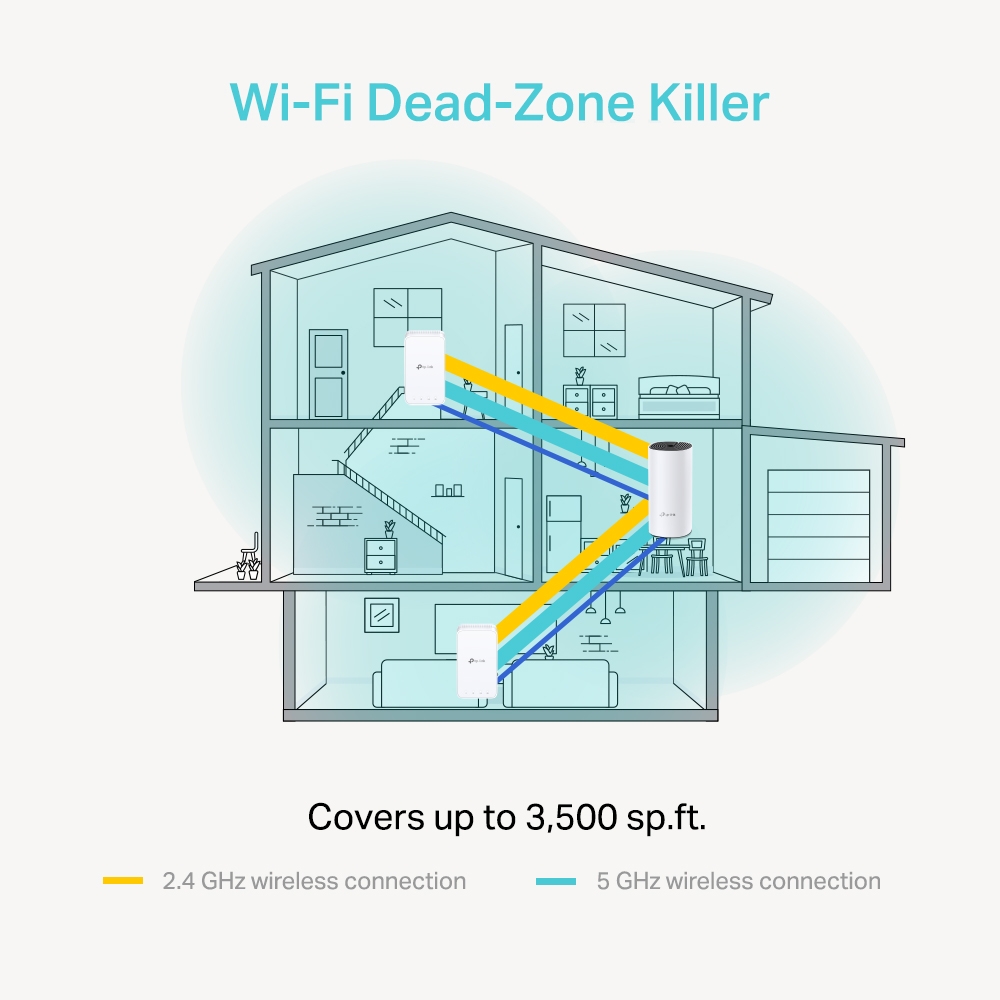
Deco M3 is a simple way to guarantee a strong Wi-Fi signal in every corner of your home up to 3,500 square feet (3-pack, EU version). 2.4 GHz and 5 GHz wireless connections work together to provide even faster network speeds and truly seamless coverage.
Want more coverage? Simply add more Decos.†
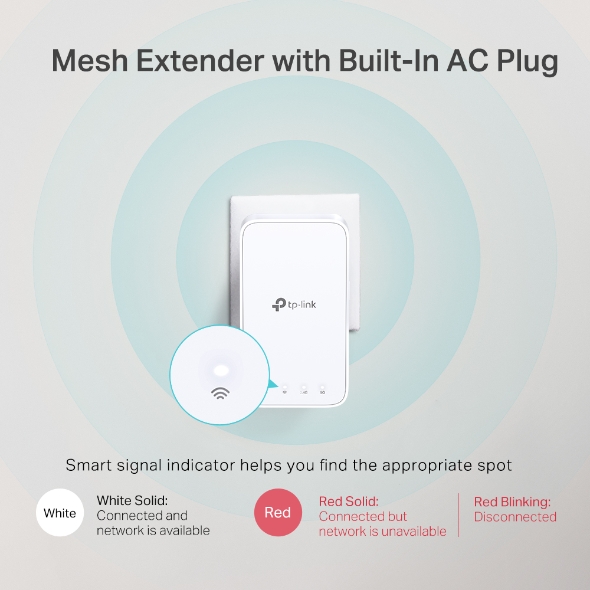
Convenient Plug-In Wi-Fi for Additional Coverage
Weak Wi-Fi signal in the hallway, kitchen, garage or basement? Get further Mesh Wi-Fi coverage by simply plugging more Deco add-on compact extenders Deco M3W into wall outlet, and enjoy all the functions of the main router.
Notes: Deco M3W needs to work with Deco routers to extend Mesh Wi-Fi.
Plug in the extender about halfway between the main router and the Wi-Fi dead zone. The smart signal indicator helps you find the appropriate spot, just a glance, flexibly and conveniently.
-
White
White Solid:
Connected and network is available -
Red
Red Solid:
Connected but network is unavailableRed Blinking:
Disconnected
Seamless Roaming with One Wi-Fi Name
TP-Link Mesh means Deco units work together to form a unified network with a single network name. Enjoy uninterrupted streaming, downloading, gaming and more as you move through your home, and no more switching Wi-Fi names, creating a truly seamless online experience.‡

Seamless Roaming
Uninterrupted streaming when moving around your home Extender

One Wi-Fi Name
No more switching Wi-Fi network names

Stays Fast, Always
Adaptive path selection keeps your network running at top speed

Self-Healing
Ensure you stay online even if one node fails by automatically rerouting data
Traditional Router with Extender
Deco M3
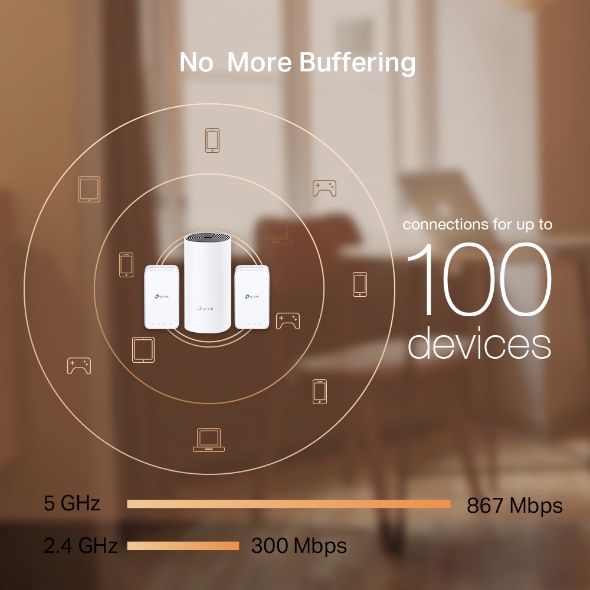
No More Buffering
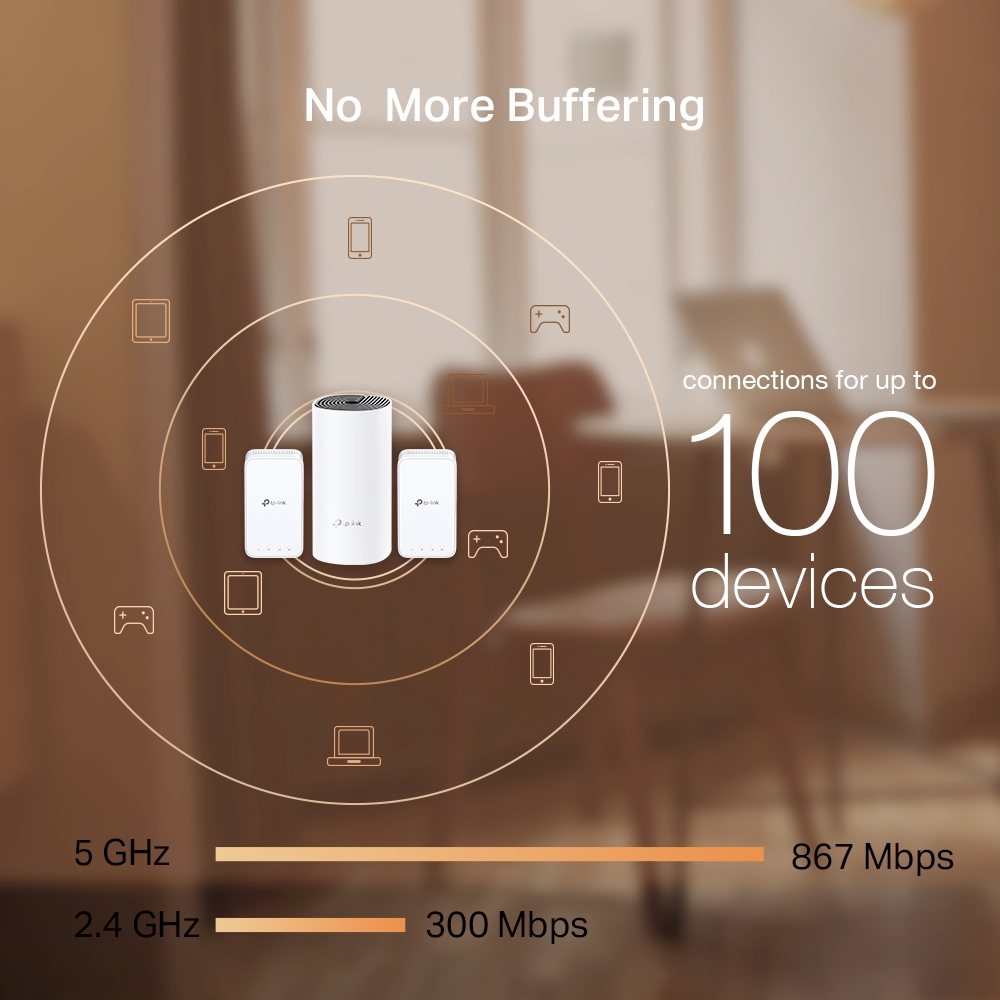
Network speeds three times faster than previous generation routers, thanks to 802.11ac wireless technology, make Deco capable of providing a lag-free connection to up to 100 devices.†
Robust Parental Controls
Simple, intuitive parental controls make it easy to
keep your children safe while they’re online.
-
Easily create a profile for each family member and set custom time limits and online time allowances.
-
Keep your family safe online with one-touch security settings that block websites based on age-appropriateness.
-
Set limits on how much time each person in your family can spend online.
-
Check out which sites your children visit and how much time they spend on each to ensure your children are safe while they’re having fun online.
-
Take a break from Wi-Fi for dinner and family game nights. Just tap a button to suspend internet access for everyone in your home.
Wi-Fi Made Easy
-
Setup Just Got a Lot Easier
Installing Deco M3 is fast and easy. Just unpack the system, download the Deco app and follow its onscreen directions.
Learn how to set up the Deco system >> -
Convenient Management
Manage your Wi-Fi at home or away in the Deco app, including seeing the connected devices, prioritizing your devices, setting up a guest network and more.
-
Voice Control
Pair with Alexa to control Deco M3 with simple voice commands.
All Decos
Work Together
Deco M3 is compatible with other Deco models to
form Mesh network. Expand Mesh Wi-Fi coverage
anytime by simply adding more Decos.
-
Subsol

-
Curte

-
Garaj

Roaming fără întrerupere
Unitățile Deco lucrează împreună pentru a forma o rețea unică. Telefonul sau tableta se conectează automat la cea mai apropiată unitate Deco pe măsură ce te plimbi prin casă, creând o experiență online fără probleme. Suportul IEEE 802.11r, precum și 802.11k /v înseamnă că trecerea de la o unitate Deco la alta este atât de rapidă încât este neobservată, chiar și în timpul streaming-ului.


-
Adaptive Path
Tehnologia TP-Link Mesh alege în mod dinamic cea mai bună rută și bandă pentru datele tale, garantând o conexiune rapidă indiferent de locul în care te afli în casă.


-
Self-Healing
Dacă o unitate Deco are o problemă, sistemul va redirecționa automat datele prin intermediul celorlalte unități deco pentru a-ți asigura conectivitatea online.
Wi-Fi + Powerline
Conexiunile Powerline utilizează circuitul electric al casei tale pentru a lega unitățile Deco, ocolind chiar și cei mai groși pereți.
Combinația între powerline și conexiunea wireless crează viteze de rețea de până la 60% mai rapide, comparativ doar cu o conexiune wireless.
- Boosted speeds
- 60%
- Standard Wi-Fi System
- Hybrid Wi-Fi System
- Powerline
- Note:Wi-Fi + Powerline doar pentru Deco P7
IoT Mesh
Spre deosebire de hub-urile tradiționale inteligente, tehnologia TP-Link Mesh oferă o acoperire IoT la domiciliu, cu Wi-Fi, Bluetooth și Zigbee integrate într-un sistem unic. Bucură-te de magia unei case inteligente în fiecare cameră cu tehnologia TP-Link Mesh. Spune la revedere nenumăratelor hub-uri.
- - - - Wi-Fi
- - - - Zigbee
- - - - Bluetooth
Seria Deco
Deco
-
 În curând
Deco BE85
Sistem Mesh Wi-Fi 7 Tri-Band BE19000 cu acoperire în toată locuința
-
 Nou
NouDeco BE65
Sistem Mesh Wi-Fi 7 BE9300 cu acoperire în toată locuința
-

Deco XE200
AXE11000 Whole Home Mesh Wi-Fi 6E System
-
 În curând
Deco XE75
Sistem Mesh Wi-Fi 6E Tri-Band AXE5400 cu acoperire în toată locuința
-
 Nou
NouDeco X60
Sistem Mesh Wi-Fi 6 Dual-Band AX5400 cu acoperire în toată locuința
-
 În curând
Deco X50-5G
Gateway 5G & Unitate Mesh Wi-Fi 6 AX3000 pentru o rețea portabilă
-
 Nou
NouDeco X50-PoE
Sistem Mesh Wi-Fi 6 AX3000 cu Suport PoE și acoperire în toată locuința
-

Deco X50
Sistem Mesh Wi-Fi 6 Dual-Band AX3000 cu acoperire în toată locuința
-

Deco X20
Sistem Mesh Wi-Fi 6 Dual-Band AX1800 cu acoperire în toată locuința
-

Deco S7
Sistem Mesh Wi-Fi Dual-Band Gigabit AC1900 cu acoperire în toată locuința
-
_normal_20230515082300b.png)
Deco M4
Sistem Mesh Wi-Fi Dual-Band Gigabit AC1200 cu acoperire în toată locuința
Aplicația TP-Link Deco este acum disponibilă în limba română
Aplicația TP-Link Deco, disponibilă în limba română, oferă cea mai ușoară modalitate de a configura, gestiona și monitoriza sistemul Mesh Deco Wi-Fi pentru întreaga casă prin dispozitivele iOS sau Android.
Configurarea a devenit mai ușoară
Deschide Deco, instalează aplicația și apoi urmărește instrucțiunile de pe ecran. Aplicația TP-Link Deco va avea grijă de restul și va face ca rețeaua să funcționeze în doar câteva minute.
-
Conectează Deco la modemul de cablu și pornește ambele dispozitive
-
Descarcă și pornește aplicația Deco
-
Urmărește instrucțiunile din aplicație pentru a configura sistemul tău Deco
Administrare ușoară
Aplicația Deco te ajută să administrezi rețeaua Wi-Fi de oriunde, indiferent dacă te afli pe canapea sau la serviciu.
-
Platformă de administrare intuitivă
Vizualizează starea de funcționare a rețelei tale, verifică dispozitivele conectate și obține toate caracteristicile oferite de router.
-
Mai multe unități deco într-o singură aplicație
Aplicația Deco gestionează toate rețelele Deco și dispozitivele conectate la Wi-Fi.
-
Verifică dispozitivele conectate
Vizualizează o listă a dispozitivelor conectate, cu posibilitatea de a întrerupe și a relua accesul la internet, de a testa viteza internetului și de a oferi prioritate sau de a bloca dispozitivele.
-
Management la distanță
Controlează rețeaua Wi-Fi de la distanță printr-o simplă atingere a telefonului - oriunde te-ai afla.
Control parental
Controlul parental simplu și intuitiv păstrează siguranța copiilor în timp ce sunt online.
-
Crează cu ușurință un profil pentru fiecare membru al familiei și setează limitele de timp personalizate. Atribuie dispozitivele fiecărui profil, astfel încât regulile să se extindă atât la dispozitivele individuale, cât și la membrii familiei.
-
Păstrează-ți familia în siguranță online cu setări de siguranță care blochează conținutul în funcție de vârstă.
-
Stabilește limite de timp petrecut online pentru fiecare persoană din familia ta.
-
Cu ajutorul statisticilor poți verifica site-urile pe care le vizitează copiii tai și cât timp petrec pe fiecare dintre acestea. Este un mod minunat de a menține siguranța copiilor în timp ce aceștia se distrează online.
-
Luați o pauză de la Wi-Fi pentru cină sau timp petrecut cu familia. Printr-o comandă simplă, poți suspenda accesul la internet pentru toți cei din casa
O aplicație intuitivă plină de caracteristici
Raport lunar de utilizare
Poți vizualiza o listă completă a detaliilor rețelei tale în fiecare lună, inclusiv utilizarea,
conținutul blocat, amenințările de securitate și multe altele.
Home Automation
Make your life easy with powerful automation and voice control tools.
*Currently only for Deco M9 Plus
Flexible Shortcut
Flexibly control all devices from your phone or tablet with just one click.
*Currently only for Deco M9 Plus
Protect Your Network
Built-in Antivirus helps you defend against malicious website and guard your online payment.
*Currently only for Deco M9 Plus, Deco P7 and Deco M5
Prioritize Your Devices
Choose which devices always have the fastest connections
or set priority for a specific time duration.
Set Application Priorities
Allocate more bandwidth for the activities most important to you with simple controls.
*Currently only for Deco M9 Plus, Deco P7 and Deco M5
Share Wi-Fi with Friends
Set up separate Wi-Fi profiles for guests and share the password to
make it easier for them to hop online.
Check Your Speed
Run a speed test to ensure you’re getting the internet speeds you’re paying for.
View every device on your network and see how much bandwidth they’re using.
Suntem aici ca să-ți oferim suport
Ai întrebări despre Deco? Ajutorul este întotdeauna la doar un clic distanță. Găsești răspunsuri în limba română la întrebările cele mai frecvente în aplicația Deco și ne poți contacta atunci când ai nevoie de ajutor.
Suport| Wireless | |
|---|---|
| Standards | Wi-Fi 5IEEE 802.11ac/n/a 5 GHzIEEE 802.11n/b/g 2.4 GHz |
| WiFi Speeds | AC12005 GHz: 867 Mbps (802.11ac)2.4 GHz: 300 Mbps (802.11n) |
| WiFi Range | 3-4 Bedroom Houses (3-pack) TP-Link Mesh TechnologyOptional Ethernet backhaul work together to link Deco units to provide seamless coverage2× Antennas (Internal)Multiple antennas form a signal-boosting array to cover more directions and large areasBeamformingConcentrates wireless signal strength towards clients to expand WiFi range |
| WiFi Capacity | Medium Dual-BandDistribute devices to different bands for optimal performanceMU-MIMOSilmultaneously communicates with multiple MU-MIMO clients |
| Working Modes | Router ModeAccess Point Mode |
| HARDWARE | |
|---|---|
| Processor | Qualcomm CPU |
| Ethernet Ports | 2× Gigabit Ports*Per Deco Unit Supports WAN/LAN auto-sensing |
| Buttons | Reset Button |
| Power | 12 V ⎓ 1.5 A |
| Securitate | |
|---|---|
| WiFi Encryption | WPAWPA2 |
| Network Security | SPI FirewallAccess Control |
| Guest Network | 1× 5 GHz Guest Network1× 2.4 GHz Guest Network |
| SOFTWARE | |
|---|---|
| Protocols | IPv4 IPv6 |
| Parental Controls | URL FilteringTime Controls |
| WAN Types | Dynamic IPStatic IPPPPoEPPTPL2TP |
| Quality of Service | QoS by Device |
| Cloud Service | OTA Firmware UpgradeTP-Link ID DDNS |
| NAT Forwarding | Port Forwarding Port Triggering DMZ UPnP |
| IPTV | IGMP ProxyIGMP SnoopingBridge Tag VLAN |
| DHCP | Address ReservationDHCP Client ListServer |
| DDNS | TP-Link |
| Management | Deco App |
| PHYSICAL | |
|---|---|
| Dimensions (W×D×H) | Router:3.6 × 3.6 × 7.5 in (90.7 × 90.7 × 190 mm)Extender:2.7 × 1.4 × 4.9 in ( 69 × 35 × 124 mm) |
| Package Contents | Deco M3 (3-pack)1 Deco M4R Unit2 Wall-plug Extenders Deco M3W1 RJ45 Ethernet Cable1 Power Adapter1 Quick Installation GuideDeco M3 (2-pack)1 Deco M4R Unit1 Wall-plug Extender Deco M3W1 RJ45 Ethernet Cable1 Power Adapter1 Quick Installation Guide |
| Altele | |
|---|---|
| Cerințe de sistem | Android 4.4 or lateriOS 9.0 or later |
| Certificări | CE, RoHS |
| Mediu | Operating Temperature: 0℃~40℃ (32℉ ~104℉)Storage Temperature: -40℃~70℃ (-40℉ ~158℉)Operating Humidity: 10%~90% non-condensingStorage Humidity: 5%~90% non-condensing |
| TEST DATA | |
|---|---|
| WiFi Transmission Power | CE:<20 dBm (2.4 GHz)<23 dBm (5 GHz)FCC:<30 dBm |
†Maximum wireless signal rates are the physical rates derived from IEEE Standard 802.11 specifications. Actual wireless data throughput and wireless coverage, and quantity of connected devices are not guaranteed and will vary as a result of network conditions, client limitations, and environmental factors, including building materials, obstacles, volume and density of traffic, and client location.
‡Seamless roaming requires that clients need to support 802.11k/v/r and may require additional set up. Performance may vary depending on the client device.