


Tải về cho Archer AX53HP
QUAN TRỌNG: Tính khả dụng của kiểu máy và phiên bản phần cứng khác nhau tùy theo khu vực. Vui lòng tham khảo trang web TP-Link theo khu vực của bạn để xác định tình trạng sẵn có của sản phẩm.
- Tổng quan Sản phẩm
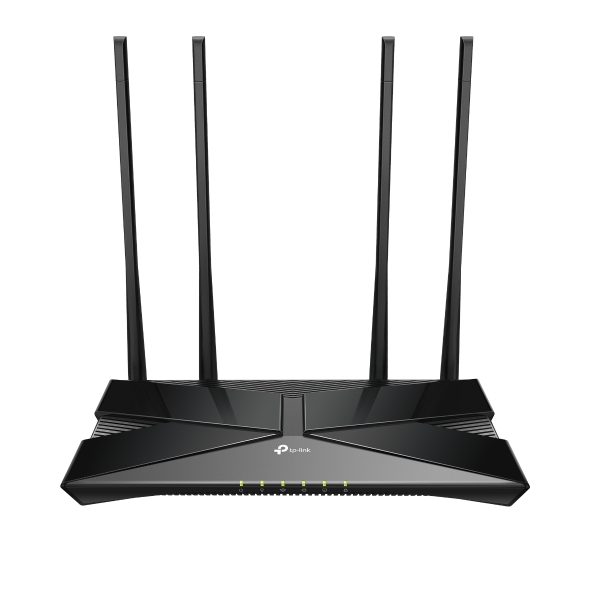 Router Wi-Fi 6 Gigabit Băng Tần Kép AX3000
Câu hỏi thường gặp
- Xử lý sự cố một thiết bị không thể kết nối với mạng không dây TP-Link
- Quy luật đèn tín hiệu của các sản phẩm Bộ định tuyến Wi-Fi Router
- How to Build Ethernet Backhaul With Two TP-Link EasyMesh Routers
- How to Set Up IoT Network on TP-Link Wireless Router
- Hướng dẫn thiết lập Port Forwarding trên Router chính khi sử dụng VPN Server trên Router TP-Link và Deco
- How to set up VPN Client on computer and phone
- How to get configuration files from a Wireguard service provider
- How to add EasyMesh Satellite device when the main router is working in Access Point Mode
- How to add the EasyMesh satellite devices via Tether App
- What is ECO Mode and How to Configure It on TP-Link Wireless Router?
- How to set the Surfshark WireGuard on TP-Link Wireless Router
- How to set the NordVPN WireGuard on TP-Link Wireless Router
- How to set the Surfshark WireGuard manually on TP-Link Wireless Router
- How to get configuration files from OpenVPN service providers
- WireGuard VPN Setup: Server and Client Configuration on Your TP-Link Router
- How to set up Portal Authentication for guest network (new logo)
- Cách thiết lập kết nối VPN trên Router Wi-Fi TP-Link?
- Tại sao không truy cập được tplinkwifi.net?
- Làm thế nào để thay đổi địa chỉ IP LAN của Router không dây TP-Link?
Apps

- TP-Link Tether
TP-Link Tether provides the easiest way to access and manage your network with your iOS or Android devices. Learn more about TP-Link Tether and Compatible Devices



Note: To use Tether, please update your TP-Link device's firmware to the latest version.