


_EU_1.0_overview_01_3-pack_normal_20251120011602c.jpg)
_EU_1.0_overview_02_normal_20251120011639b.jpg)
_EU_1.0_overview_03_normal_20250915030902z.jpg)
_EU_1.0_overview_04_normal_20251120011732c.jpg)
_EU_1.0_overview_05_normal_20250903015301h.jpg)
_EU_1.0_overview_06_normal_20250903015301w.jpg)
_EU_1.0_overview_07_normal_20250903015301z.jpg)
_EU_1.0_overview_08_normal_20250903015302k.jpg)
_EU_1.0_overview_09_normal_20250903015302k.jpg)
(EU)_1.0-339.5x240x116mm-7000001699_normal_20250903015859e.png)
_EU_1.0_overview_01_3-pack_large_20251120011602e.jpg)
_EU_1.0_overview_02_large_20251120011639t.jpg)
_EU_1.0_overview_03_large_20250915030902m.jpg)
_EU_1.0_overview_04_large_20251120011732w.jpg)
_EU_1.0_overview_05_large_20250903015301a.jpg)
_EU_1.0_overview_06_large_20250903015301a.jpg)
_EU_1.0_overview_07_large_20250903015302p.jpg)
_EU_1.0_overview_08_large_20250903015302x.jpg)
_EU_1.0_overview_09_large_20250903015302t.jpg)
(EU)_1.0-339.5x240x116mm-7000001699_large_20250903015859q.png)
Deco PX10
Sistema Mesh Wi-Fi 6 AX1500 + Powerline AV1000
- Wi-Fi 6 Dual-Band AX1500 – Velocità di connessione fino a 1201Mbps in 5 GHz e 300Mbps in 2.4GHz.†
- HomePlug AV2 – Veocità di traferimento dati su rete elettrica fino a 1Gbps ***
- Copertura stabile oltre pareti e pavimenti – Minimizza le interferenze causate da pareti e altri ostacoli.
- Tecnologia Mesh AI-Driven – Crea una rete unificata con unico nome e password in grado di fornire le migliori performance di connessione in ogni zona della copertura Wi-Fi.*
- Connettività cablata Gigabit – 3× Porte Gigabit LAN/WAN.§
- HomeShield – Fornisce protezione di rete completa, parental control e sicurezza IoT in tempo reale.**
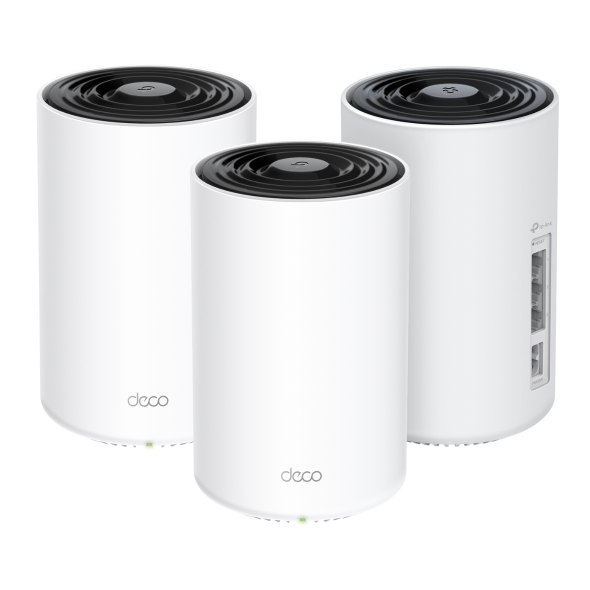
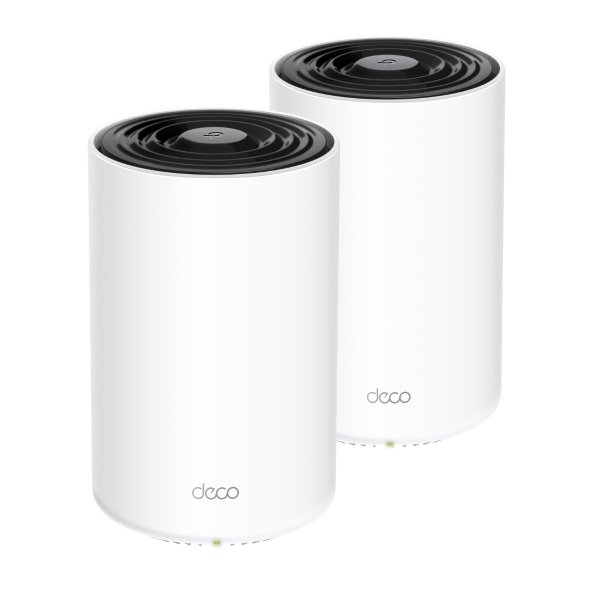

WiFi Mesh Ovunque.
Sistema Mesh Wi-Fi 6 AX1500 + Powerline AV1000
Deco PX10




WiFi 6 Dual-Band AX1500
Sicurezza
HomeShield
AI-Driven
Mesh
Copertura fino a
2 Pack
380 m²
3 Pack
530 m²
Connetti fino a
120 dispositivi
HomePlug AV2
1000Mbps
Mesh WiFi 6 + Powerline: il segnale passa anche attraverso le pareti
Deco PX10 unisce Wi-Fi dual-band e tecnologia Powerline per mettere in comunicazione le unità Deco in modo ancora più stabile. Sfruttando l’impianto elettrico di casa, la tecnologia Powerline aiuta a mantenere una connessione più affidabile tra i dispositivi, riducendo l’impatto di pareti, solai e altri ostacoli tipici degli ambienti domestici. ***
Internet
Powerline Gigabit AV1000
Pareti spesse
Mesh WiFi 6 Dual-Band
Con il Wi-Fi 6, il sistema Mesh Deco porta la tua rete di casa a un altro livello, con più copertura, più velocità e più capacità per tutti i tuoi dispositivi. Naviga più veloce e collega tutto quello che vuoi, senza rallentamenti.
-
Capacità fino a 4 volte maggiore
-
Velocità fino a 3 volte superiore
-
Copertura ancora più ampia
Ultraveloce Zero Lag.
Banda ibrida Wi-Fi + Powerline
Wi-Fi e Powerline lavorano insieme per far comunicare le unità Deco in modo più efficiente. Deco PX10 offre prestazioni nettamente superiori rispetto a un mesh Wi-Fi tradizionale.
-
Deco PX10 (WiFi + Powerline)
1201Mbps
300Mbps
1000Mbps
-
Mesh WiFi tradizionale
Copertura Wi-Fi estesa in tutta la casa
Le unità Deco PX10 lavorano insieme come un unico sistema Mesh per offrirti una copertura più ampia e stabile in ogni stanza. Hai bisogno di ancora più copertura? Ti basta aggiungere un’altra unità Deco. Tutti i dispositivi TP-Link Deco sono compatibili tra loro.†
-
 1-Pack
 -
 2-Pack
 fino a 380 m²
 -
3-Pack fino a 530 m²


Progettato per più
dispositvi
Grazie al Wi-Fi 6 e alle tecnologie OFDMA e MU-MIMO, Deco PX10 ti permette di collegare fino a 120 dispositivi in contemporanea, mantenendo la rete sempre efficiente, veloce e reattiva, senza rallentamenti anche quando tutta la casa è connessa.
Gaming
Streaming 8K
Telefoni e
Tablet
Streaming 1080P
Smart Home
Devices
High-Speed
Downloading
Streaming 4K
IP Camera
Streaming
Web Browsing
Connetti fino a
120
dispositivi
La rete ideale per la tua casa smart
Deco utilizza algoritmi personalizzati per automatizzare le connessioni sulla tua rete, garantendo ai dispositivi connessi la massima potenza del segnale.△
Scopri di più sulla tecnologia AI-Driven Mesh >>
-
Algoritmi sofisticati
-
Capacità di auto-apprendimento
-
Wi-Fi su misura
auto-apprendimento
Algoritmi avanzati
Roaming senza interruzioni con un solo nome Wi-Fi
Con TP-Link Mesh, i dispositivi Deco lavorano come un’unica rete intelligente. Mentre ti muovi in casa, il tuo telefono o tablet passa automaticamente al Deco migliore, così resti sempre connesso senza interruzioni.‡
-
Copertura Whole Home
Elimina le zone d'ombra in casa tua
-
Seamless Roaming
Connessione senza interruzioni da una stanza all'altra
-
Un unico Wi-Fi
Connettiti ad un'unica rete con un unico nome
-
Gestione centralizzata
Controlla il tuo Wi-Fi con App Deco
-
Deco PX10
Mesh Wi-Fi System Wi-Fi Home-Deco Wi-Fi
-
Router traditionale
con Extender Wi-Fi

Connessione smart e sicura
HomeShield protegge tutta la tua rete con una serie di servizi integrati pensati per offrirti sicurezza sia a casa che quando sei in giro. Con HomeShield, la tua esperienza online è più sicura e serena, per una smart home davvero senza pensieri.
-
Protezione della rete
Configura facilmente il tuo router e metti in sicurezza tutta la rete di casa. HomeShield analizza la rete, individua eventuali rischi e li blocca prima che possano causare problemi.*
-
Parental Control
Ti aiuta a proteggere i più piccoli e a guidarli verso abitudini digitali più sane. Puoi impostare blocchi per le app, filtri web, restrizioni su YouTube, SafeSearch e limiti di tempo online.*
-
Protezione anche fuori casa
App KidShield
App Devices Security
Con le app dedicate come KidShield e Device Security, la protezione ti segue ovunque: i dispositivi restano al sicuro anche fuori dalla rete domestica e puoi monitorare la posizione dei tuoi figli direttamente da app.*
Plug and Play con App Deco
Configura e gestisci la tua rete sempre e ovunque con l'intuitiva app TP-Link Deco. In soli tre semplici passaggi tutta la tua casa sarà coperta da una rete Wi-Fi potente e affidabile. Set up one Deco, and the other Deco in the same set can automatically join the mesh network after powered on.
-
1 Connetti
Deco al modem e alimenta entrambi. -
2 Download
e apri l’app Deco. -
3 Configura
seguendo le istruzioni guidate nell’app. -
4 Accendi
gli altri Deco dello stesso kit.
Pieno controllo in ogni momento
-

Gestione semplice
Gestisci il tuo Wi-Fi a casa o da remoto tramite app Deco. Visualizza tutti i dispositivi connessi, dai la priorità al tuo e configura una rete ospite.
-

Controllo vocale
Abbina Deco XP10 ad Alexa o Google Home per gestire le impostazioni di rete tramite semplici comandi vocali.

-

Massima compatibilità
Deco PX10 è compatibile con tutti gli altri modelli Deco. Puoi ampliare la copertura Wi-Fi in qualsiasi momento semplicemente aggiungendo altre unità Deco.***
Nota: Compatibile con tutti i modelli Deco in modalità wireless; le connessioni Powerline sono supportate esclusivamente tramite standard HomePlug.
-
Cantina

-
Giardino

-
Garage

Seamless Roaming
I prodotti Deco lavorano all'unisono nel creare un'unica rete Wi-Fi nella quale, grazie ai protocolli di fast roaming IEEE 802.11r/k/v, per la prima volta disponibili su prodotti consumer. I dispositivi connessi sono liberi di muoversi passando automaticamente da un Deco all'altro in modo del tutto trasparente, senza disconnessioni o perdite di segnale.
-
Adaptive routing
La tecnologia Mesh di Deco consente alla rete di selezionare in modo dinamico il percorso migliore per mettere in comunicazione i dispositivi connessi e la rete Internet, massimizzando le performance sull'intero network.
-
Self-Healing
La funzionalità di autodiagnosi fa in modo che se una delle unità Deco che compongono la rete ha un problema e non è in grado di gestire il traffico, il sistema reagisce adattandosi istantaneamente per non interrompere la connessione.
Hybrid Mesh: Wi-Fi + Powerline
I modelli Deco Hybrid Mesh sono in grado, attraverso la tecnologia Powerline, di scambiare dati utilizzando l'impianto elettrico come cavo di rete, fornendo connettività in punti non raggiungibili da tecnologia Wi-Fi Mesh pura a causa di muri spessi e schermati o di distanze eccessive tra le unità.
Quando la tecnologia Powerline e quella mesh lavorano in sinergia la velocità dell'intero network risulta potenziata.
- Wi-Fi + Powerline:
- Hybrid Wi-Fi System Velocità aumentata
- Rete Mesh tradizionale:
- Sistema Wi-Fi Standard
- Powerline
- Note:la tecnologia Wi-Fi Mesh + Powerline è disponibile con Deco P9
Funzione Smart Hub IoT
Una Rete Deco Mesh tradizionale è ideale per supportare i dispositivi Smart di casa, come telecamere, lampadine e prese Wi-Fi. Con Deco M9 Plus dotato di Smart Hub IoT è anche possibile gestire dispositivi smart dotati di protocollo Bluetooth e ZigBee, rendendo possibili scenari domotici complessi e ad elevata automazione.
- - - - Wi-Fi
- - - - Zigbee
- - - - Bluetooth
Wi-Fi 6 Mesh
I vantaggi del nuovo standard Wi-Fi 6
I modelli Deco dotati di standard Wi-Fi 6 802.11ax di nuova generazione sono l'ideale per connettere ambienti ad alta densità di dispositivi Wi-Fi fornendo una copertura Wi-Fi ampia, efficiente e dall'elevata velocità per un numero di client sempre maggiore.
-
Ampia copertura
-
Capacità aumentata
-
Altissima velocità di connessione
Gamma Deco
Deco
-

Deco X50-5G
Unità Mesh Router 5G con Slot SIM Card, Wi-Fi 6 AX3000
Deco Network Management at Your Fingertips!
The Deco app provides the easiest way to set up, manage and monitor your Deco Whole Home Mesh Wi-Fi System through your iOS or Android devices.
Setup Just Got a Lot Easier
Unbox Deco, install the app and then simply follow the on-screen directions. Deco app will take care of the rest and get your network up and running in minutes.
-
Connect Deco to your cable modem and turn on both devices
-
Download and launch the Deco app
-
Follow the in-app instructions to configure your Deco system.
Simple Management
Deco makes it easy to manage your Wi-Fi from anywhere, whether you’re on the couch, at work, or anywhere in between.
-
Simple Management Dashboard
View the working status of your network, check the connected devices and get all the features your router offers.
-
Multiple Decos, One App
The Deco app manages all your Deco networks and devices connected to your Deco Wi-Fi.
-
Check the Connected Devices
View a list of your connected devices with the ability to pause and resume internet access, test the internet speed and prioritize or block the devices.
-
Remote Management
Remotely take control of the network with a tap of your phone—no matter where you find yourself.
Powerful Parental Controls
Simple, intuitive parental controls make it easy to keep your children safe while they’re online.
-
Easily create a profile for each family member and set custom time limits and online time allowances. Assign devices to profiles so rules extend to individual devices as well as family members.
-
Keep your family safe online with one-touch security settings that block content based on age-appropriateness.
-
Set limits on how much time each person in your family can spend online.
-
With Insights, you can check out which sites your children visit and how much time they spend on each. It’s a great way to know your children are safe while they’re having fun online.
-
Take a break from Wi-Fi for dinner and family game nights. Just tap a button to suspend internet access for everyone in your home.
An Intuitive App Full of Features
Monthly Usage Summary
See a comprehensive list of your network details every month, including usage,
blocked content, security threats and more.
Home Automation
Make your life easy with powerful automation and voice control tools.
*Currently only for Deco M9 Plus
Flexible Shortcut
Flexibly control all devices from your phone or tablet with just one click.
*Currently only for Deco M9 Plus
Protect Your Network
Built-in Antivirus helps you defend against malicious website and guard your online payment.
*Currently only for Deco M9 Plus, Deco P7 and Deco M5
Prioritize Your Devices
Choose which devices always have the fastest connections
or set priority for a specific time duration.
Set Application Priorities
Allocate more bandwidth for the activities most important to you with simple controls.
*Currently only for Deco M9 Plus, Deco P7 and Deco M5
Share Wi-Fi with Friends
Set up separate Wi-Fi profiles for guests and share the password to
make it easier for them to hop online.
Check Your Speed
Run a speed test to ensure you’re getting the internet speeds you’re paying for.
View every device on your network and see how much bandwidth they’re using.
Our Support Always Has Your Back
Have questions about Deco? Help is always just a click away. Find the answers in Deco app and don’t hesitate to contact us with just a simple click.
Support| Standards and Protocols | Wi-Fi 6IEEE 802.11ax/ac/n/a 5 GHzIEEE 802.11ax/n/b/g 2.4 GHz |
|---|---|
| WiFi Speeds | AX15005 GHz: 1201 Mbps (802.11ax)2.4 GHz: 300 Mbps (802.11ax) |
| Powerline Speeds | HomePlug AV21000 Mbps Powerline |
| WiFi Range | 4-6+ Bedroom Houses (3-pack) TP-Link Mesh TechnologyOptional Ethernet backhaul work together to link Deco units to provide seamless coveragePowerline TechnologyUses your home's electrical wiring to create stronger connections between Deco units, reducing the impact of walls or other obstacles on signal2 × dual-band antennasMultiple antennas form a signal-boosting array to cover more directions and large areas |
| WiFi Capacity | Medium Dual-BandDistribute devices to different bands for optimal performanceMU-MIMOSimultaneously communicates with multiple MU-MIMO clientsOFDMASimultaneously communicates with multiple WiFi 6 clients |
| Working Modes | Router ModeAccess Point Mode |
| Network Security | SPI FirewallAccess ControlHomeShield Security Real-Time IoT ProtectionMalicious Site BlockerIntrusion Prevention SystemDDoS Attack PreventionHome Network Scanner |
|---|---|
| Guest Network | 1× 5 GHz Guest Network1× 2.4 GHz Guest Network |
| WiFi Encryption | WPA/WPA2/WPA3 |
| Ethernet Ports | 3 × Gigabit ports*Per Deco Unit Supports WAN/LAN auto-sensing |
|---|---|
| Buttons | Reset Button |
| Protocols | IPv4IPv6 |
|---|---|
| Service Kit | HomeShieldLearn More> |
| Parental Controls | HomeShield Parental Controls Youtube RestrictionSafeSearchCustom ProfilesProfessional Content Filter LibraryFamily TimeBedtimeOff TimeTime RewardsFamily Online Time RankingPause the InternetWeekly and Monthly Reports |
| WAN Types | Dynamic IPStatic IPPPPoEL2TPPPTP |
| Quality of Service | HomeShield QoS QoS by Device |
| Cloud Service | OTA Firmware UpgradeTP-Link IDDDNS |
| NAT Forwarding | Port Forwarding UPnP |
| IPTV | IGMP ProxyIGMP SnoopingBridgeTag VLAN |
| DHCP | Address ReservationDHCP Client ListServer |
| DDNS | TP-Link |
| Management Features | Deco App |
| Network Services Enabled by Default | Web Server Manage and configure device through web (HTTP/HTTPS)• Port: 80/443 Protocol: TCP DNS DNS• Port: 53 Protocol: TCP & UDP DHCP Server IP address assignment (DHCP)• Port: 67 Protocol: UDP App management Manage and configure device through app• Port: 22 Protocol: TCP• Port: 20001 Protocol: TCP• Port: 30001 Protocol: TCP• Port: 20002 Protocol: UDP |
|---|---|
| WiFi Transmission Power | CE:<20 dBm (2.4 GHz)<23 dBm (5 GHz)FCC:<30 dBm |
|---|---|
| Dimensions (W×D×H) | 4.1 × 4.1 × 6.7 in (105 × 105 × 169 mm) |
|---|---|
| Package Content | Deco PX10 (3-pack)3× Deco PX10 Units(routers with powerline)1× RJ45 Ethernet Cable3× Power CordsQuick Installation GuideDeco PX10 (2-pack)2× Deco PX10 Units(routers with powerline)1× RJ45 Ethernet Cable2× Power CordsQuick Installation Guide |
| Certificazioni | CE, FCC, RoHS |
|---|---|
| Ambiente | Operating Temperature: 0°C~40°C (32 °F~104 °F)Storage Temperature: -40°C~60°C (-40 °F~140 °F)Operating Humidity: 10%~90% RHStorage Humidity: 5%~90% RH |
†Le stime relative alla massima velocità di trasmissione wireless si riferiscono alle specifiche dello standard IEEE 802.11. I dati di throughput, copertura e massimo numero di dispositivi connessi sono basati su test eseguiti in normali condizioni d'uso, i risultati possono variare in base a fattori ambientali, inclusi materiali di costruzione, oggetti fisici e ostacoli, condizioni del network, incluse interferenze locali, volume e densità del traffico, posizione del dispositivo, complessità del network e network overhead; limitazioni del client, incluse performance stimate, posizione, qualità di connessione e condizioni del client.
‡ Il client deve supportare 802.11k/v/r e potrebbe essere necessario un setup aggiuntivo. Le performance possono variare in base al dispositivo client.
△L'utilizzo del Wi-Fi 6 e di funzionalità tra cui OFDMA, MU-MIMO, 1024-QAM e BSS Color necessitano di client che supportino tali funzionalità.
§Compatibile con tutti i modelli Deco tramite connessione wireless; le connessioni Powerline sono supportate esclusivamente tra dispositivi conformi allo standard HomePlug. Le velocità Powerline indicate rappresentano i valori teorici massimi definiti dalle specifiche HomePlug AV/AV2. Le prestazioni effettive e la copertura della rete Powerline possono variare in base alle condizioni della rete e dell'ambiente di utilizzo, inclusi interferenze elettriche, volume del traffico, sovraccarico della rete, interruttori differenziali AFCI e installazioni su circuiti elettrici separati.
*HomeShield includes both basic and advanced features. Advanced features require a paid subscription. For details, visit tp-link.com/homeshield.
**Le generazioni Wi-Fi corrispondono agli standard wireless IEEE 802.11 a/b/g/n/ac/ax.
La velocità effettiva della rete può essere limitata dalla velocità della porta WAN o LAN Ethernet del prodotto, dalla velocità supportata dal cavo di rete, da fattori dipendenti dal provider del servizio Internet e da altre condizioni ambientali.
Questo modello Deco potrebbe non supportare tutte le funzionalità definite dalle specifiche IEEE 802.11ax. La disponibilità di alcune funzioni potrebbe richiedere futuri aggiornamenti software.