What Is Wi-Fi 6? Speed, Capacity, and Business Benefits
Walk into any modern workplace and the strain on the network is easy to spot: video calls in progress, cloud applications constantly syncing, mobile devices jumping between access points, and IoT systems running in the background.
Wi-Fi 6 (802.11ax) is the sixth generation of Wi-Fi, made to handle the way business networks actually work today: many devices, all active at once, competing for the same wireless bandwidth. Where Wi-Fi 5 was less efficient in high-density environments, Wi-Fi 6 was engineered for density and efficiency.
The difference shows up under load. Wi-Fi 6 maintains performance without the congestion, slowdowns, and dropped connections that older standards tend to produce.
_20260708092428t.jpg)
What Is Wi-Fi 6 Technology?
Wi-Fi 6 (802.11ax) is a wireless networking standard that improves on Wi-Fi 5 by introducing smarter airtime management, higher-efficiency data encoding, and tools to reduce interference in dense business settings. The key technologies — OFDMA, 8×8 uplink and downlink MU-MIMO, 1024-QAM modulation, and BSS Coloring — work together to serve more devices more efficiently, not just faster in isolation.
The practical result is that a Wi-Fi 6 access point can handle a crowded network without degrading. Video calls stay clear when many people are on a call simultaneously, and POS transactions don't slow down during peak hours. IoT devices and employee laptops share the same infrastructure without competing for the same slice of airtime.
For IT managers, MSPs, and system integrators, reliability under load is the most meaningful difference between Wi-Fi 6 and previous iterations.
What Are the Wi-Fi 6 Benefits Compared to Wi-Fi 5?
Wi-Fi 5 rolled out in 2013 and was the dominant standard for most of the decade that followed. It delivered real improvements over Wi-Fi 4: faster speeds, support for the cleaner 5 GHz band, and early MU-MIMO capability. For most home and small office environments of that era, it was more than enough.
Wi-Fi 6 arrived in 2019 to solve a different problem. By then, device counts on business networks had grown significantly — smartphones, laptops, IoT sensors, IP phones, security cameras, and guest devices all sharing the same wireless infrastructure. Wi-Fi 5 wasn't designed for that load, and the limitations showed up as congestion, latency, and inconsistent performance as more devices connected.
Wi-Fi 6 is backward compatible with Wi-Fi 5 and earlier standards, so existing devices work on a Wi-Fi 6 network. But Wi-Fi 6-capable devices get full access to the new capabilities. Here's where the differences matter most.
Faster Speeds
Wi-Fi 6 raises the nominal maximum data rate to 9.6 Gbps, approximately 40 percent higher than Wi-Fi 5. That increase comes from two technical changes working together: 1024-QAM modulation and a longer OFDM symbol that increases usable data subcarriers.
In practice, most individual devices will never use the full 9.6 Gbps speed. The real benefit shows up when many devices are active at once, like during a large video call or in a venue streaming to hundreds of users, where the network has the capacity to keep everything running smoothly.
Higher Efficiency in Dense Environments
This is Wi-Fi 6’s defining capability. While peak speeds are about 40% higher than Wi-Fi 5, the bigger gain comes from how Wi-Fi 6 allocates airtime.
Wi-Fi 5 served devices mostly one at a time or in limited groups. Wi-Fi 6 uses OFDMA to divide channels into smaller resource units, allowing a single transmission to serve multiple clients simultaneously. Combined with 8×8 MU-MIMO in both uplink and downlink (vs. 4×4 downlink only in Wi-Fi 5), Wi-Fi 6 improves how efficiently access points manage multiple concurrent devices.
Reduced Congestion and Lower Latency
Latency on a wireless network can be caused by signal strength, but often, it’s actually due to devices waiting for airtime. In dense environments with many devices and nearby access points, that wait time quickly adds up.
Wi-Fi 6 addresses this in two ways. OFDMA reduces per-device wait time by serving multiple clients in a single transmission, while BSS Coloring lets access points distinguish between their own traffic and neighboring networks, avoiding unnecessary delays.
The result is faster response under load: clearer VoIP calls, more stable video conferencing, and time-sensitive applications like POS transactions moving through without delay.
Improved Battery Life for Connected Devices
For most networking discussions, battery life doesn't come up. But in any environment running battery-powered Wi-Fi devices, the way those devices manage their radio connection has a real operational impact.
Wi-Fi 5 devices maintain a near-continuous active listening state, consuming battery power even when no data is being exchanged. Target Wake Time (TWT), introduced in Wi-Fi 6, lets devices negotiate a schedule: they wake up at agreed intervals to communicate, then return to sleep rather than staying active.
In a warehouse with dozens of wireless scanners, a healthcare facility with battery-powered monitoring equipment, or any IoT deployment, TWT reduces how often devices need to be charged and extends the operational window between charges. For managed deployments where battery-swapping or charging interrupts workflows, the difference is measurable.
Better Performance at the Edges of Coverage
Wi-Fi 5 performance may drop off more sharply as devices move away from an access point or encounter obstacles like walls, partitions, and equipment. This is partly a signal strength issue, but also a signal quality one: older OFDM symbol structures are more susceptible to multipath interference, where signals reflect off surfaces and arrive at slightly different times, degrading the decoded signal.
Wi-Fi 6 uses a longer OFDM symbol, which provides a longer guard interval between symbols and makes the signal more resilient to multipath effects. The fourfold increase in data subcarriers also means each subcarrier occupies a narrower frequency slice, which is more tolerant of environmental interference.
In multi-floor offices, large retail spaces, warehouses, or outdoor environments, that consistency reduces the number of access points needed to maintain reliable coverage throughout the deployment.
_20260708093114g.jpg)
Wi-Fi 6 Specs
Wi-Fi 6 performance comes from a set of changes to how data is transmitted, shared, and encoded across the network. The sections below outline the key specs behind those improvements.
Wi-Fi 6 Speed
Wi-Fi 6 improves throughput through two compounding changes: 1024-QAM modulation and a longer OFDM symbol that quadruples the number of usable data subcarriers per channel. In practice, this gives your business network more capacity to handle simultaneous traffic, keeping cloud apps, file transfers, and video running reliably.
Note that maximum speeds vary by access point, depending on factors like antenna design, channel width, and the number of data streams it supports.
Multi-User Operation
Wi-Fi 6 combines OFDMA and 8×8 MU-MIMO (in both uplink and downlink) to serve more devices concurrently. OFDMA subdivides channels into smaller resource units so a single transmission can address multiple clients simultaneously. MU-MIMO adds spatial separation, transmitting separate streams to different devices at the same time. Together, these allow Wi-Fi 6 access points to support up to four times more simultaneous connections than single-user MIMO, reducing slowdowns in device-dense environments like offices, restaurants, and guest networks.
Maximum Modulation
With 1024-QAM, each symbol carries 10 bits of data, compared to eight bits in Wi-Fi 5’s 256-QAM — a 25% increase per transmission. That gain translates to higher throughput under strong signal conditions, especially when devices are close to the access point, helping high-performance tasks like video conferencing and large file transfers complete faster.
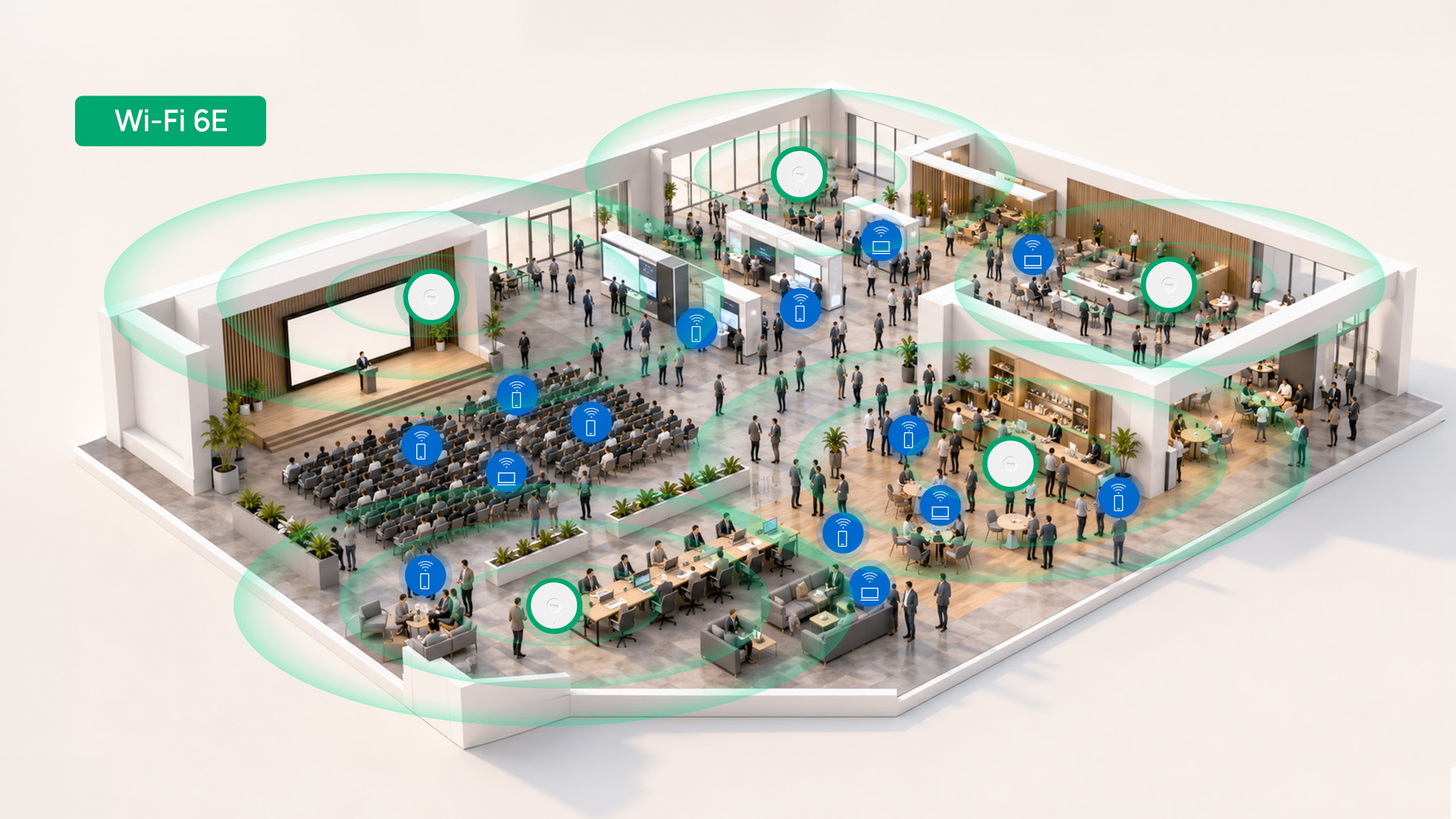
What Is Wi-Fi 6E?
Wi-Fi 6E extends Wi-Fi 6 into the 6 GHz band, adding up to 1,200 MHz of additional spectrum. Unlike the crowded 2.4 GHz and 5 GHz bands, 6 GHz operates without overlapping channels or legacy device interference, creating a clean radio frequency environment with more available bandwidth.
This expanded spectrum enables wider channels, increasing throughput, reducing latency, and supporting more simultaneous transmissions. The result is faster speeds, lower interference, and higher capacity, particularly for high-bandwidth applications like 8K streaming, AR/VR, and large data transfers.
Choosing the Right Wi-Fi Standard for Your Deployment
For most business deployments today, Wi-Fi 6 is the baseline worth building around. The capacity, efficiency, and interference management improvements over Wi-Fi 5 matter in any environment with more than a handful of connected devices — and that's nearly every office, retail location, hospitality property, or managed network.
Wi-Fi 6E is best suited to high-density environments where demand for bandwidth is high. With access to the 6 GHz band, it provides more capacity, lower latency, and less interference than the already crowded 2.4 GHz and 5 GHz bands.
Explore Omada wireless options to compare access points across Wi-Fi standards, form factors, and environments. Compare Omada Wi-Fi 7 solutions for the latest available high-performance wireless deployments.