


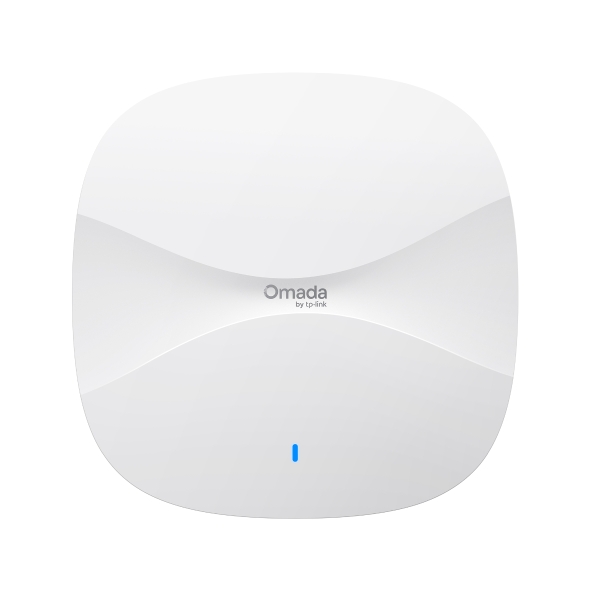
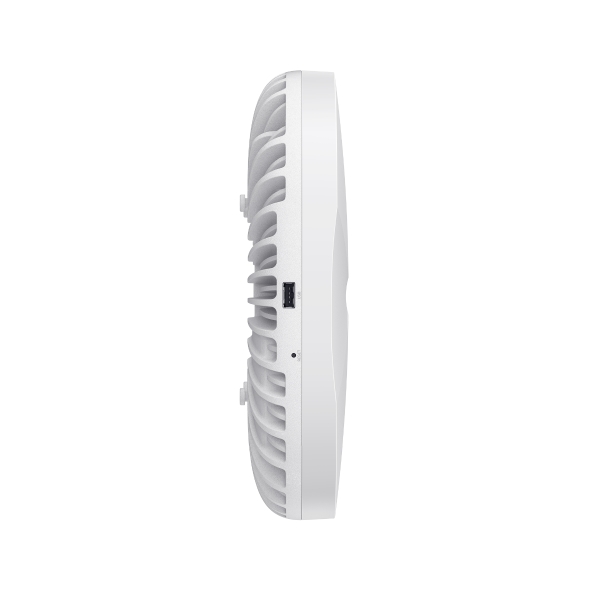
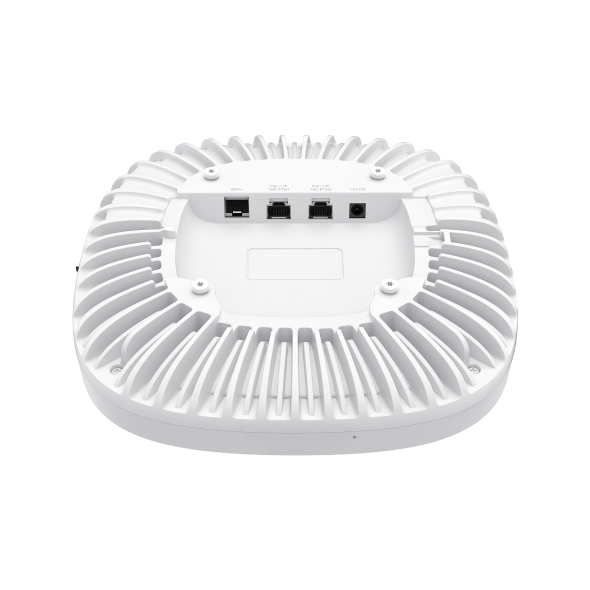
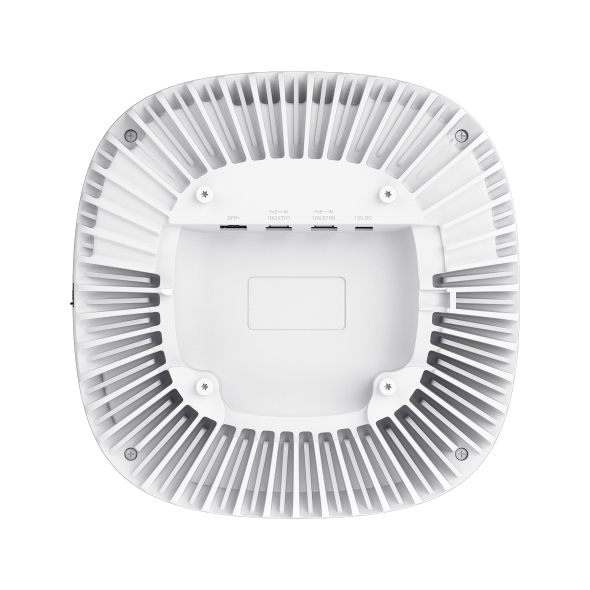
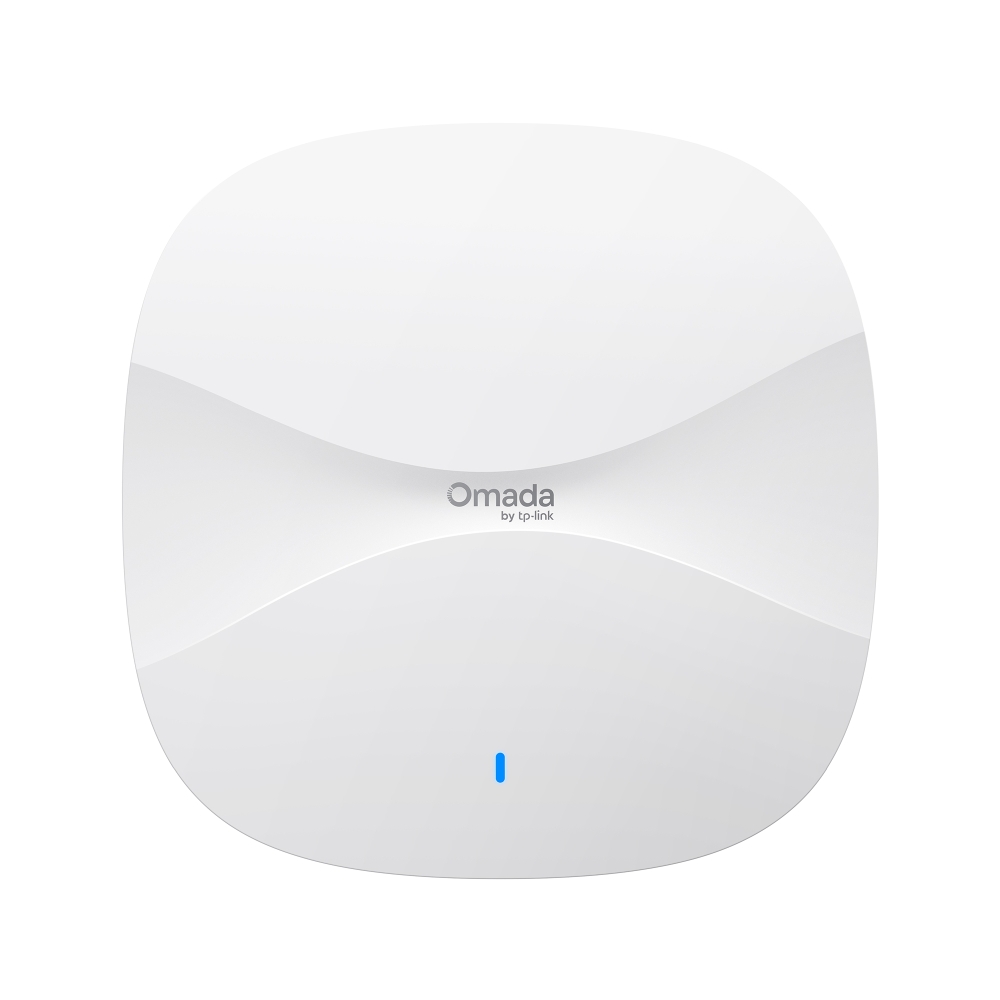
AP9788
NewOmada Access Point Campus BE19000 Ceiling Mount Wi-Fi 7
- Oltre 1.500 client simultanei: Offre una capacità ai vertici del settore negli scenari ad alta densità.*
- Wi-Fi 7 Tri-Band a 12 stream: Massimizza il throughput aggregato, riducendo drasticamente la latenza.
- Antenne smart: Ottimizzano dinamicamente la copertura e la potenza del segnale in tempo reale.
- Doppia porta 10G ad alta disponibilità: Supporta la Link Aggregation (LAG) per una capacità uplink fino a 20 Gbps, con maggiore affidabilità e ridondanza.**
- Doppia alimentazione PoE ridondante: Garantisce continuità operativa senza interruzioni grazie al failover automatico dell'alimentazione in meno di un secondo.
- Ottimizzazione WLAN adattiva: Ottimizza automaticamente i canali e la potenza di trasmissione per garantire prestazioni elevate.△
- Scansione RF dedicata: Offre monitoraggio dello spettro in tempo reale e gestione dinamica delle interferenze per prestazioni wireless affidabili.△
- Ottimizzazione del traffico di livello enterprise: Distribuisce in modo efficiente la larghezza di banda tramite Load Balancing e controllo della velocità, garantendo una gestione fluida del traffico negli ambienti ad alta densità.△
- Elevata resistenza alle condizioni ambientali: Garantisce prestazioni affidabili anche a temperature estreme, comprese tra -22 ℉ e 122 ℉ (-30 ℃ e 50 ℃).
AP9788 highlights
-
Tri-Band 12-Stream
-v1/img/ap9788-highlight-icon-07.png)
Wi-Fi 7 -
Speeds up to
-v1/img/ap9788-highlight-icon-03.png)
19.0 Gbps§ -
Up to 1,500+
-v1/img/ap9788-highlight-icon-02.png)
Concurrent Clients* -
Smart Antennas
-v1/img/ap9788-highlight-icon-01.png)
-
2×10G RJ45 Ports (LAG Supported) + 1× SFP+ Slot
-v1/img/ap9788-highlight-icon-08.png)
-
Single/Dual PoE
-v1/img/ap9788-highlight-icon-06.png)
Support -
Dedicated RF
-v1/img/ap9788-highlight-icon-05.png)
Scanning -
Adaptive WLAN
-v1/img/ap9788-highlight-icon-04.png)
Optimization
Unprecedented
Performance for
High-Density
Environments.
Massive Concurrent Connectivity for Ultra-Dense Environments
With tri-radio 12 spatial streams, AP9788 delivers uncompromising speed, rock-solid stability, and high-density capacity for up to 1,500 concurrent clients.**
-v1/img/ap9788-scenario-01.png)
-v1/img/ap9788-scenario-02.png)
-v1/img/ap9788-scenario-03.png)
-v1/img/ap9788-scenario-04.png)
-v1/img/ap9788-scenario-05.png)
-v1/img/ap9788-scenario-06.png)
Dynamic Smart Antenna for Adaptive Coverage
Powered by integrated hardware and software algorithms, the AP automatically adjusts 5 GHz antenna tilt—steeper to reduce dense interference, and shallower to extend coverage. As clients move, it dynamically switches across multiple built-in antenna patterns to ensure optimal real-time signals.
-v1/img/ap9788-antenna-architecture-mobile.png)
-v1/img/ap9788-antenna-tracking-mobile.png)
Client Location
Enterprise-Grade Traffic Optimization
Advanced Load Balancing distributes clients to prevent network congestion, while Rate Control blocks low-speed devices to preserve valuable airtime for critical tasks. Combined with optimized Multicast Management, it streamlines heavy traffic for uninterrupted delivery without wasting airtime.
-v1/img/ap9788-traffic-load-balancing-mobile.png)
-v1/img/ap9788-traffic-rate-control-mobile.png)
Device Performance Airtime Reduce Airtime Usage by
Low-Speed Devices
-v1/img/ap9788-traffic-multicast-mobile.png)
Source Active Idle Active Idle Active
Intelligent Network
Operations for
Simplified
Management
Dedicated RF Scanning
Provides continuous background spectrum monitoring and interference identification, neutralizing security threats without impacting client.
- Real-Time Tri-Band Scanning and Spectral Analysis
- Over-the-Air Packet Capture
- Continuous Scanning without Disrupting Data Transmissions
- Interference Source Identification
-v1/img/ap9788-rf-scanning.png)
Adaptive WLAN Optimization
Continuously monitors the RF environment and automatically performs localized scanning and optimization when a new AP or strong interference is detected, effectively maximizing overall network efficiency and capacity.
Unwavering
Reliability.
Mission-Critical
High Availability.
Fault-Tolerant
High-Redundancy
Architecture
A resilient network architecture requires fault tolerance at every layer. As the anchor of this ecosystem, the AP9788 features dual 10G uplinks and dual-PoE failover to guarantee unbreakable Wi-Fi even if upstream switches fail.
-v1/img/ap9788-redundant-diagram-web.png)
-v1/img/ap9788-redundant-diagram-mobile.png)
Maintains network continuity even if the active gateway or WAN link fails.
Guarantees seamless data flow during core switch or uplink cable faults.
- Combines two 10G ports for up to 20 Gbps bandwidth and seamless data failover.
- Provides fail-safe power redundancy, keeping APs powered even if a PoE switch fails.
Extended Operating Temperature for Demanding Environments
Engineered with industrial-grade durability and superior thermal design. The AP9788 maintains unwavering performance across an extended temperature range, ensuring reliability in warehouses, factories, and unconditioned spaces.
-v1/img/ap9788-temperature-scene-mobile.png)
122°F (50°C)
Empowering Businesses with Reliable Omada
SDN SolutionsEmpowering
Businesses with
Reliable Omada SDN
Solutions
The Omada Software Defined Networking (SDN) platform integrates network devices, including access points, switches, and routers, providing 100% centralized cloud management—all controlled from a single interface.
-v1/img/ap9788-sdn-diagram-web.png)
-v1/img/ap9788-sdn-diagram-mobile.png)
(Cloud-Based)
VPN Gateway
Outdoor Wi-Fi 7 APOmada
Campus Outdoor
Wi-Fi 7 AP
Ceiling Mount Wi-Fi 7 AP
AP9788Omada Campus
Ceiling Mount
Wi-Fi 7 AP
AP9788
Switch
Browser
App
Access
| CARATTERISTICHE HARDWARE | |
|---|---|
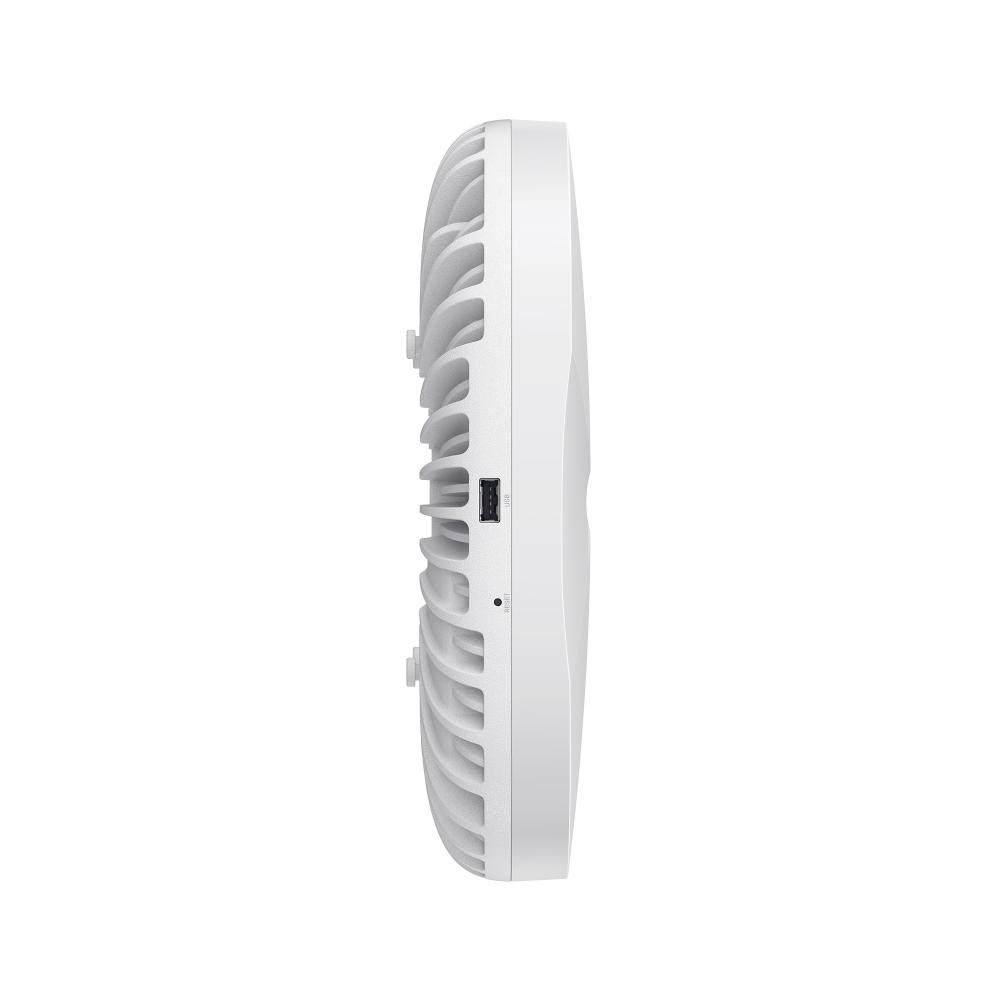
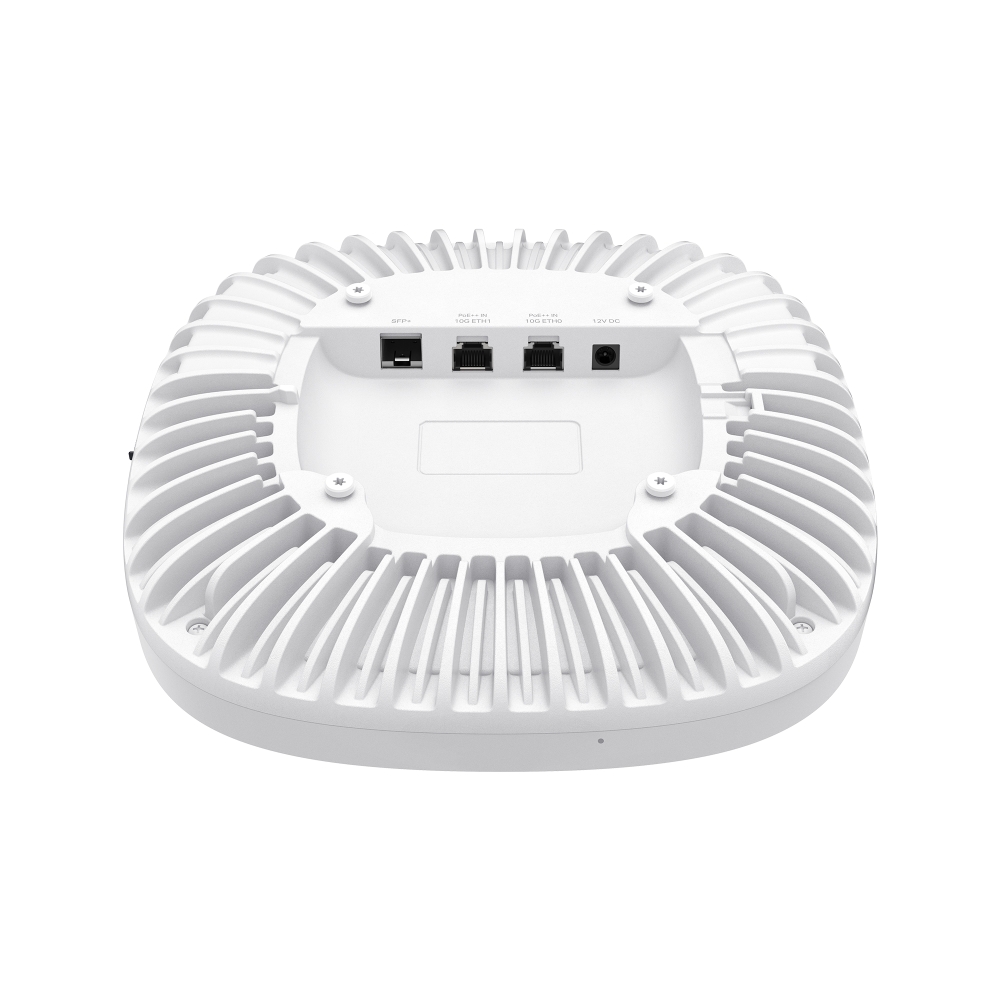
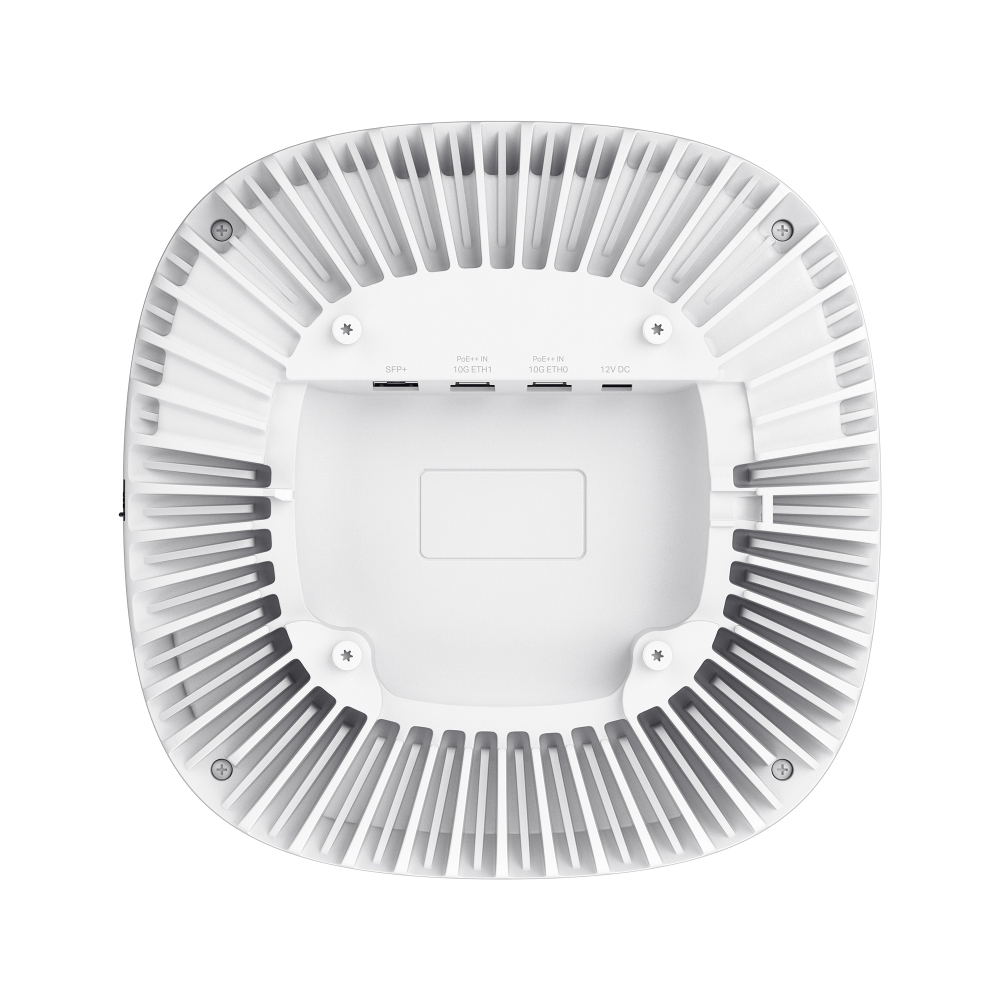
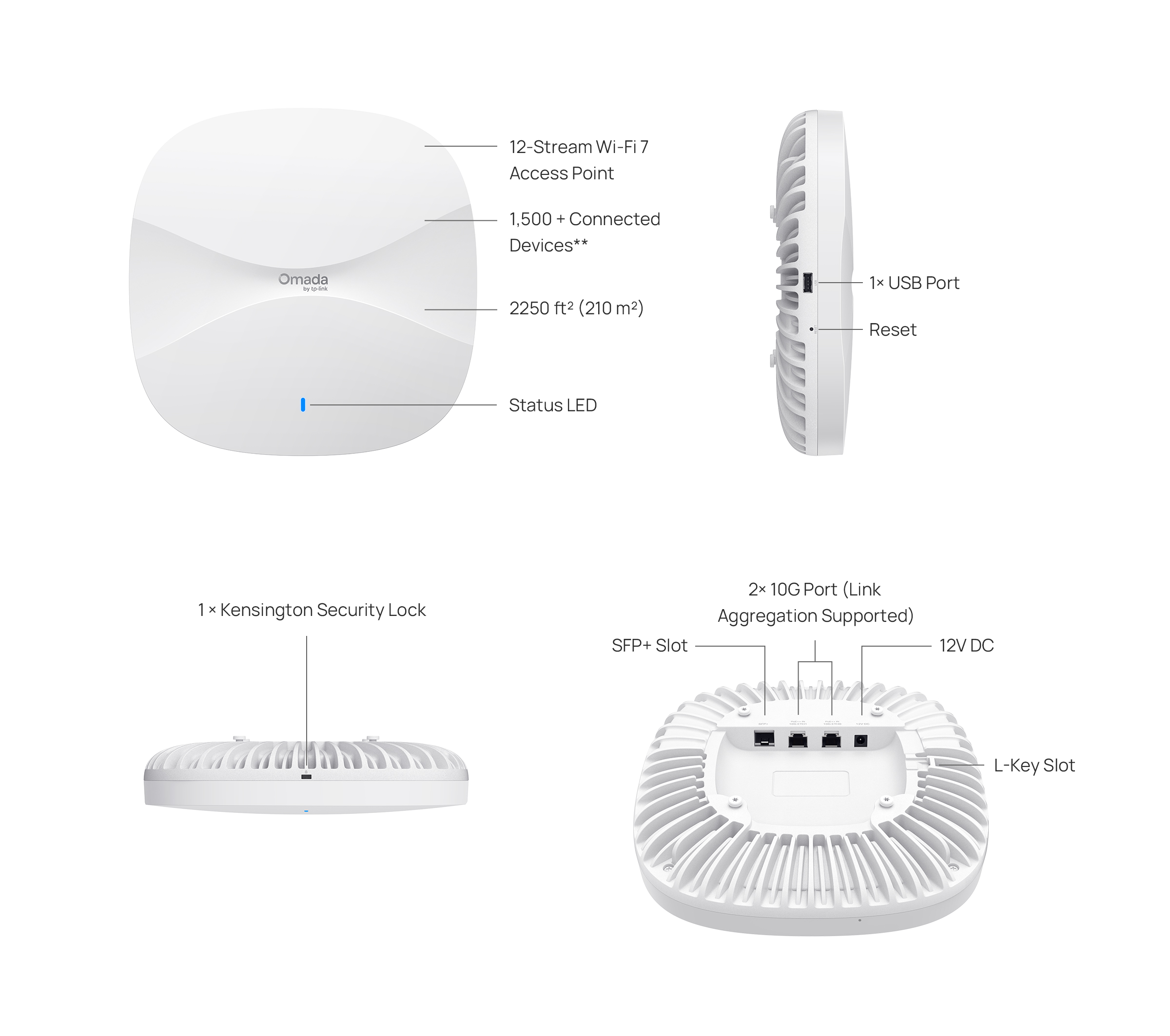
| Interfaccia | • 2× 10G Ethernet Ports• 1× SFP+ Slot • 1× USB Port |
| Tasto | Reset |
| Alimentazione | • Single/Dual PoE • 12V/4.5A DC |
| Consumo energetico | 51 W |
| Dimensioni ( L x P x A ) | 9.8 × 9.8× 2.2 in (250 × 250 × 55.4 mm) |
| Antenna | • 2.4 GHz: 4× 6.29 dBi• 5 GHz (Smart Anteena): 4× 7.02 dBi for antenna mode 1, 4× 7.42 dBi for antenna mode 2• 6 GHz: 4× 7.51 dBi |
| Bluetooth | 1 × 6.52 dBi (peak gain), Internal antenna module |
| Tipo di montaggio | Ceiling / Wall / Junction Box Mounting (Kits Included) |
| GESTIONE | |
|---|---|
| Omada App | Yes |
| Centralized Management | • Omada Central (Cloud-Based)• Omada Hardware Controller• Omada Software Controller |
| Cloud Access | Yes. Require the use of an Omada controller. |
| Avvisi e-mail | Yes |
| LED ON/OFF | Yes |
| Management MAC Access Control | Yes |
| SNMP | v1, v2c, v3 |
| Log di sistema locale e remoto | Yes |
| Gestione web-based | Yes |
| CARATTERISTICHE WIRELESS | |
|---|---|
| Coverage | 2250 ft² (210 m²)‡ |
| Concurrent Clients | 1500+* |
| Standard wireless | IEEE 802.11 a/b/g/n/ac/ax/be |
| Frequenza | 6 GHz, 5 GHz, and 2.4 GHz |
| Signal rate | 1376 Mbps (2.4 GHz) + 8648 Mbps (5 GHz) + 11528 Mbps (6 GHz)§ |
| Funzionalità wireless | • 320 MHz Bandwidth†• RF Scanning• MLO†• 4K-QAM†• Multi-RUs†• Seamless Roaming(802.11k/v/r)• MU-MIMO†• Mesh△• BSS Coloring†• OFDMA†• Load Balance• Band Steering• Beamforming• Airtime Fairness• Multiple SSIDS:24(8 on each band)• Wireless Schedule• Reboot Schedule• QoS(WMM)• Rate Limit• Static IP/Dynamic IP• RADIUS Accounting• MAC Authentication |
| Sicurezza wireless | • Captive Portal Authentication△• Access Control• Mac Filter• Wireless Isolation Between Clients• VLAN• Rogue AP Detection• WPA-Personal/Enterprise, WPA2-Personal/Enterprise, WPA3-Personal/Enterprise |
| Potenza di trasmissione | 7-28 dBm (2.4 GHz)7-28 dBm (5 GHz, U-NII-1 & U-NII-3)7-24 dBm (5 GHz, U-NII-2A & U-NII-2C)7-27 dBm (6 GHz) |
| ALTRO | |
|---|---|
| Certificazione | • Wi-Fi Alliance: Wi-Fi 7 (R1), Wi-Fi 6 (R2), Wi-Fi 6E, WPA3-R3, WPA3-Suite B, Enhanced Open Security• FCC/IC/CE/NCC/VCCI/JRF/BSMI/WFA |
| Contenuto della confezione | • AP9788• Installation Guide• Ceiling/Wall/Junction Box Mounting KitNote: Power Adapter is NOT included. |
| Ambiente | • Operating Temperature: -30℃ to +50℃ (-22℉ to +122℉)• Storage Temperature: -40℃ to +70℃ (-40℉ to +158℉)• Operating Humidity: 10%–95% non-condensing;• Storage Humidity: 5%–95% non-condensing; |
*La capacità effettiva dipende dall'ambiente wireless e dal traffico dei client ed è generalmente inferiore al numero massimo di connessioni client.
**Questa funzionalità richiede l'utilizzo di uno switch compatibile.
△Queste funzionalità richiedono l'utilizzo di un Omada Controller.
§Le velocità massime del segnale wireless sono velocità fisiche derivate dalle specifiche dello standard IEEE 802.11. La larghezza di banda di 320 MHz è disponibile esclusivamente sulla banda 6 GHz. In alcune regioni o Paesi, l'utilizzo della larghezza di banda di 320 MHz sulla banda 6 GHz e di 160 MHz sulla banda 5 GHz potrebbe essere soggetto a restrizioni normative. Il throughput effettivo dei dati wireless e la copertura non sono garantiti e possono variare.
†L'utilizzo di Wi-Fi 7 (802.11be), Wi-Fi 6 (802.11ax) e delle funzionalità Multi-Link Operation (MLO), larghezza di banda di 320 MHz, 240 MHz e 160 MHz, banda 6 GHz, 4K-QAM, Multi-RU, OFDMA e MU-MIMO richiede che anche i dispositivi client supportino le rispettive funzionalità.
‡Il valore di copertura è calcolato sulla base di test di laboratorio. La copertura effettiva non è garantita e può variare in base alle limitazioni dei dispositivi client e ai fattori ambientali.
Informazioni ErP:
1. Consumo energetico in modalità standby con connessione di rete: 6,8 W.
2. Consumo energetico in modalità standby con connessione di rete, con tutte le porte di rete cablate collegate e tutte le interfacce di rete wireless attive: 18,8 W.
3. Intervallo di tempo predefinito dopo il quale la funzione di gestione dell'alimentazione imposta automaticamente il dispositivo in modalità standby con connessione di rete: 20 minuti.
4. Come attivare e disattivare la rete wireless: accedere all'interfaccia web del prodotto tramite una connessione cablata. La funzione wireless può essere attivata o disattivata tramite il percorso ‘Wireless -> Wireless Settings -> Enable 2.4GHz/5GHz/6GHz Wireless Network’.
5. Utilizzare esclusivamente gli alimentatori indicati nelle istruzioni per l'uso.
|
Produttore |
Modello |
|
TP-Link |
T120450-2B4 |