


Hur ställer man in tidszonen i kasa appen? (SE)
För att scheduleringar för dina smart enheter skall utföra en aktivitet vid vald tidpunkt så är det viktigt att du har rätt tidszon inställd.
Denna guide visar hur du ställer in tidzon i kasa appen för dina smart enheter.
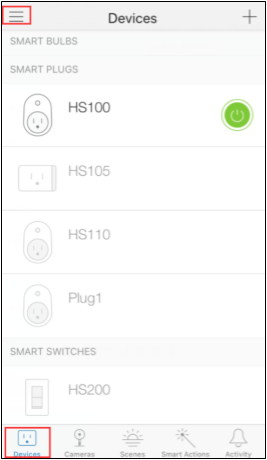
1.) Logga in i kasa appen och klicka på ikonen med 3 vågräta linjer högst upp i vänstra hörnet.
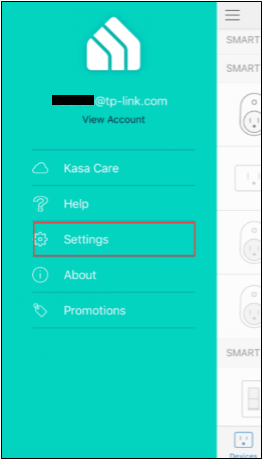
2.) Klicka på Settings.
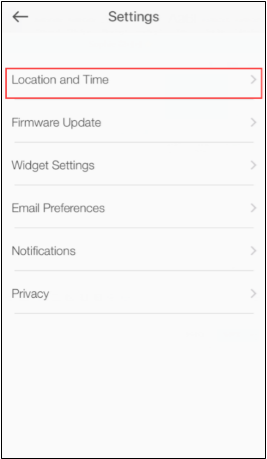
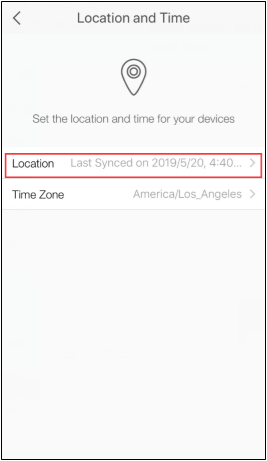
3.) Klicka på Location and Time.
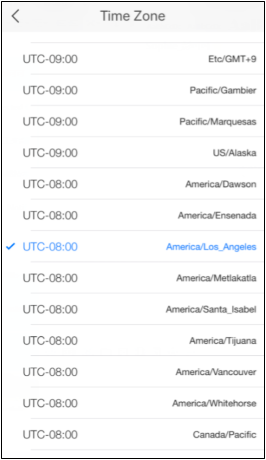
4.) Klicka på Time Zone.
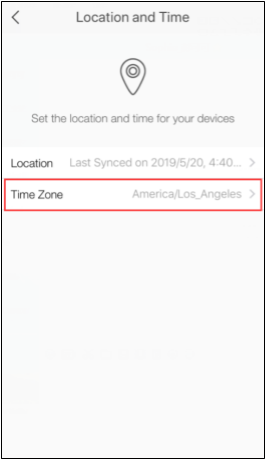
5.) Välj korrket tidszon
6.) Klicka på Location.
7.) Klicka på Sync Location för att synkronisera tidszon inställningen med dina smart enheter.
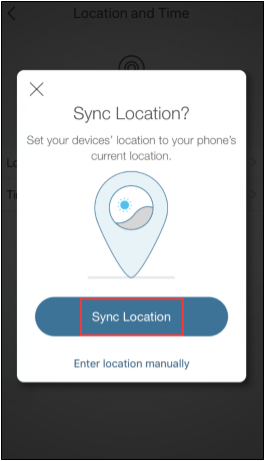
Verifiera att tidszonen och sync location time matchar med aktuell tid. Om inte så upprepa punkt 6.
Looking For More
Is this faq useful?
Your feedback helps improve this site.

TP-Link Community
Still need help? Search for answers, ask questions, and get help from TP-Link experts and other users around the world.